Page 27
EWCIE Technical Manual
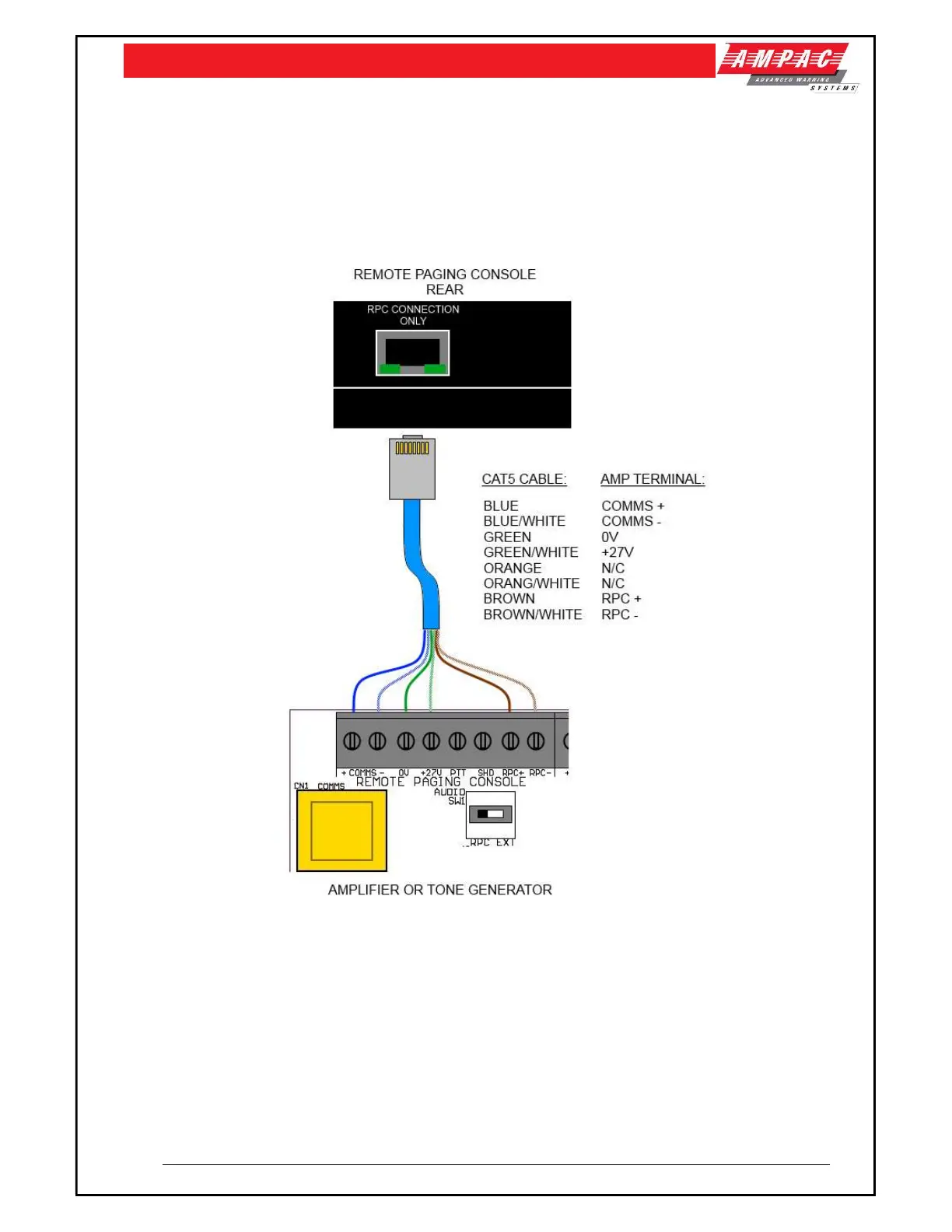
9.2 RPC Connection
The RPC console must always be connected to the Amplifier that is set as Communication Address
0, Emergency Zone 1 (see Section 5.6).
Connection to the amplifier is done using CAT5 “A” RJ45 cable. The maximum cable length should not
exceed 100m.
Figure 9: Remote Paging Console connection
When connecting the 8 Zone paging console and more than one amplifier is being used and
they each require remote paging functionality the “Audio SW” located on each of the amplifiers must
be set to the “EXT” position.
In this mode background music is a common source provided from the RPC BGM input.



 To Next Page