4 I
I – 1 Introduction to Wizard 411
ENABLE/DISABLE REF function
The ENABLE/DISABLE soft key, that is present during the position
recovery routine, allows the operator to select a specific reference
mark on an encoder. This is important when using encoders with Fixed
Reference Marks (instead of ones with Position-Trac™ feature). When
the DISABLE REF soft key is pressed, the recovery routine is paused
and any reference marks that are crossed during encoder movement
are ignored. When the ENABLE REF soft key is then pressed, the
recovery routine once again becomes active and the next crossed
reference mark will be selected.
You do not have to cross over the reference marks of all the encoders,
only those that you need. Once reference marks for all desired axes
are established, press NO REF soft key to cancel out of routine. If all
reference marks have been found, the Wizard 411 will return to the
DRO display screen automatically.
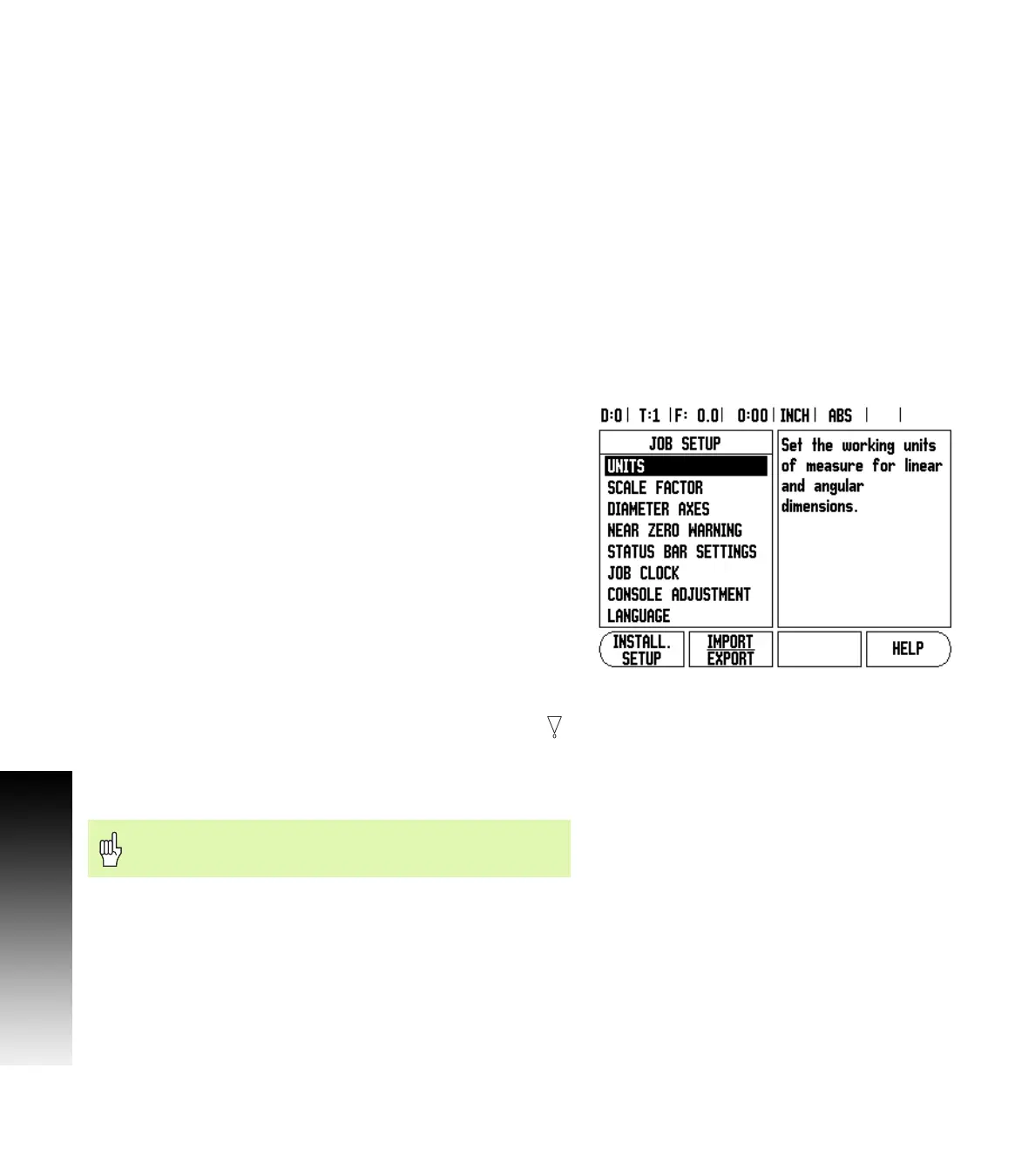
Job Setup Parameters
To view and change Job Setup parameters, first press the SETUP soft
key, then use the Up/Down arrow keys to highlight the parameters of
interest and press the ENTER key. See Fig Fig. I.3.
Units
The Units form is used to specify the preferred display units and
format. You can also select the unit of measure by pressing the
INCH/MM soft key in either Actual Value or Distance-To-Go mode.
Scale Factor
The scale factor may be used to scale the part up or down. A scale
factor of 1.0 creates a part with the exact size as dimensioned on the
print. A scale factor >1 “grows” the part, and <1 “shrinks” the part.
8 The numeric keys are used to enter a number greater than zero. The
number range is 0.1000 to 10.000. A negative value may also be
entered.
8 The scale factor settings will be retained on a power cycle.
8 When the scale factor is a value other than 1, the scaling symbol
is shown on the axis display.
8 The ON/OFF soft key is used to disable the current scale factors.
Mirror
Fig. I.3 Job Setup screen in milling
A scale factor of -1.00 will produce a mirror image of the
part. You can both mirror and scale a part at the same time.



 To Next Page