Wizard 411 15
I – 2 Milling Specific Operations
Linear Pattern
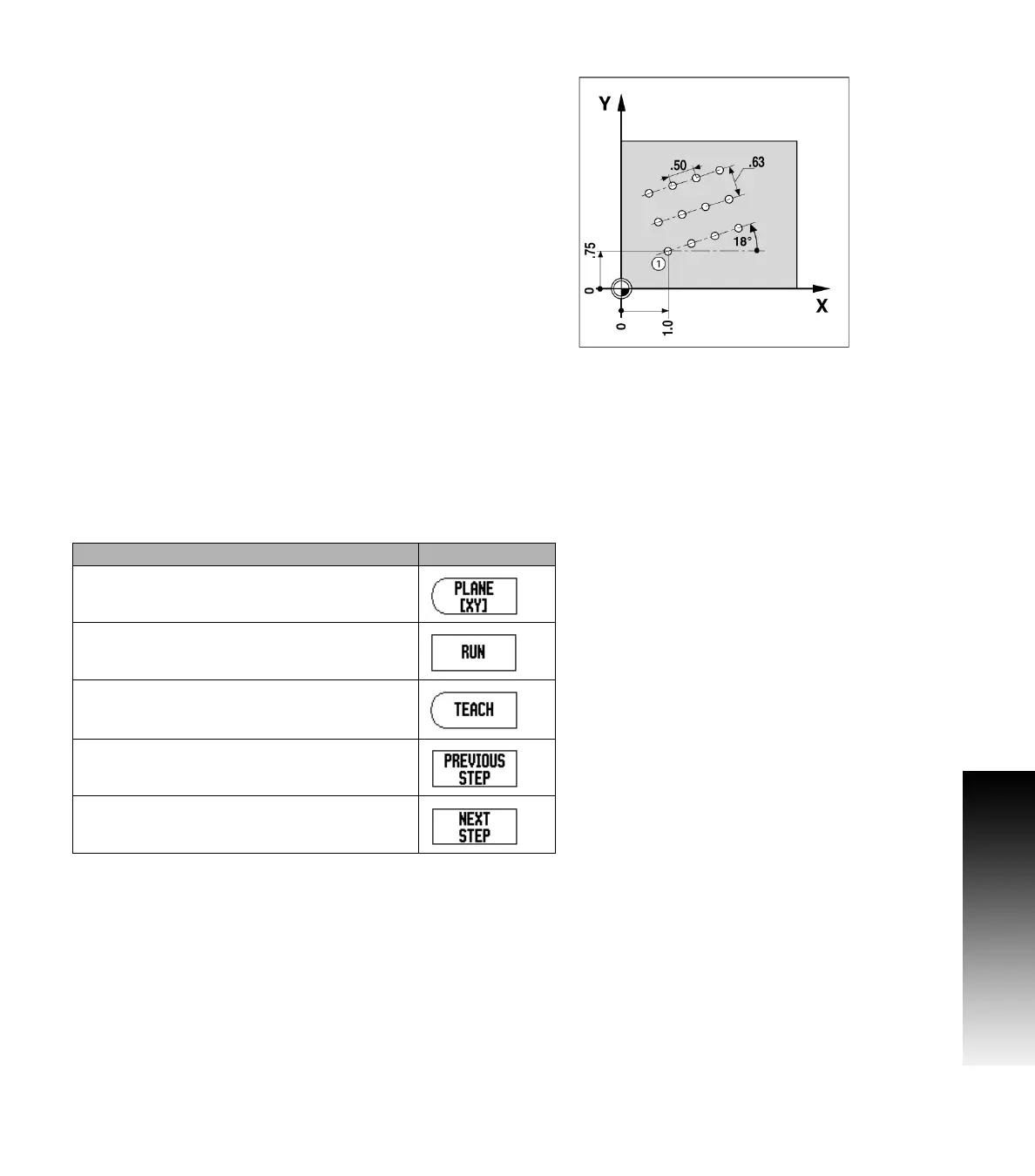
Information required (See Fig. I.20 Linear Pattern Example):
Linear pattern type (array or frame)
First hole (1st hole of the pattern)
Holes per row (number of holes in each row of pattern)
Hole spacing (the spacing or offset between each hole in the row)
Angle (the angle or rotation of the pattern)
Depth (the target depth for drilling in the tool axis)
Number of rows (number of rows in the pattern)
Row spacing (the spacing between each row of the pattern)
Information entry and operation of the Linear Pattern feature is very
similar to the Hole Pattern feature described earlier.
Incline & Arc Milling
The incline and arc milling features provide ways to machine a flat
diagonal surface (incline milling) or a rounded surface (arc milling)
using a manual machine.
The following soft keys are also available while in the Entry Form.
Fig. I.20 Linear Pattern Example
Function Soft key
Press this to select a plane.
Press to execute the milling operation.
Press this to use the existing position.
Press to return to the previous step.
Press to advance to the next step.



 To Next Page