Wizard 411 9
I – 2 Milling Specific Operations
Datum Setting with a Tool
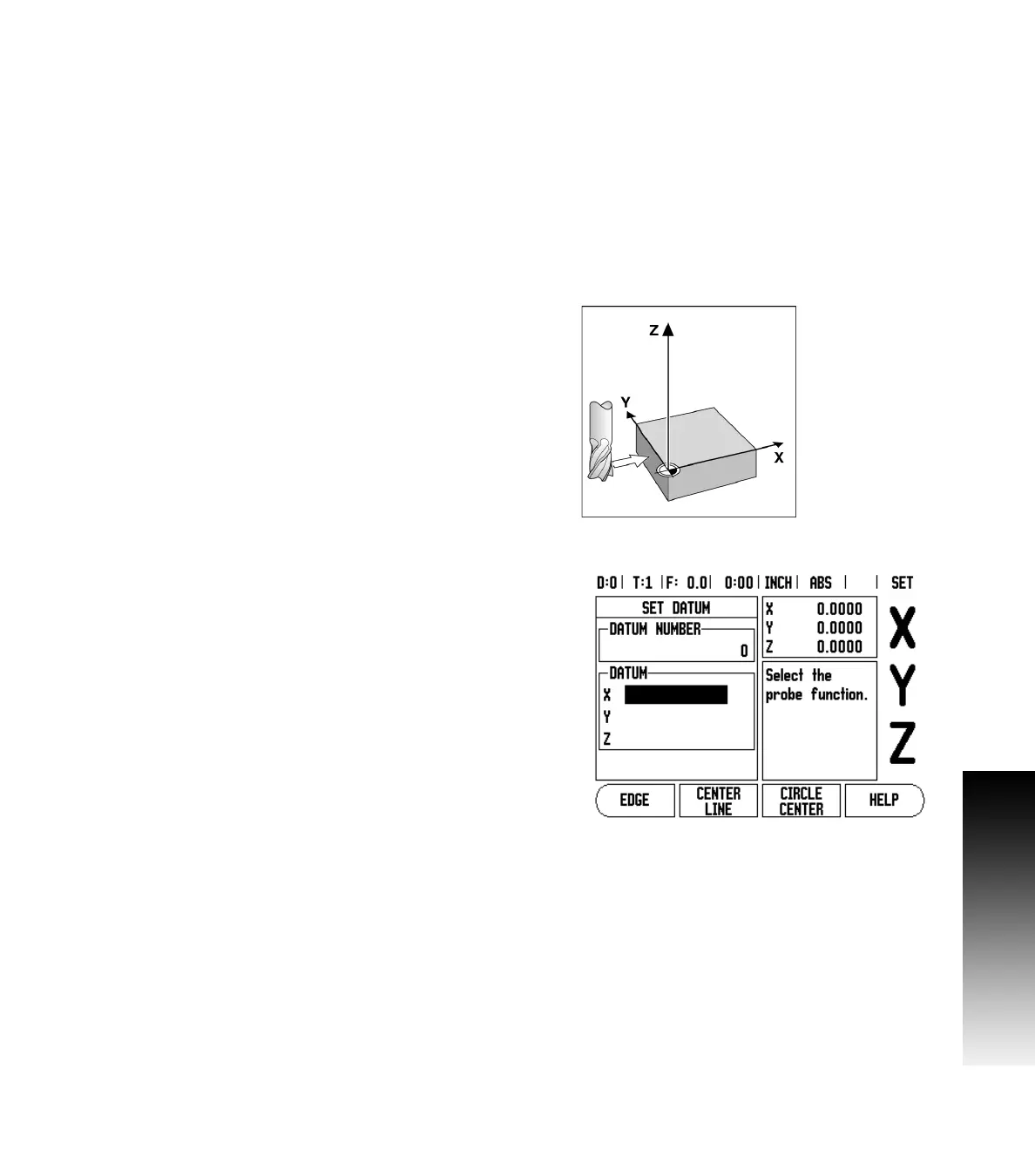
Using a tool to set datum points, you can still use Wizard 411 probing
functions. See Fig. I.11 & Fig. I.12.
The following probing soft key functions are available:
Workpiece edge as datum: EDGE soft key
Centerline between two workpiece edges: CENTER LINE soft key
Center of a hole or cylinder: CIRCLE CENTER soft key
In all probing functions, Wizard 411 takes into account the current
tool’s entered tip diameter.
(
To abort the probing function while it is active, press the C key.
Example: Probe workpiece edge and set edge as datum
Preparation: Set the active tool to the tool that will be used to set the
datum
Datum axis: X =0
Tool diameter D = 0.25”
Press DATUM hard key.
Press the DOWN ARROW key until the X axis field is highlighted.
Press PROBE soft key.
Press EDGE soft key.
Touch workpiece edge.
Press the TEACH soft key to store the current absolute value while the
tool is in contact with the workpiece edge. The location for the
touched edge will take into account the diameter of the tool in use
(T:1, 2...) and the last direction the tool was moved prior to pressing
the TEACH soft key.
Retract the tool from the workpiece and enter 0” and then press
ENTER.
Fig. I.11 Setting datum using an edge
Fig. I.12 Set Datum screen



 To Next Page