Wizard 411 23
I – 3 Turning Specific Operations
Taper Calculator Hard Key
You can calculate tapers either by entering dimensions from a print, or
by touching a tapered workpiece with a tool or indicator.
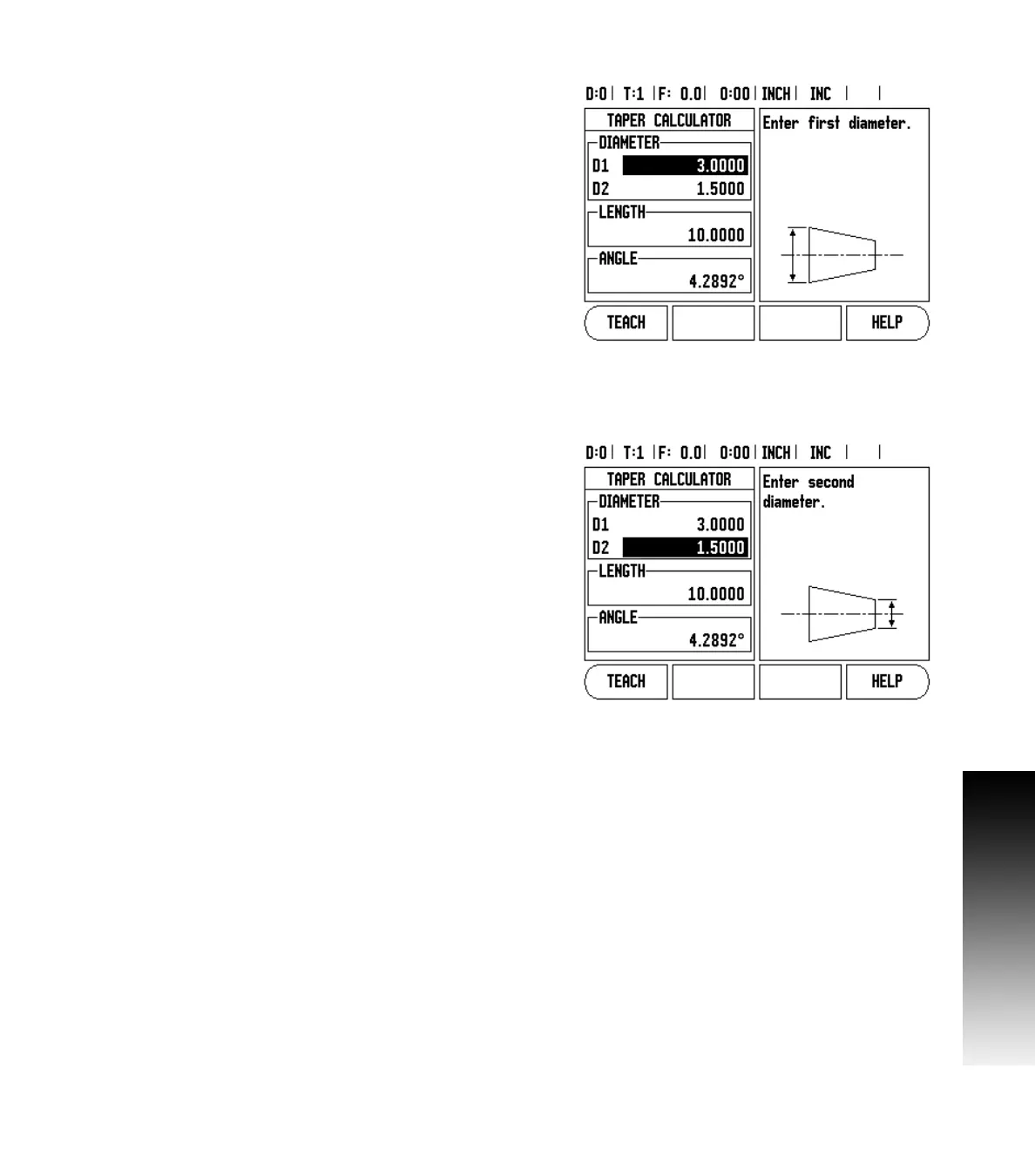
Use the taper calculator to caculate taper angle. See Fig. I.33 and
Fig. I.34.
Entry values:
For the taper ratio, calculation requires:
ØØØ
Change in the radius of the taper.
Length of the taper
For taper calculation using both diameters (D1, D2) and length
requires:
Starting diameter
End diameter
Length of the taper
Press the CALC hard key.
The soft key selection now changes to include the taper calculator
funtions.
To calculate the taper angle using two diameters, and length between,
press the taper: di/D2/l soft keys. First taper point, diameter 1, either
enter a point using the numeic keys and press enter, or touch the tool
to one point and press note.
Repeat this for the diameter 2 field.
When using the note key, the taper angle is automatically calculated.
When entering data numerically, enter data into the length field, and
press enter. The taper angle will appear in the angle field.
To calculate angles using the ratio of the diameter, change to length,
and press the TAPER: RATIO soft key.
Using the numeric keys, enter data into the ENTRY 1, and ENTRY 2
fields. Press ENTER after each selection. The calculated ratio, and the
angle will appear in their respective fields.
ØØØ
Fig. I.33 Taper Calculator form - Diameter 1
Fig. I.34 Taper Calculator form - Diameter 2



 To Next Page