Wizard 411 21
I – 3 Turning Specific Operations
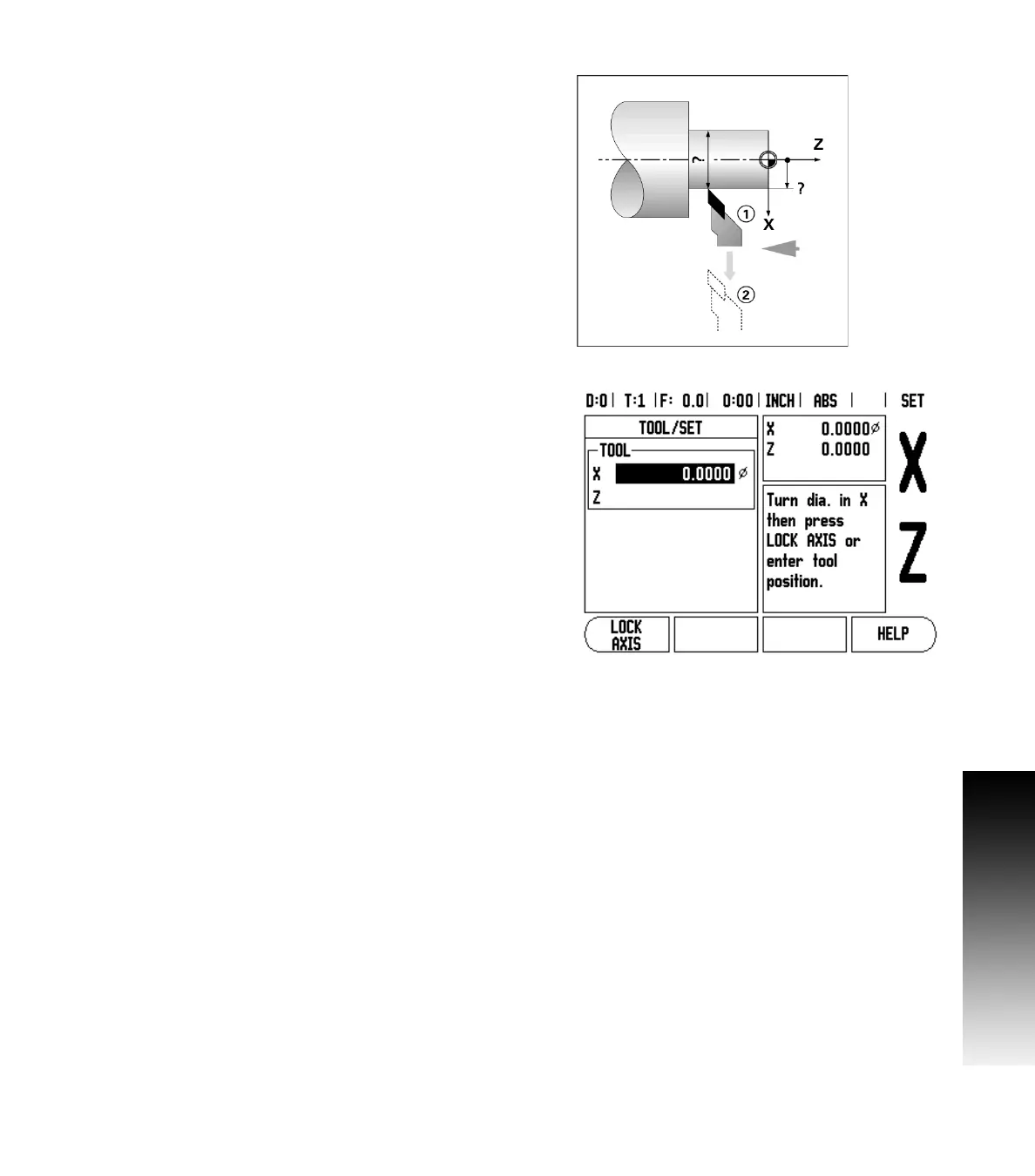
Setting Tool Offsets Example 2: Using LOCK AXIS Function
The LOCK AXIS function can be used to set a tool’s offset when a tool
is under load and the diameter of the workpiece is not known. See Fig
Fig. I.28.
The LOCK AXIS function is useful when determining tool data by
touching the workpiece. To avoid losing the position value when the
tool is retracted to measure the workpiece, this value can be stored by
pressing LOCK AXIS.
To use the LOCK AXIS function:
Press the TOOL hard key. Select tool and press ENTER. Press the X axis
key. Turn a diameter in the X axis. Press the LOCK AXIS soft key while
the tool is still cutting. Retract from the current position. Turn the
spindle off and measure the workpiece diameter. Enter the measured
diameter or radius, and press ENTER. See Fig Fig. I.29
Remember to ensure the Wizard 411 is in diameter display mode (Ø)
if you input a diameter value.
Calling a Tool from the Tool Table
To call a tool, press the TOOL hard key. Use the UP/DOWN ARROW keys to
cursor through the selection of tools (1-16). Highlight the tool you
want. Verify the proper tool has been called, and press either the USE
TOOL hard key, or the C key to exit.
Fig. I.28 Setting Tool Offset
Fig. I.29 TOOL/SET Form



 To Next Page