SECTION 5 BASIC OPERATION PROCEDURE
5-3
SECTION 5
BASIC OPERATION PROCEDURE
The basic operation procedure of this equipment is
explained here. The operations are listed on the right.
Also, the explanation will advance assuming that a
2 GHz signal is applied to the input connector. Please
read this manual while operating this equipment.
( : Panel key, : Soft key)
<Actual operations>
Signal Display
Turn the power on
(I) Signal display
1) Turn the power on,
2) execute automatic calibration,
3) set the signal to the center of the screen, and
4) enlarge and display the signal.
(II) Marker operation
Check of the zone marker function.
The "marker → CF" function check.
(III) "Measure" function check
(IV) Screen hard copy
Press the standby button on the rear panel, then
press the power switch (0) on the front panel. In
this case, continue pressing the power switch for
one second or more.
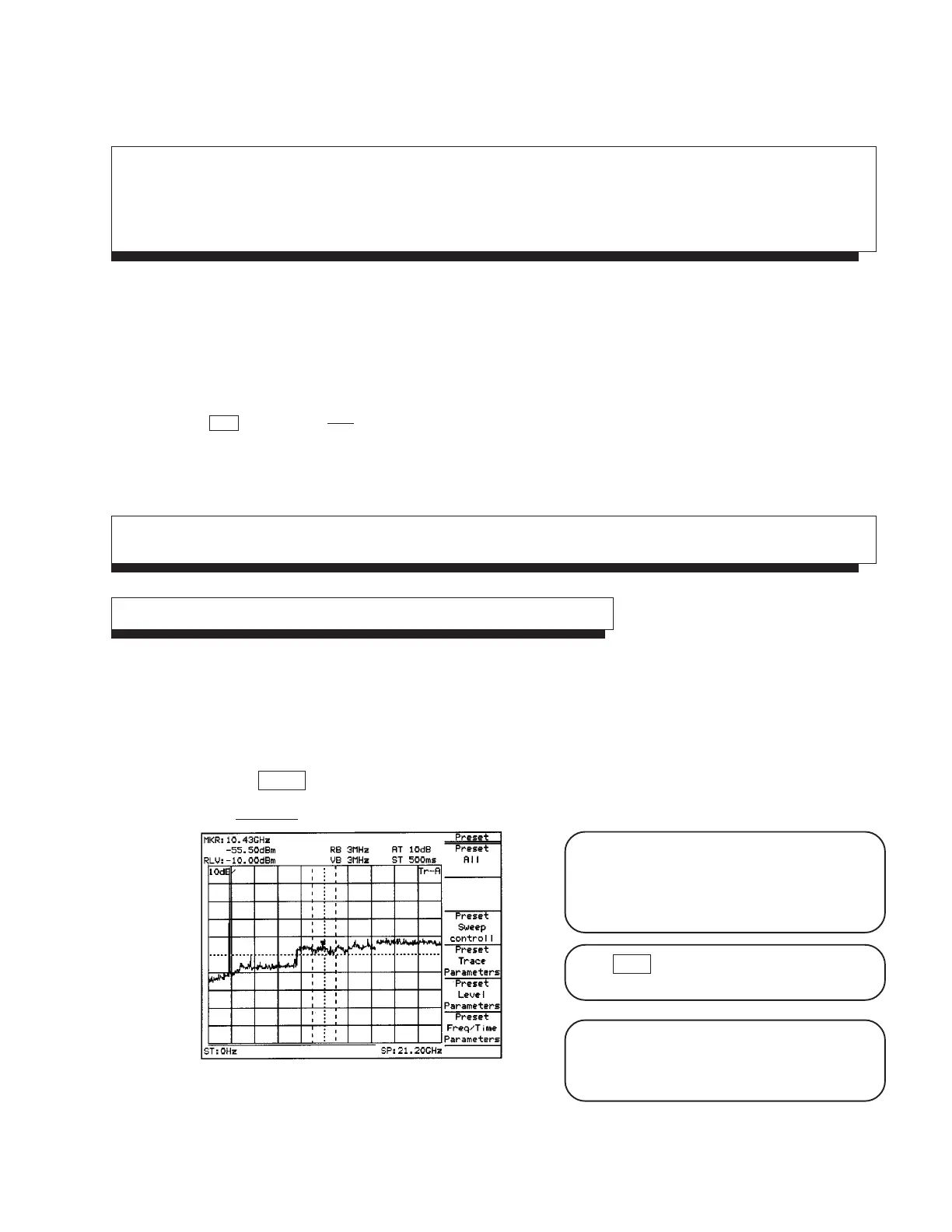
Press Preset key.
Press Preset All key in the menu.
Fig. 5-1
The power is turned on/off only when the power
switch is pressed for one second or more. This
prevents the power from being turned on/off easily
by mistake.
When panel key (hard key) is pressed, the related
soft key menu is displayed.
Partial resettings are enabled. This resetting
includes only the display-related resetting or the
resetting of special modes such as zone sweep.











 To Next Page