SECTION 5 BASIC OPERATION PROCEDURE
5-6
Marker Operation
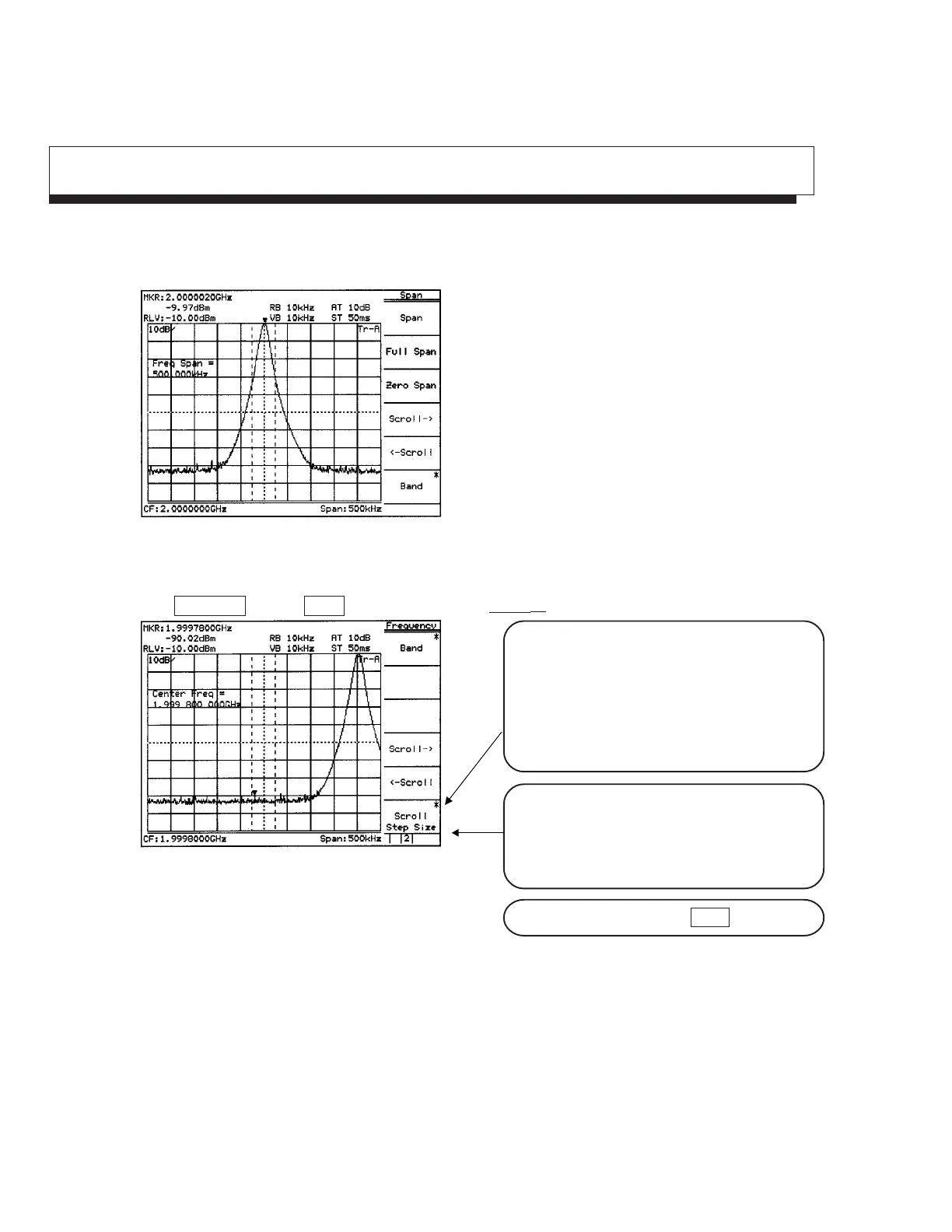
Here, checks that the signal frequency and level are displayed in a marker display area. The zone marker
automatically fetches the highest level signal within the zone and displays the frequency and level.
Fig. 5-7
To check Marker → CF function, shift the signal from the center intentionally.
Press Frequency key and More key in order, and then Scroll → key two times.
Fig. 5-8
The soft key menu marked by an asterisk on the
upper right indicates that the menu can further be
opened by pressing the key. Adversely, the soft
key menu not marked indicates that the menu
cannot be opened any more, so to speak, the end
of menu opening.
The following items can easily be checked by the
soft key menu tab: How many pages of the soft
key menu being displayed currently are there?,
and what page is displayed now?
To turn over the page, press More key.












 To Next Page