SECTION 6 PERFORMANCE TESTS
6-22
(b) Resolution bandwidth selectivity
Step Procedure
1 Set the spectrum analyzer as shown below:
Center Freq............................................100 MHz
Span.........................................................20 MHz
RBW (MANUAL) ....................................1 MHz
Scale ............................................LOG 10 dB/div
VBW ........................................................ 100 Hz
Marker ................................................ NORMAL
Zone Width...................................................1 div
2 Press the [→ RLV] key to match the peak of the signal
trace to the top line (REF LEVEL) on the screen.
3 Press the [Single] key to execute a single sweep,
then check that the single sweep has been com-
pleted.
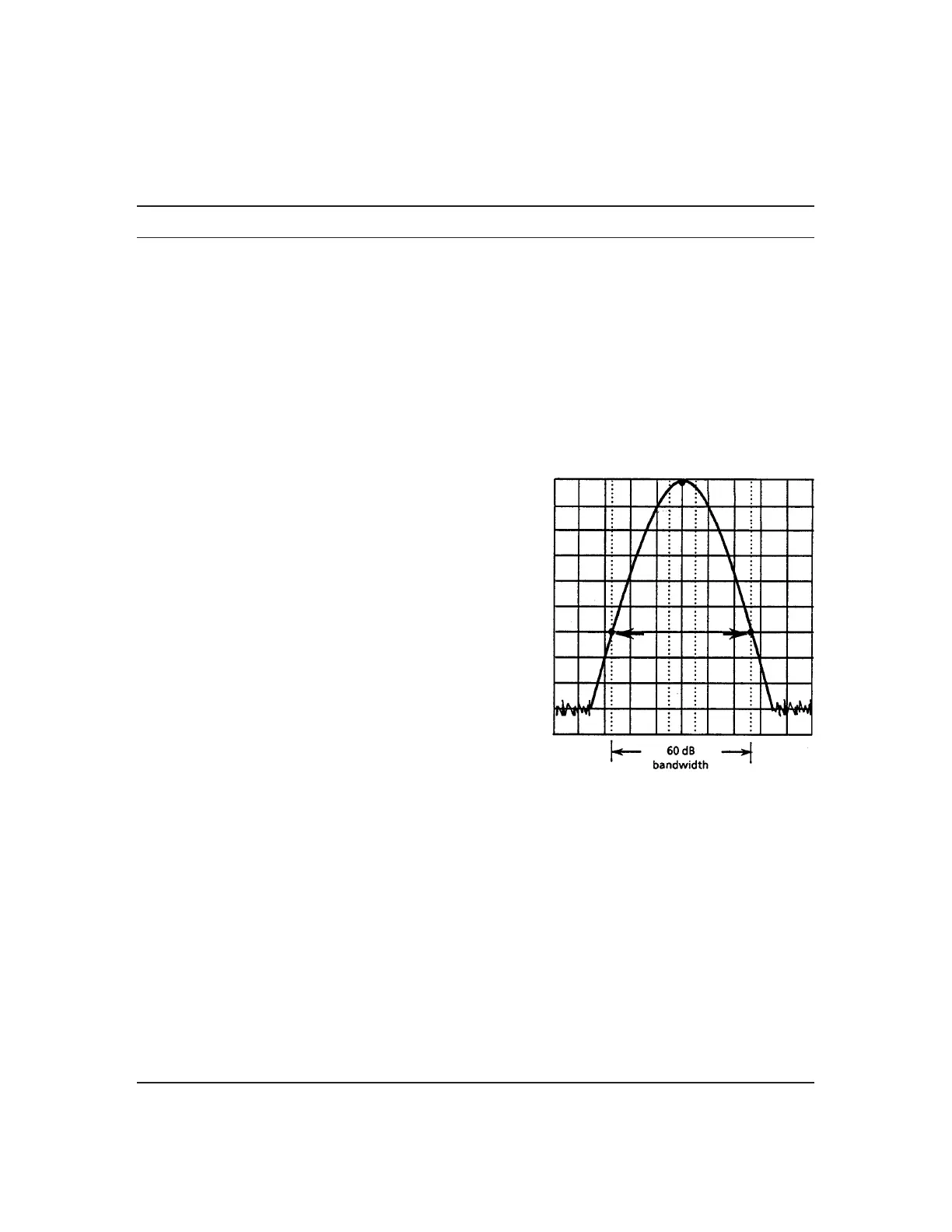
4 After pressing the Measure key, operate Occ BW
Measure and Setup and display the setup menu of
occupied frequency bandwidth measurement.
5 Select X dB Down and set it to 60 dB.
6 Press Return to return to the Occ BW Measure
menu, and then press Execute.
7 The 60 dB resolution bandwidth value is displayed
in the upper left-hand corner of the screen.
Fill in this value in the table on the next page.
8 Repeat steps 1 to 7 for the frequencies other than the resolution bandwidth 1 MHz and the
frequency span 20 MHz according to the combinations of resolution bandwidth and frequency
span shown in the table on the next page.
9 For the 3 dB bandwidth, too, write the value of the Resolution Bandwidth (3 dB) table on the
preceding page in the table on the next page.
10 For each resolution bandwidth in the table on the next page, confirm that the value calculated
from (60 dB BW/3 dB BW) is ≤15.
60 dB Bandwidth Measurement












 To Next Page