SECTION 6 PERFORMANCE TESTS
6-34
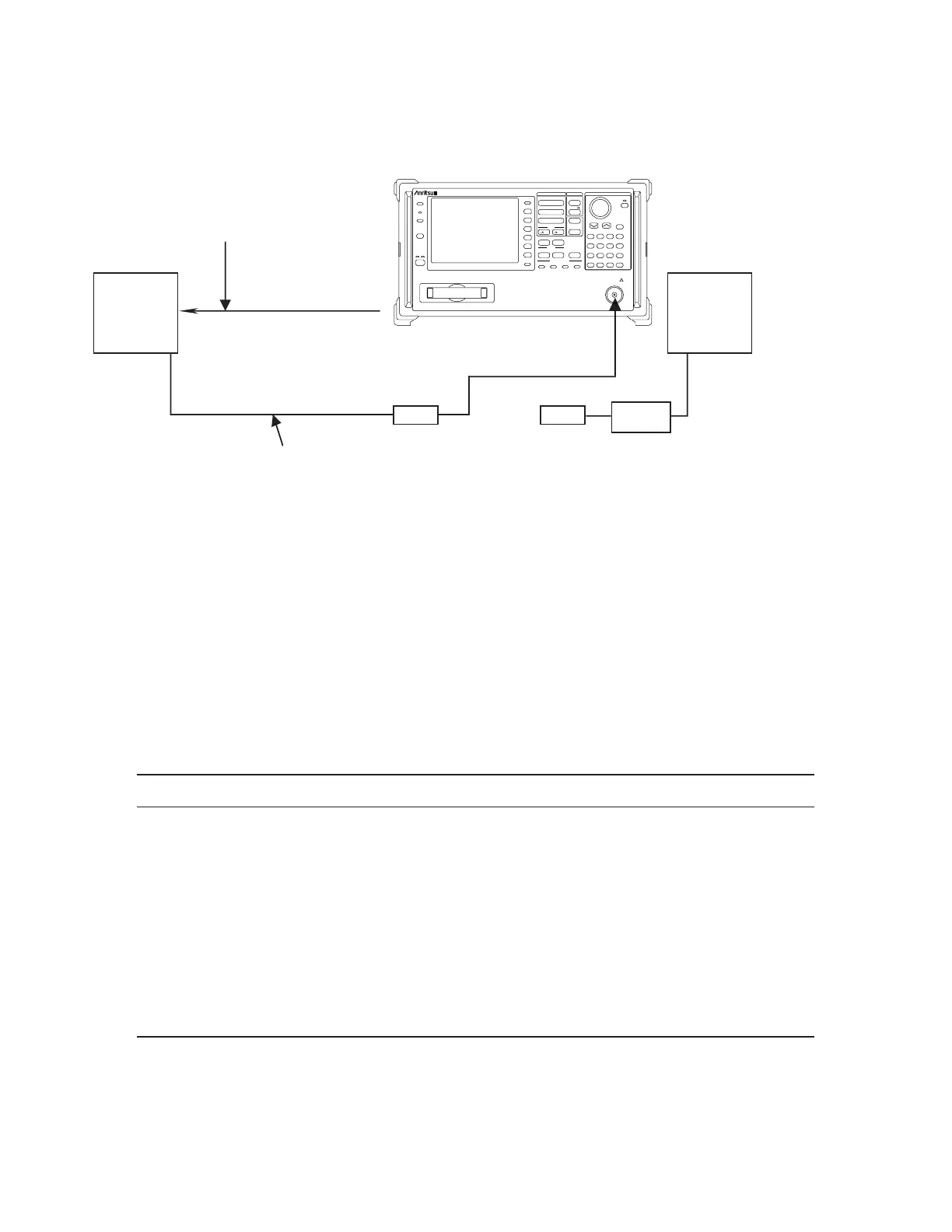
(3) Setup
10MHz STD
Buff Out
REF
IN
RF Input
OUTPUT
69269A
MA2424A
INPUT
Power sensor
Coaxial adaptor
N·J-SMA·J
Power meter
ML2437A
Coaxial cable
(SMA connector)
Coaxial cable
(BNC connector)
Coaxial adaptor
N·P-SMA·J
(Note)
Frequency Response Test
(Note) In case of MS2665C, if there is no buffer output for the reference oscillator (Option 01)
on the rear panel, input a reference signal from an external 10 MHz frequency standard
to the main body and signal generator.
(4) Precautions
This test should be performed after allowing the instrument to warm up for 60 minutes or more.
(5) Procedure
(a) Calibration of signal-generator 69269A
Step Procedure
1 Set the 69269A as shown below:
OUTPUT FREQ....................................100 MHz
OUTPUT LEVEL ................................. –10 dBm
2 Connect the 69269A output to the power sensor input with a coaxial cable.
3 Read the power meter display.
4 Change the 69269A output frequency as shown in the tables on the next page and read the
power meter display with level at 100 MHz as reference. This data is the calibration data.
Stby
Shift
On
Preset
Menu On/Off
More
RBW VBW Sweep Time Atten
Local
Remote
F1
F2
F3
F4
F5
F6
Display
Coupled Function
MS2665C
Spectrum Analyzer
9kHz–21.2GHz
PTA Define
Memory Card
Enter
Hold
µv
µsec
EntryMarkerFreq/Ampl
7
Copy Cont
Copy
8 9 GHz
CE
4 5 6 MHz
BS
+/–
3
mV
msec
dBm
dB
V
sec
Cal
Interface Mem Card
Sound System Title
1 2 kHz
0 • Hz
A/B.A/BG A/Time
Save
Recall
Amplitude
Span
Frequency
Measure
A.B Time Trig/Gate
Peak
Continuous
CF RLV Single
Marker
Peak
Search
Multi Mkr
Marker
User
RF Input 50Ω
+30dBm
0V DC Max












 To Next Page