AR2700 operating manual
24
utensil such as a pin, small screwdriver, sharp pencil etc. It does not matter
whether the receiver is switched On or Off at the time. This has the same
effect as switching the receiver On by the [PWR] key while holding the
[CLR] key.
Your memory bank and search bank data will remain intact but any linked
bank settings, etc will be lost. This has the same effect as the external soft
reset switch on the left hand cabinet... use only as a last resort.
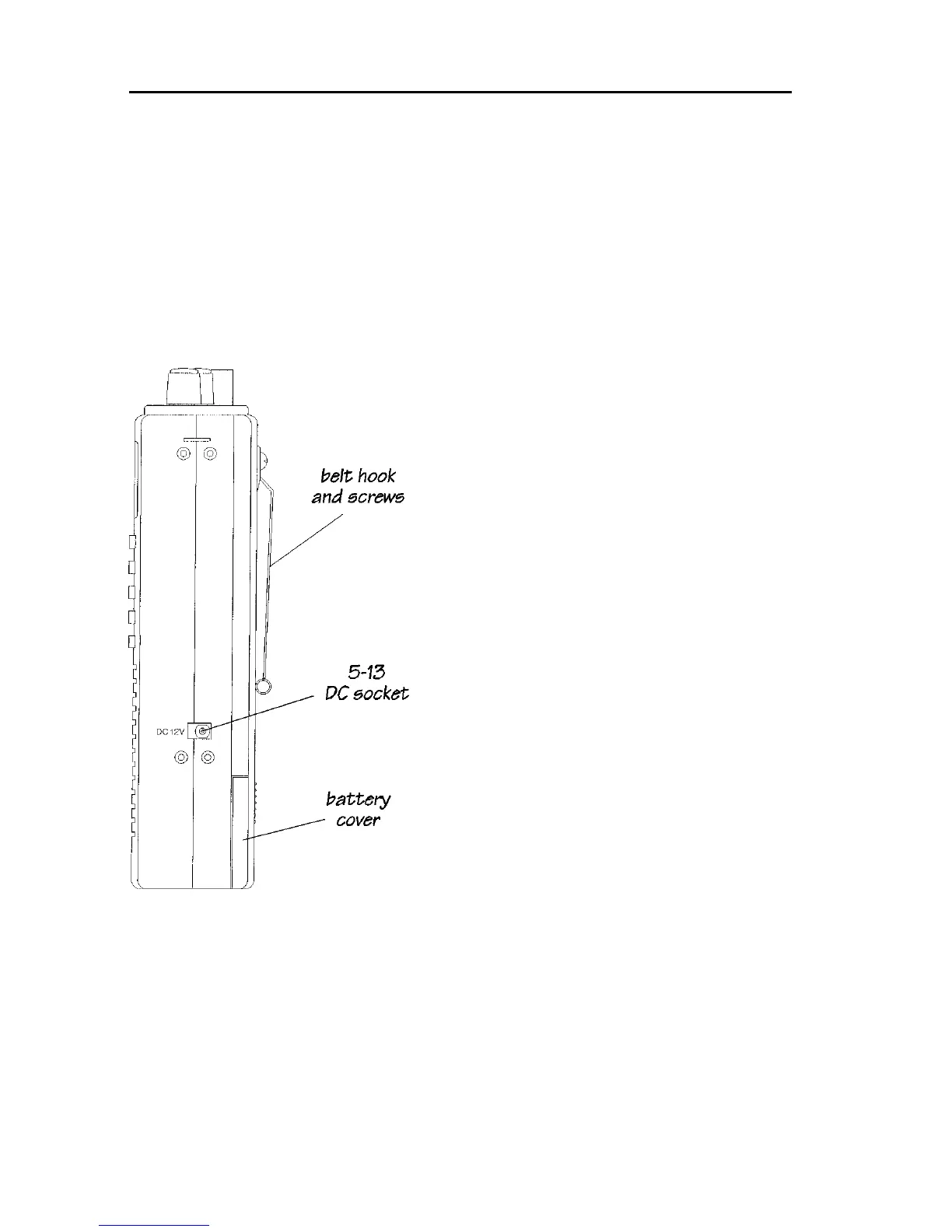
Side panel - right hand side
5-13 DC 12V Charging / external power
connection
This is a standard 1.3mm dual concentric
DC socket. The wiring of this socket is
CENTRE POSITIVE, negative ground.
THE AR2700 MUST NEVER BE
CONNECTED DIRECTLY TO THE
MAINS SUPPLY.
The DC socket is used to charge the
internal NiCad batteries using the charger
provided. The receiver may also be
connected to an external 12V DC supply for
powering away from home (such as to a
vehicle 12V cigar lighter socket using the
DC lead).
The AR2700 may also be connected to a
separate regulated DC power supply for
use at home. The rating of the regulated
power supply must be a nominal 12V to
13.8V DC @ 300mA or higher current
rating.
Rear cabinet
The battery compartment cover (which is located to the lower section of the
rear case) may be removed using a downward sliding motion. Underneath the
battery compartment cover are two user accessible parts, the RS232 REMOTE
connector and the BATTERIES.



 To Next Page