AR2700 operating manual
11
Note: Even when the squelch is fully CLOSED a low level background
noise may still be audible. This is because the receiver’s audio amplifier
circuit is permanently operational in order to provide fast search/scan rates and
an efficient squelch opening characteristic. This phenomenon is common with
other hand-held receivers on the market today.
5-5 VOL - volume control
The volume control is located on the top face of the cabinet. This
control is used to set the required audio output from the receiver.
When rotated fully clockwise the volume is at maximum, when rotated
fully anti-clockwise the volume is reduced to minimum.
Front panel
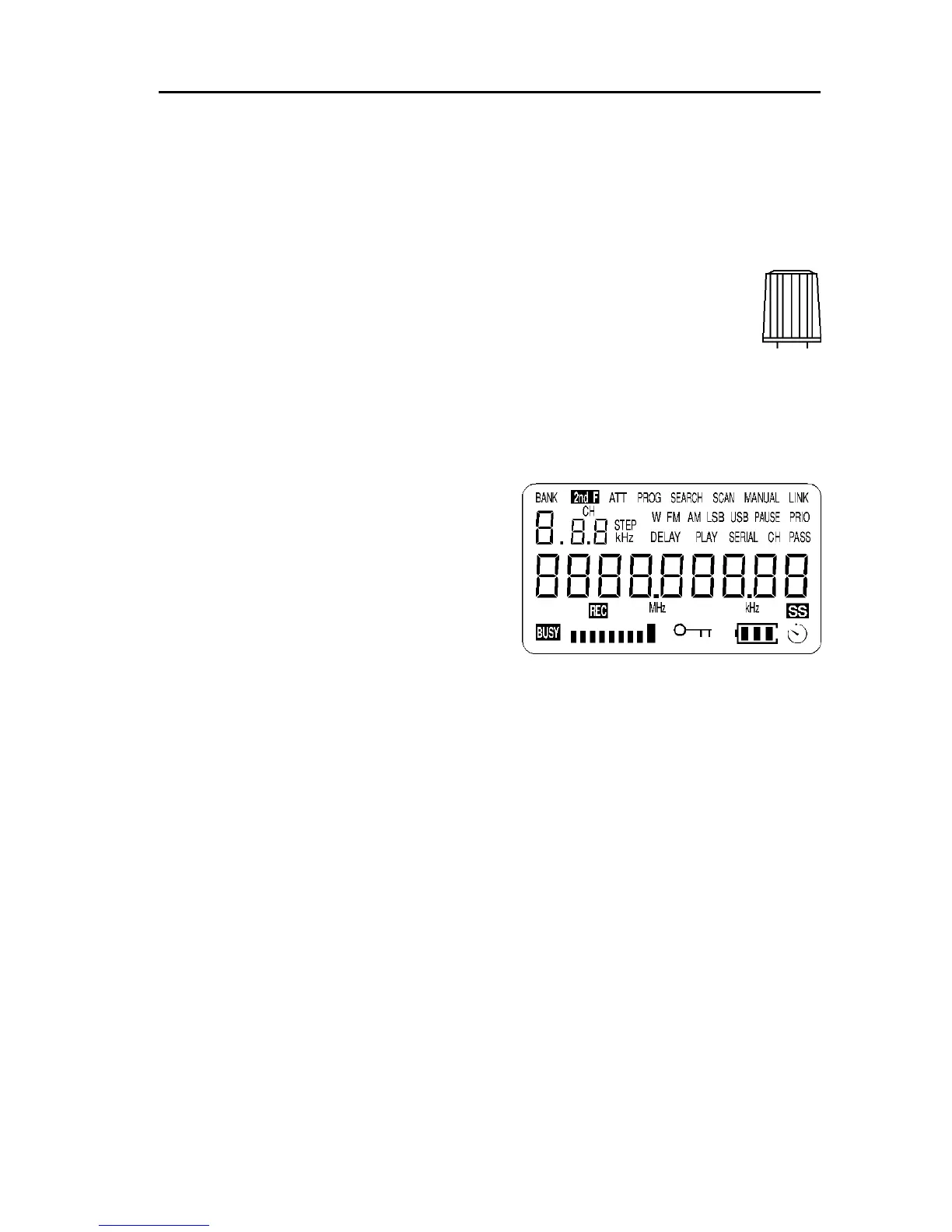
5-6 Liquid Crystal Display (LCD)
The AR2700 uses a high contrast Liquid
Crystal Display. Due to its mechanical
construction the LCD is best viewed from
directly in front of the receiver, a fairly
wide viewing angle is still maintained.
The LCD is custom manufactured and has
legends for mode, channel step, bank
number, frequency etc.
A full test pattern may be displayed by holding the [1] key while switching the
receiver On until the set fully powers up. Not all legends are used by the
AR2700. To remove the test pattern, briefly press the [PWR] key again.
Attractive green rear illumination of the LCD (and keypad) is switchable for use
in locations of low level lighting.
The LCD will provide frequency readout to tens of Hertz (the last digit on the
right is used when using 6.25 kHz steps otherwise it will always read “0”).
The lower left corner of the LCD displays a legend “BUSY” to indicate that the
squelch is open. To the right is the signal strength presented as a bar graph.
The stronger the signal then the larger the graph, if there is no signal present
this area of LCD will be blank. It is quite common for a few of the signal
meter segments to appear due to background band noise even when no
signal is present.
5-7 Keypad
The front keypad comprises of twenty press keys laid in a grid four horizontal
and five vertical. The keys are multi-function and are used to input frequency



 To Next Page