AR2700 operating manual
28
Remember, the frequency coverage is 500 kHz to 1300 MHz with frequencies
accepted by the microprocessor from 0.1 MHz (100 kHz).
Note: If the keypad or [DIAL] is not operated for approximately 30 seconds
while inputting data, the operation will time out and the receiver will return to
its previous task just as if the [CLR] key had been pressed.
Frequencies may also be entered as kHz which is convenient when inputting
data from a short wave frequency listing.
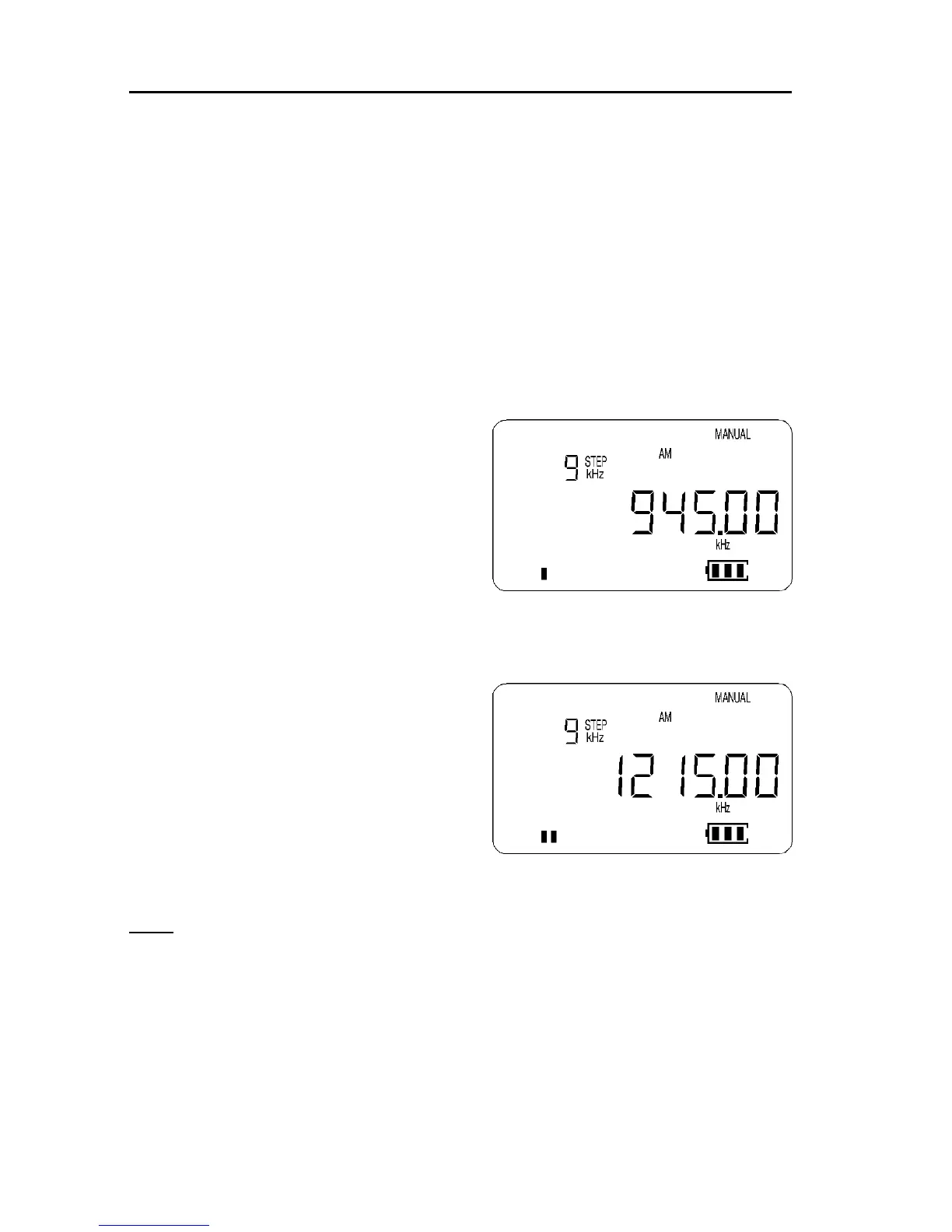
Example of frequency entry 945 kHz (0.945 MHz)
Press [0] [MHz] [9] [4] [5] [ENT] MHz input
Press [9] [4] [5] [kHz] [ENT] kHz input
The frequency of 945 kHz is equivalent to
0.945 MHz and data may be entered in
either format.
You will note that frequencies below 1.6
MHz (1600 kHz) will not have a decimal
point displayed to the right of the “MHz”
position, this is to ensure easy recognition
of frequencies which are often listed as
“kHz” in frequency guides. Instead, the
decimal point is positioned to the right of the kHz position
Another example of frequency entry 1215 kHz (1.215 MHz)
Press [1] [2] [1] [5] [kHz] [ENT]
The frequency of 1215 kHz is equivalent to
1.215 MHz.
PROG: If the frequency display
changes when the [ENT] key is
pressed, then an inappropriate step
size has been selected. The AR2700
has an automatic bandplan lookup
table so that an appropriate step size and mode should be selected.
It is possible to override this PROGRAM data by simply selecting a
different step size or mode. As a rule of thumb, the displayed frequency
must be exactly divisible by the step size.
6-4 Correcting frequency input
Should an error be made while entering frequency data (by pressing the wrong
numeric key), you may abort the entry by using the [CLR] key and typing the
frequency again followed by [ENT].



 To Next Page