AR2700 operating manual
34
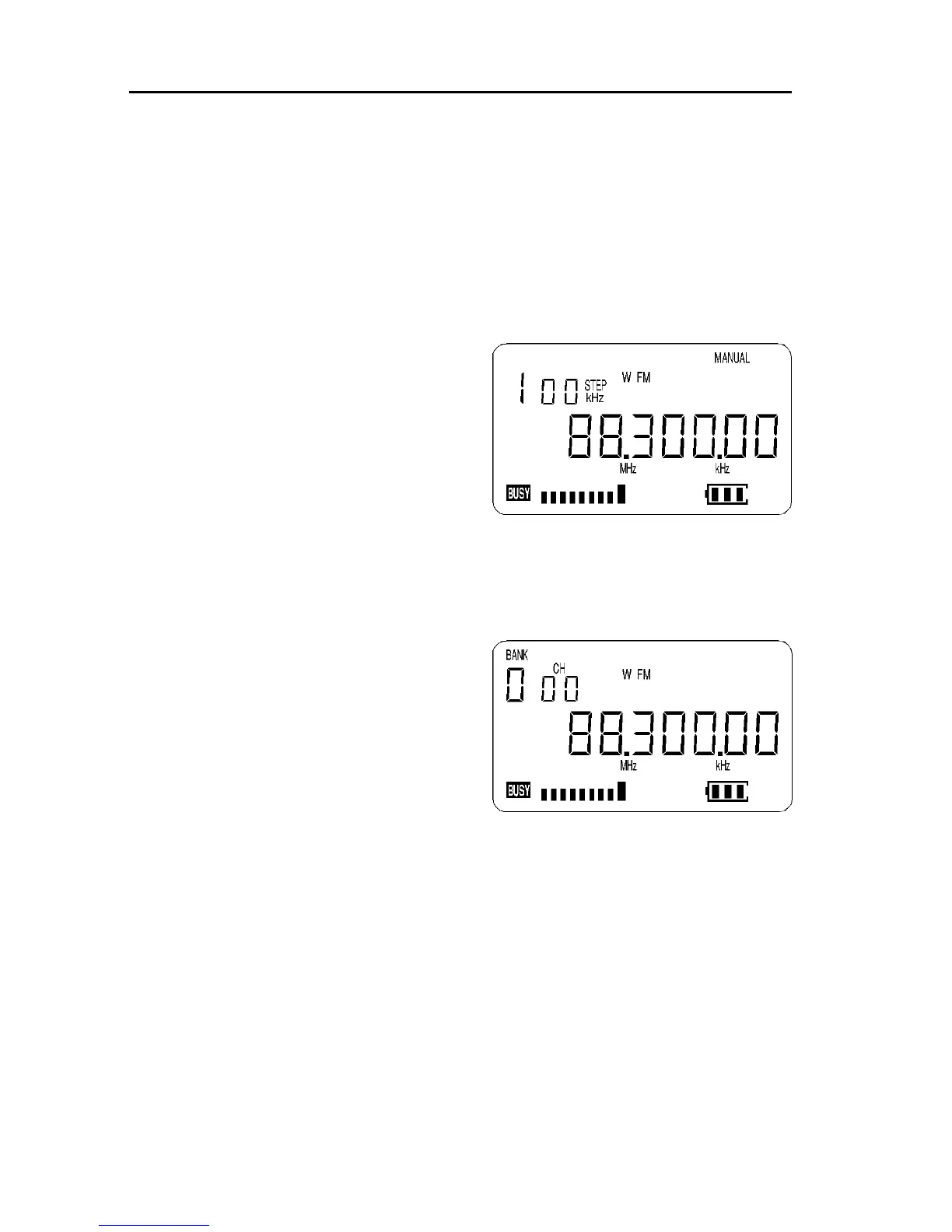
Start by selecting MANUAL mode (the [MANU] key) then key in the frequency
of 88.3 MHz, “mode and step size” are set to the default of PROGRAM.
[MANU] to place the receiver into MANUAL mode
[8] [8] [MHz] [3] [ENT] to select the desired frequency, the
mode and step size will be automatically set by the AR2700
microprocessor.
Press and hold the [ENT] key for more than 1.5 seconds to enter
memory input mode.
The legend “BANK” and “CH” will appear
on the LCD and start to flash to indicate
that memory write is in progress. The first
available empty memory bank and
channel number will be displayed along
with an alternating “- - - -” legend and
frequency to show that no data is currently
stored in the memory location.
To select "BANK 0" "CHANNEL 00" type
[0] [0] [0] alternatively the UP / DOWN keys will allow selection of BANK and
the [DIAL] will allow selection of channel number. If data is already stored in
location “000”, the existing frequency will be alternatively displayed along with
the new frequency to be stored... this is a warning just in case you are about to
overwrite important memory data.
There is no need to first delete the
contents of the memory channel, they may
be simply over-written. Press [ENT] to
write the new data to memory location
“000”. The frequency, mode, channel step
and attenuator status will be stored.
Remember, if you take too long
entering data (approximately 30
seconds) the display will revert to its
original condition (MANUAL mode).
At any time you may abort the memory input by pressing the [CLR] key, the
display will return to MANUAL mode.
7-2 Automatic memory incrementation
Once you have written data to a memory channel, the next entry will be
automatically incremented by one channel. If for example you last stored data
to memory location “000” then the next time you press and hold the [ENT] key
the set will move to memory location “001” unless it already holds data in
which case it will move upward sequentially to the first available empty
memory location.



 To Next Page