AR2700 operating manual
55
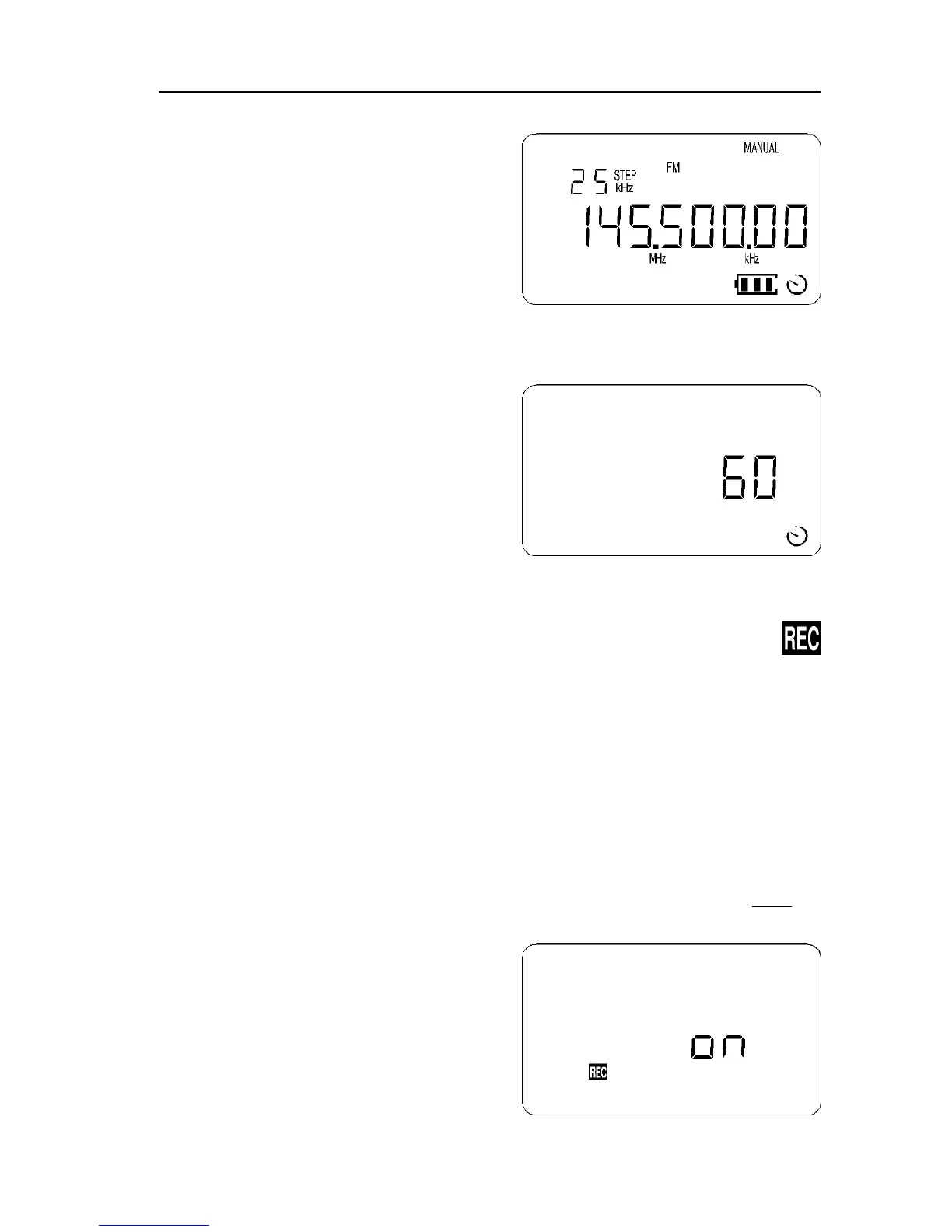
12-1 Enabling SLEEP time
If the sequence [2ndF] [5] is keyed, the
sleep timer is enabled. A clock legend will
be displayed on the lower right of the LCD
and the receiver will automatically switch
Off after the programmed sleep time has
expired. The default is 60 minutes.
To de-activate the sleep timer key the
sequence [2ndF] [5] a second time, the
clock legend will be removed from the LCD.
12-2 Defining the SLEEP time period
The SLEEP timer may be programmed
between 1 and 120 minutes in one minute
increments. Use the key sequence [2ndF]
[5] with the [5] key held for more than
1.5 seconds. The new value may be
keyed through the numeric keypad or
the UP / DOWN keys may be used or
the [DIAL]. To accept the new value
press [ENT].
(13) Optional VOICE recording facility
The AR2700 may optionally be fitted with an internally fitted VOICE recording
chip (RU2700) enabling digital recording of 20 seconds of transmission. The
advantage of this method of record is that the record facility is always available
and everything is self contained and extremely portable.
The recording may be re-played over and over again and is not lost even where
the power is switched Off or batteries exhausted.
13-1 Initialising the record option
To initiate the recording facility after installation of the RU2700 optional chip
switch the receiver Off. Switch the receiver back On again by holding both
the [PWR] key and [6] key for more than 1.5 seconds. Release both keys
and a selection menu will be presented.
If the receiver refuses to enter the setup
menu switch Off, leave the receiver for a
few minutes and try again. Failing this,
power the receiver On while holding the [0]
key then release, power Off and try again.
The “REC” legend will be flashing to
indicate that the options menu has been



 To Next Page