AR2700 operating manual
42
away from the channel or listen to it indefinitely until you decide otherwise.
To force the receiver to pause on a memory channel for about 30 seconds,
press [2ndF] [SCAN].
To cancel the SCAN process and return to the VFO’s previous frequency
without transferring the contents of the memory channel press [MANU].
9-4 Selecting a single memory bank to scan
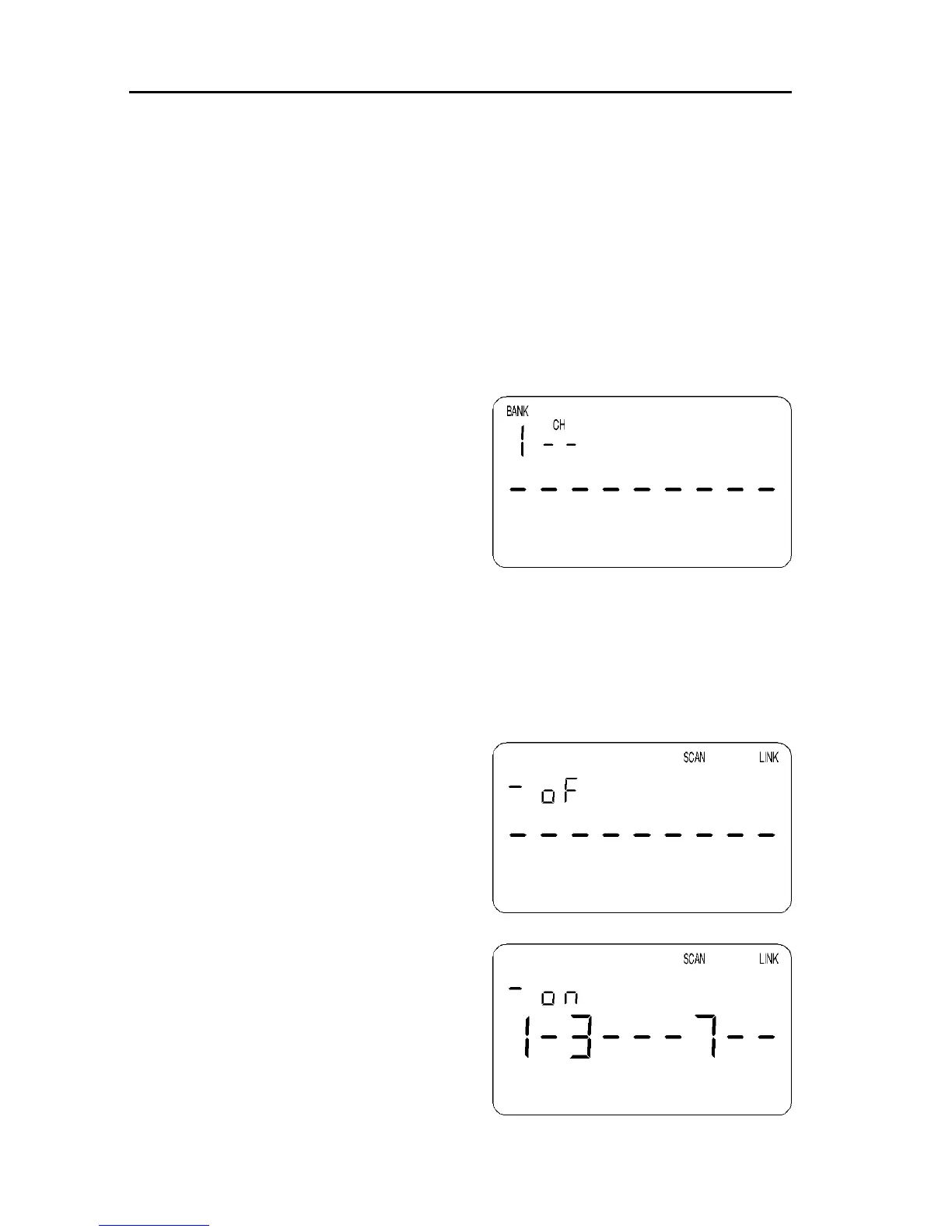
The memory bank which is currently being scanned will be identified on the left
of the LCD (for example “0”) and channel number will be changing.
Should you wish to scan a different
memory bank, select a different bank
using the numeric keypad and UP /
DOWN keys.
For example, to select memory bank “1”
press [1] [UP] or [1] [DOWN]. The bank
number “1” will be displayed on the left of
the LCD and memory bank “1” will be
scanned with channel numbers changing.
9-5 Memory bank linking
When shipped from the factory using default settings all memory banks are
UNLINKED so may only be scanned on an individual basis by selecting the
scan bank identifier via the numeric keypad (“0”, “1”, “2” etc) and then pressing
the [UP] or [DOWN] keys.
It is possible to quickly link ALL memory
banks together so they will be scanned as
one group. Alternatively it is possible to
select any number of banks to be scanned
as a group such as 1, 3, 6, 7 & 9.
To LINK memory banks for scanning the
“SCAN LINK” menu is used. To access
the menu use the key sequence [2ndF]
[SCAN] with the [SCAN] key held for
more than 1.5 seconds. The legends
“SCAN” “LINK” appear on the top row to
show that the menu has been selected.
The top left corner of the LCD will show
the legend “oF” or “on” (OFF or ON)
depending upon the selection of BANK
LINK. To toggle the selection of bank link,
rotate the [DIAL] the legend will toggle
appropriately.



 To Next Page