WEB BROWSER-BASED CONFIGURATION
68
6.2 McRAID Storage Manager
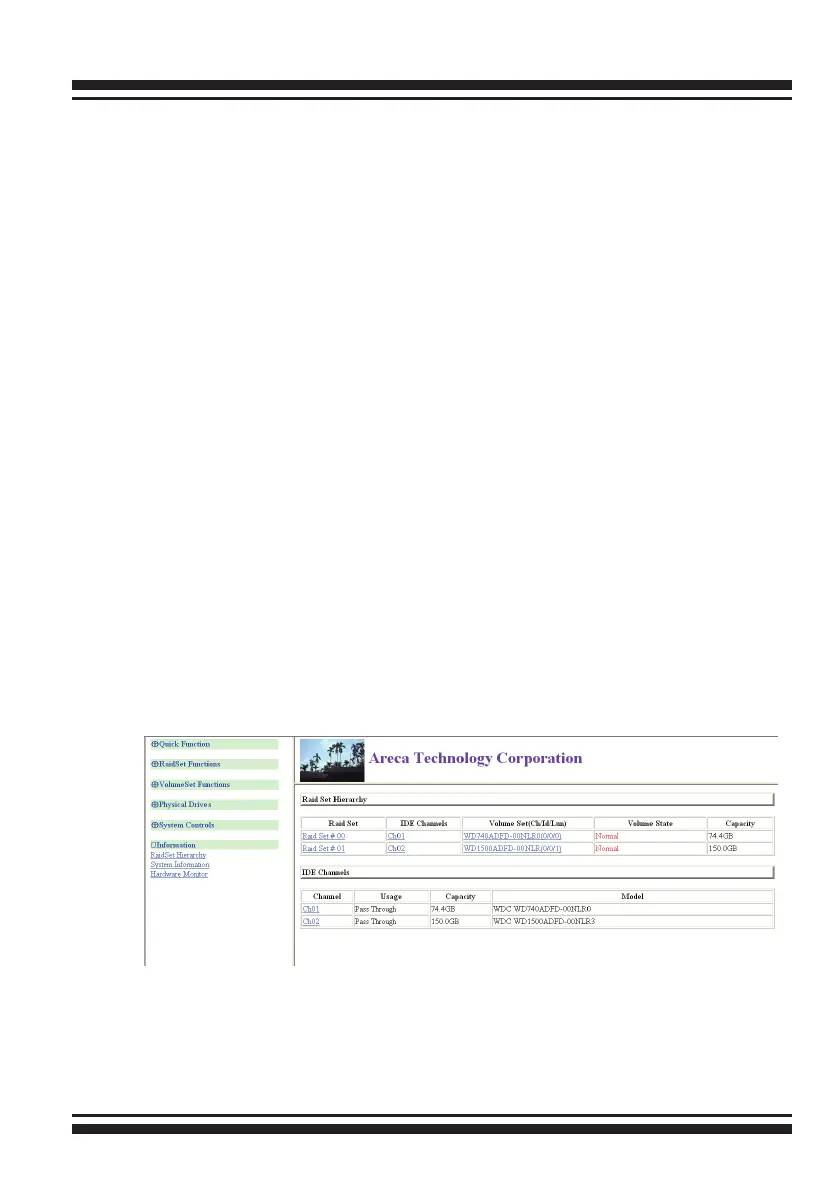
The McRAID storage manager start-up conguration screen dis-
plays the current conguration of your SATA RAID controller. It dis-
plays the Raid Set List, Volume Set List, and Physical Disk List. The
RAID set information, volume set information, and drive informa-
tion can be viewed by clicking on the start-up “Raid Set Hierarchy”
screen. The current conguration can also be viewed by clicking on
“Raid Set Hierarchy” in the main menu.
• Start-up McRAID Storage Manager from Linux/
FreeBSD/Solaris/Mac Local Administration
To congure the SATA RAID controller. You need to know its IP
address. You can nd the IP address assigned by the Archttp
proxy server installation:Binding IP:[X.X.X.X] for[Computer IP
Address] and controller listen to port for [Port Number].
(1). Launch your McRAID storage manager by entering http://
[Computer IP Address]:[Port Number] in the web browser.
(2). When connection is established, the "System Login" screen
appears. The SAS RAID controller default User Name is “admin”
and the Password is “0000”



 To Next Page