71
WEB BROWSER-BASED CONFIGURATION
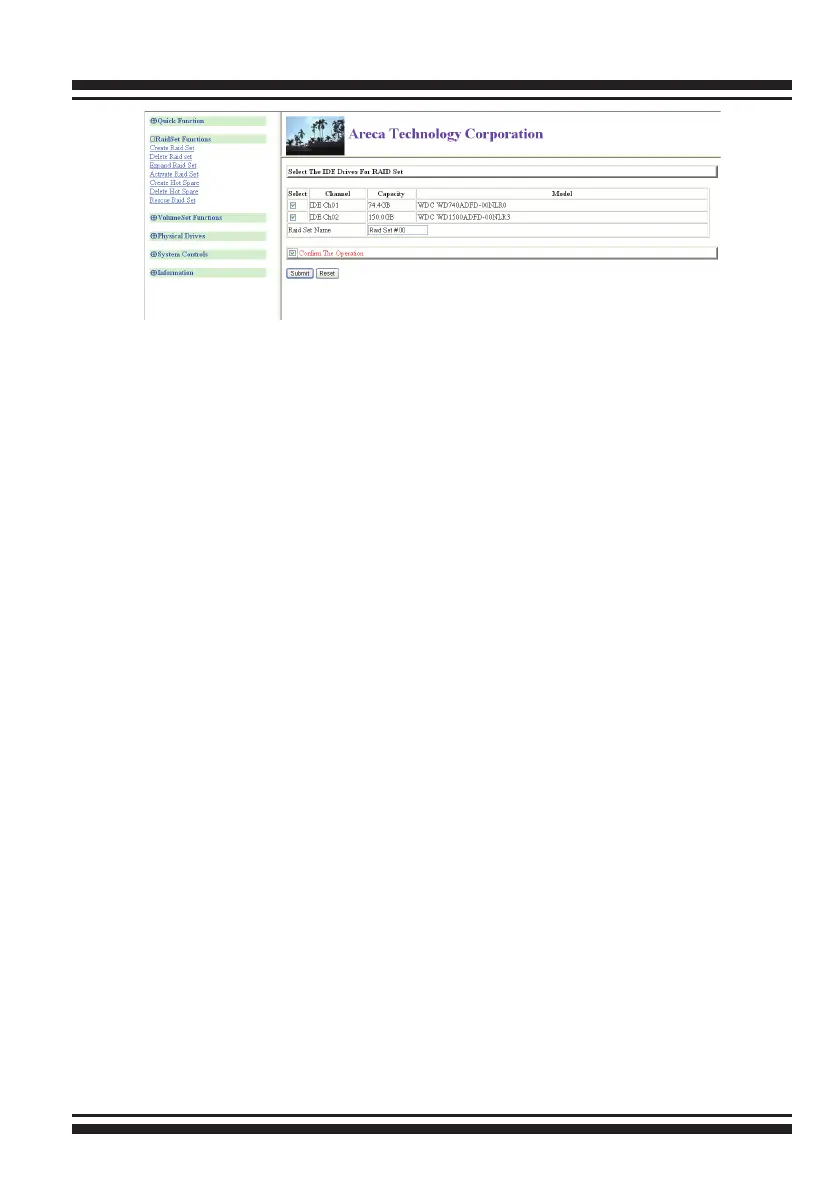
6.5.1 Create Raid Set
To create a RAID set, click on the “Create Raid Set” link. A “Se-
lect The Drive For RAID Set” screen will be displayed showing the
drive(s) connected to the current controller. Click on the selected
physical drives within the current RAID set. The default RAID set
name will always appear as “Raid Set. #”.
Click the “Conrm The Operation” check box and click on the
“Submit” button on the screen; the RAID set will start to initialize.
6.5.2 Delete Raid Set
To delete a RAID set, click on the “Deleted Raid Set” link. The
“Select The RAID SET To Delete” screen is displayed showing all
existing RAID sets in the current controller. Click the RAID set
number you which to delete in the select column on the delete
screen.
Click the “Conrm The Operation” check box and click on the
“Submit” button in the screen to delete it.
6.5.3 Expand Raid Set
Use this option to expand a RAID set when a disk is added to your
RAID system. This function becomes active when at least one
drive is available.
To expand a raid set, click on the “Expand Raid Set” link. Select
the target RAID set to be expanded. Click the available disk and
the “Conrm The Operation” check box and then click on the
“Submit” button on the screen to add disks to the RAID set.



 To Next Page