BIOS CONFIGURATION
35
3.6.3 Volume Set Function
A volume set is seen by the host system as a single logical de-
vice; it is organized in a RAID level within the controller utiliz-
ing one or more physical disks. RAID level refers to the level
of data performance and protection of a volume set. A volume
set can consume all of the capacity or a portion of the available
disk capacity of a RAID set. Multiple volume sets can exist on a
RAID set. If multiple volume sets reside on a specied RAID set,
all volume sets will reside on all physical disks in the RAID set.
Thus each volume set on the RAID set will have its data spread
evenly across all the disks in the RAID set. This is with regards
in having more than one volume set using some of the available
disks and another volume set using other disks.
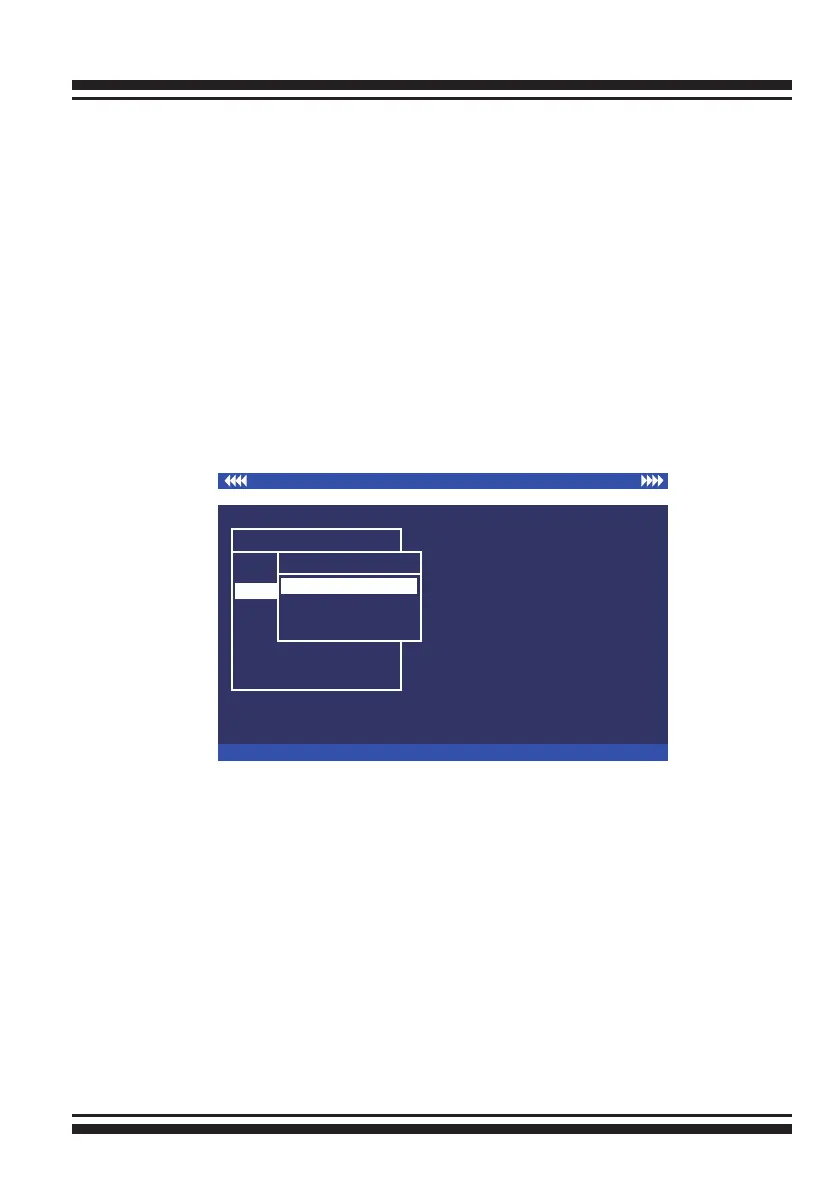
I/O Port Addr:FD700000h, F2 (Tab): Select Controller, F10: Reset System
ArrowKey Or AZ:Move Cursor, Enter: Select, ESC: Escape, L:Line Draw, X: Redraw
Areca Technology Corporation RAID Controller
Main Menu
Quick Volume/Raid Setup
Raid Set Function
Volume Set Function
Physical Drives
Raid System Function
View System Events
Clear Event Buffer
Hardware Monitor
System information
Volume Set Function
Volume Set Function
Delete Volume Set
Modify Volume Set
Display Volume Info.
Create Volume Set
3.6.3.1 Create Volume Set
1. Volume sets of different RAID levels may coexist on the same
RAID set.
2. Up to 16 volume sets can be created by the SATA RAID
controller.
3. The maximum addressable size of a single volume set is not
limited to 2TB because the controller is capable of 64-bit LBA
mode. However, the operating system itself may not be capable
of addressing more than 2TB. See the Areca website for details.
To create a volume set, follow the following steps:
1. Select the “Volume Set Function” from the main menu.



 To Next Page