WEB BROWSER-BASED CONFIGURATION
78
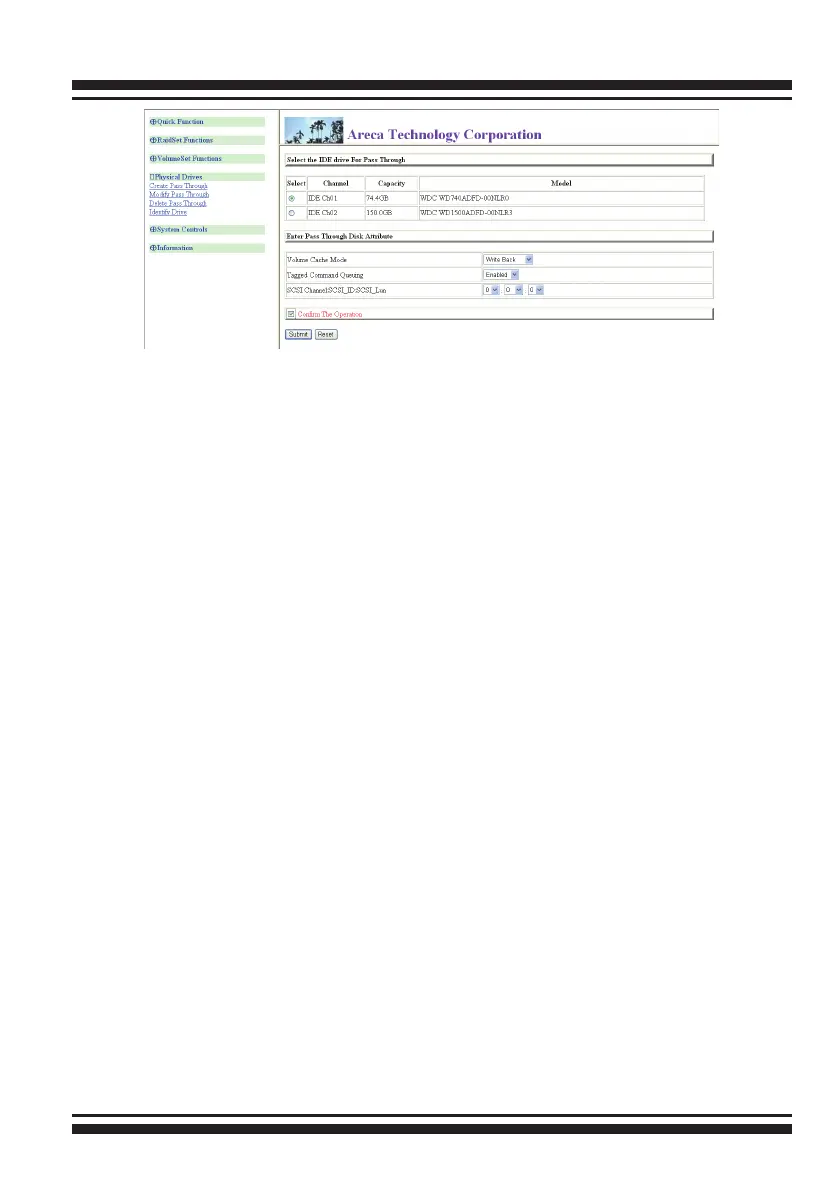
6.7.1 Create Pass-Through Disk
To create pass-through disk, move the mouse cursor to the main
menu and click on the “Create Pass-Through” link. The relative
setting function screen appears. A pass-through disk is not con-
trolled by the SATA RAID controller rmware, it cannot be a part
of a volume set. The disk is available to the operating system
as an individual disk. It is typically used on a system where the
operating system is on a disk not controlled by the RAID rm-
ware. The user can also select the Cache Mode, Tagged Command
Queuing, SCSI Channel/SCSI_ID/SCSI_LUN for this pass-through
disk.
6.7.2 Modify Pass-Through Disk
Use this option to modify the “Pass-Through Disk Attribute”. The
user can modify the Cache Mode, Tagged Command Queuing,
and SCSI Channel/ID/LUN on an existing pass-through disk.
To modify the pass-through drive attribute from the pass-through
drive pool, move the mouse cursor bar and click on the “Modify
Pass-Through” link. The “Select The Pass Through Disk For Modi-
cation” screen appears mark the checkbox for the pass-through
disk from the pass-through drive pool and click on the “Submit”
button to select drive.
When the “Enter Pass-Through Disk Attribute” screen appears,
modify the drive attribute values as you want.
After you complete the selection, mark the checkbox for “Conrm
The Operation” and click on the “Submit” button to complete the
selection action.



 To Next Page