59
ARCHTTP PROXY SERVER INSTALLATION
5.2 For Linux
You should have administrative level permissions to install SATA
RAID software. This procedure assumes that the SATA RAID
hardware and Linux are installed and operational in your system.
The following details the Linux installation procedure of the SATA
RAID controller software.
The ArcHttp proxy server is provided on the software CD delivered
with SATA card or download from the www.areca.com.tw. The
rmware embedded McRAID storage manager can congure and
monitor the SATA RAID controller via ArcHttp proxy server.
1. Login as root. Copy the ArcHttp proxy server file to a local
directory.
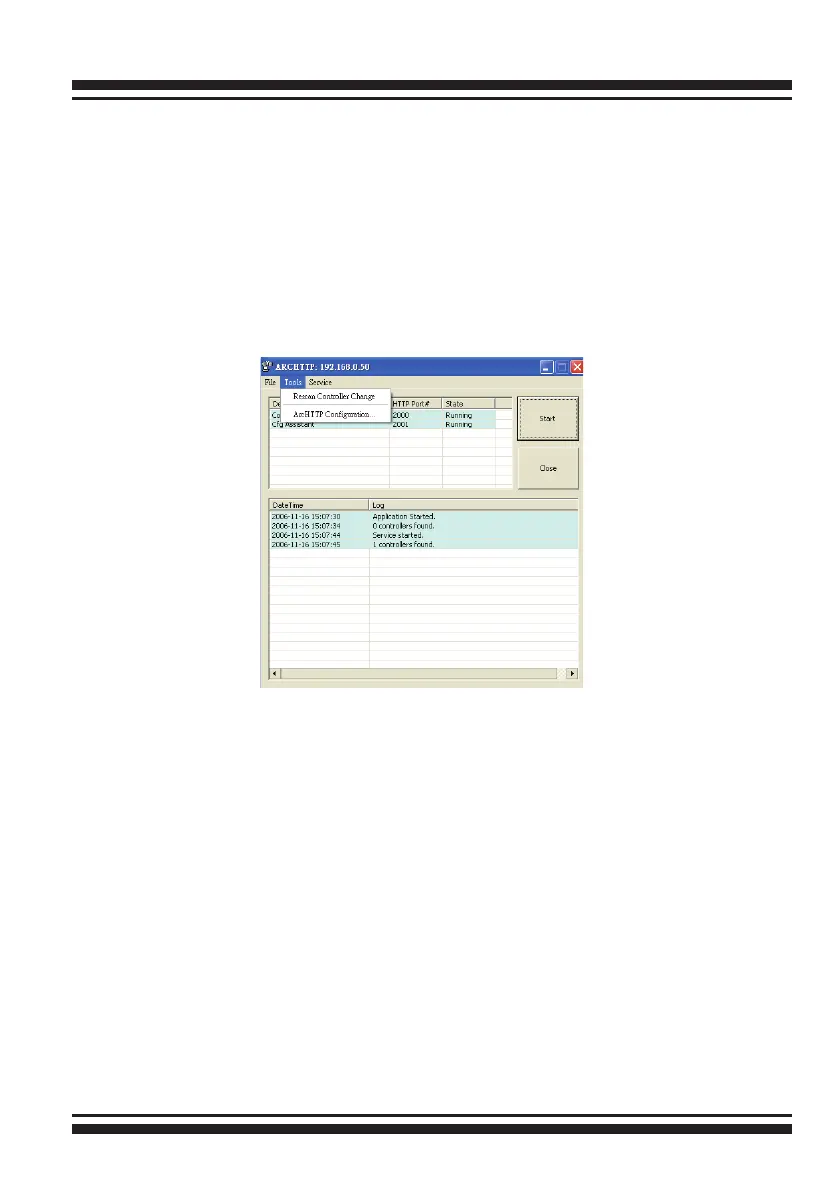
Click on the “Start button” in the Windows 2000/XP task bar
and then click “Program”, select the “McRAID” and run “ ArcHttp
proxy server”. The ArcHttp dialog box appears.
1. When you select “Controller#01(PCI)” then click “Start” but-
ton. Then web broswer appears.
2. If you select “Cfg Assistant” then click “Start” button. The
ArcHttp Conguration appears. (please refer to section 5.6
ArcHttp Conguration)



 To Next Page