P44x/EN AD/E44 Update Documentation
Page 8/82
MiCOM P441, P442 & P444
3. USER INTERFACES AND MENU STRUCTURE
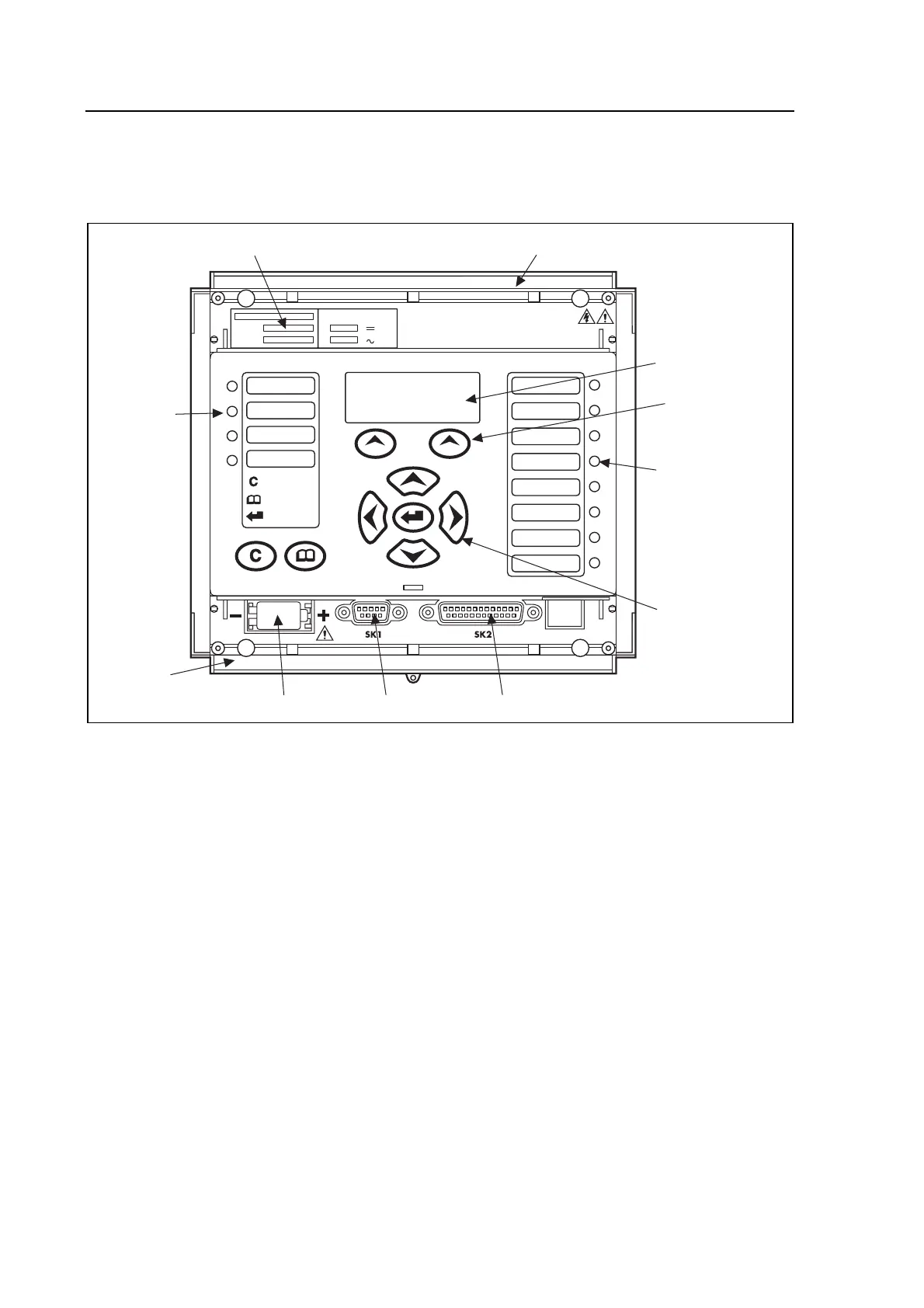
3.1.1 New Front panel
New design of front pane (2 additive Hotkeys) used since version C2.X.
User programable
function LEDs
TRIP
ALARM
OUT OF SERVICE
HEALTHY
= CLEAR
= READ
= ENTER
SER N
o
DIAG N
o
I
n
V
x
V
n
V
V
1/5 A 50/60 Hz
Serial N
o
and
I
*
, V Ratings
Top cover
Fixed
function
LEDs
Bottom
cover
Battery compartment Front comms port Download/monitor port
Keypad
LCD
P0103ENb
Hotkeys
RELAY FRONT VIEW
• a 16-character by 3-line alphanumeric liquid crystal display (LCD).
• a 9-key keypad comprising 4 arrow keys !, ", # and $),
an enter key (%), a clear key (&), and a read key (').
Hotkey functionality:
SCROLL
Starts scrolling through the various default displays.
STOP
Stops scrolling the default display
for control of setting groups, control inputs and circuit breaker operation.
12 LEDs; 4 fixed function LEDs on the left hand side of the front panel and 8 programmable
function LEDs on the right hand side.
…/…
To improve the visibility of the settings via the front panel, the LCD contrast can be adjusted
using the “LCD Contrast” setting with the last cell in the CONFIGURATION column.


 To Next Page