Update Documentation P44x/EN AD/E44
MiCOM P441, P442 & P444
Page 61/82
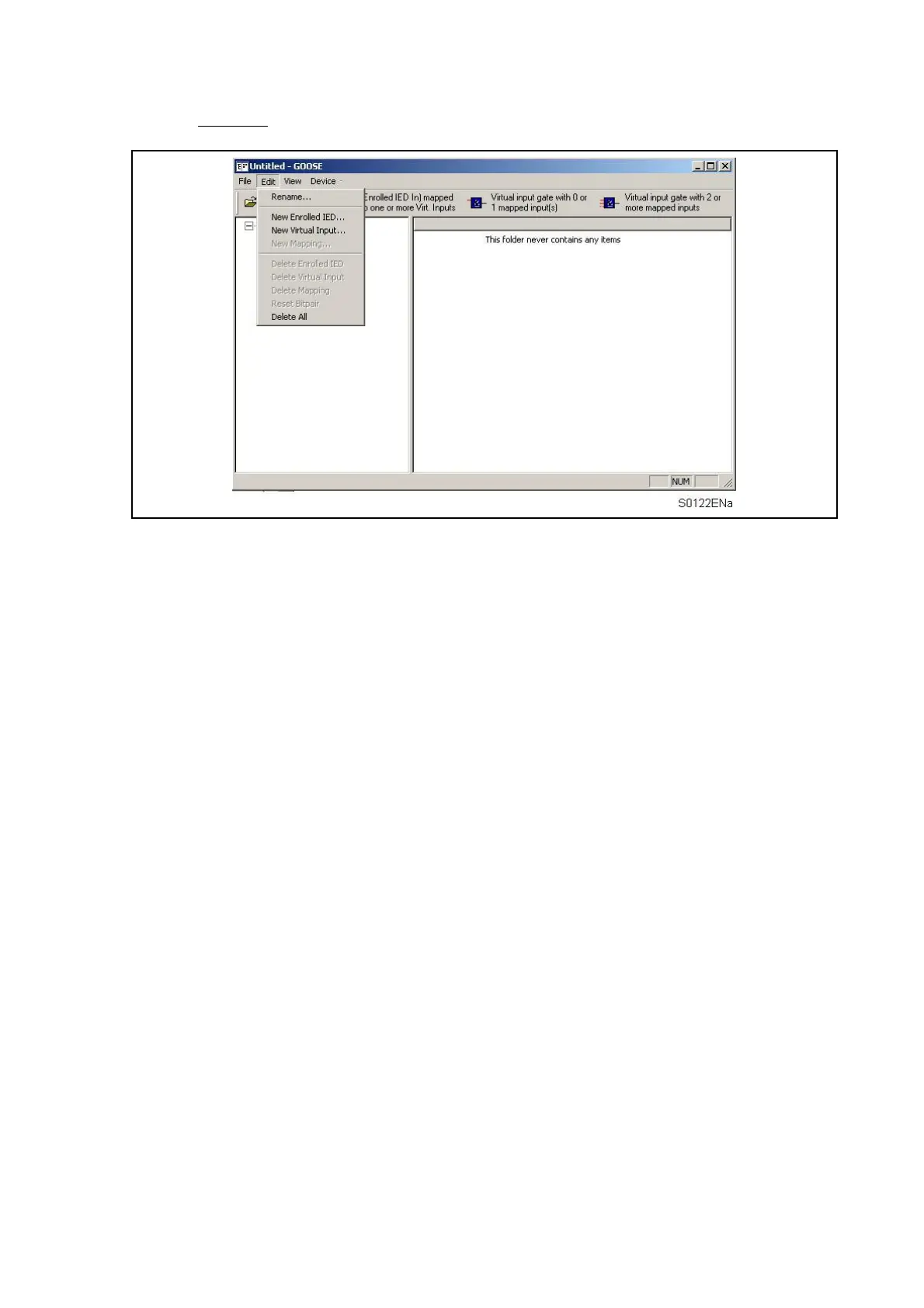
Edit menu
Rename…
Rename the selected IED.
New Enrolled IED…
Add a new IED to the GOOSE configuration.
New Virtual Input…
Add a new Virtual Input to the GOOSE In mapping configuration.
New Mapping…
Add a new bit-pair to the Virtual Input logic.
Delete Enrolled IED
Remove an existing IED from the GOOSE configuration.
Delete Virtual Input
Delete the selected Virtual Input from the GOOSE In mapping configuration.
Delete Mapping
Remove a mapped bit-pair from the Virtual Input logic.
Reset Bitpair
Remove current configuration from selected bit-pair.
Delete All
Delete all mappings, enrolled IED’s and Virtual Inputs from the current GOOSE configuration
file.


 To Next Page