P44x/EN AD/E44 Update Documentation
Page 54/82
MiCOM P441, P442 & P444
9.9.2 New Tools in S1 & PSL: Toolbar and Commands
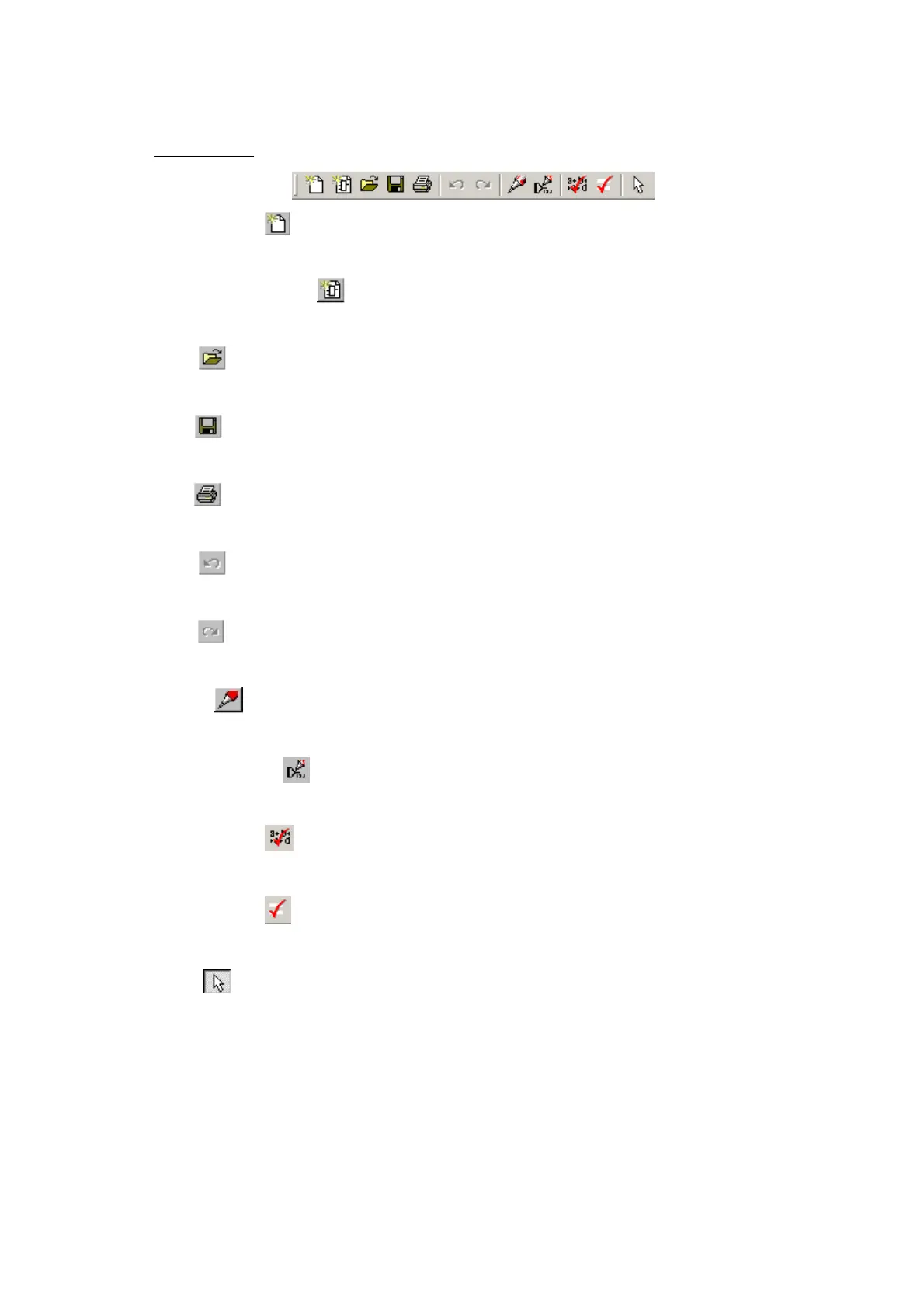
Standard tools
Blank Scheme
Create a blank scheme based on a relay model.
Default Configuration
Create a default scheme based on a relay model.
Open
Open an existing diagram.
Save
Save the active diagram.
Print
Display the Windows Print dialog, enabling you to print the current diagram.
Undo
Undo the last action.
Redo
Redo the previously undone action.
Redraw
Redraw the diagram.
Number of DDBs
Display the DDB numbers of the links.
Calculate CRC
Calculate unique number based on both the function and layout of the logic.
Compare Files
Compare current file with another stored on disk.
Select
Enable the select function. While this button is active, the mouse pointer is displayed as an
arrow. This is the default mouse pointer. It is sometimes referred to as the selection pointer.
Point to a component and click the left mouse button to select it. Several components may
be selected by clicking the left mouse button on the diagram and dragging the pointer to
create a rectangular selection area.


 To Next Page