P44x/EN AD/E44 Update Documentation
Page 60/82
MiCOM P441, P442 & P444
Menu and Toolbar
The menu functions
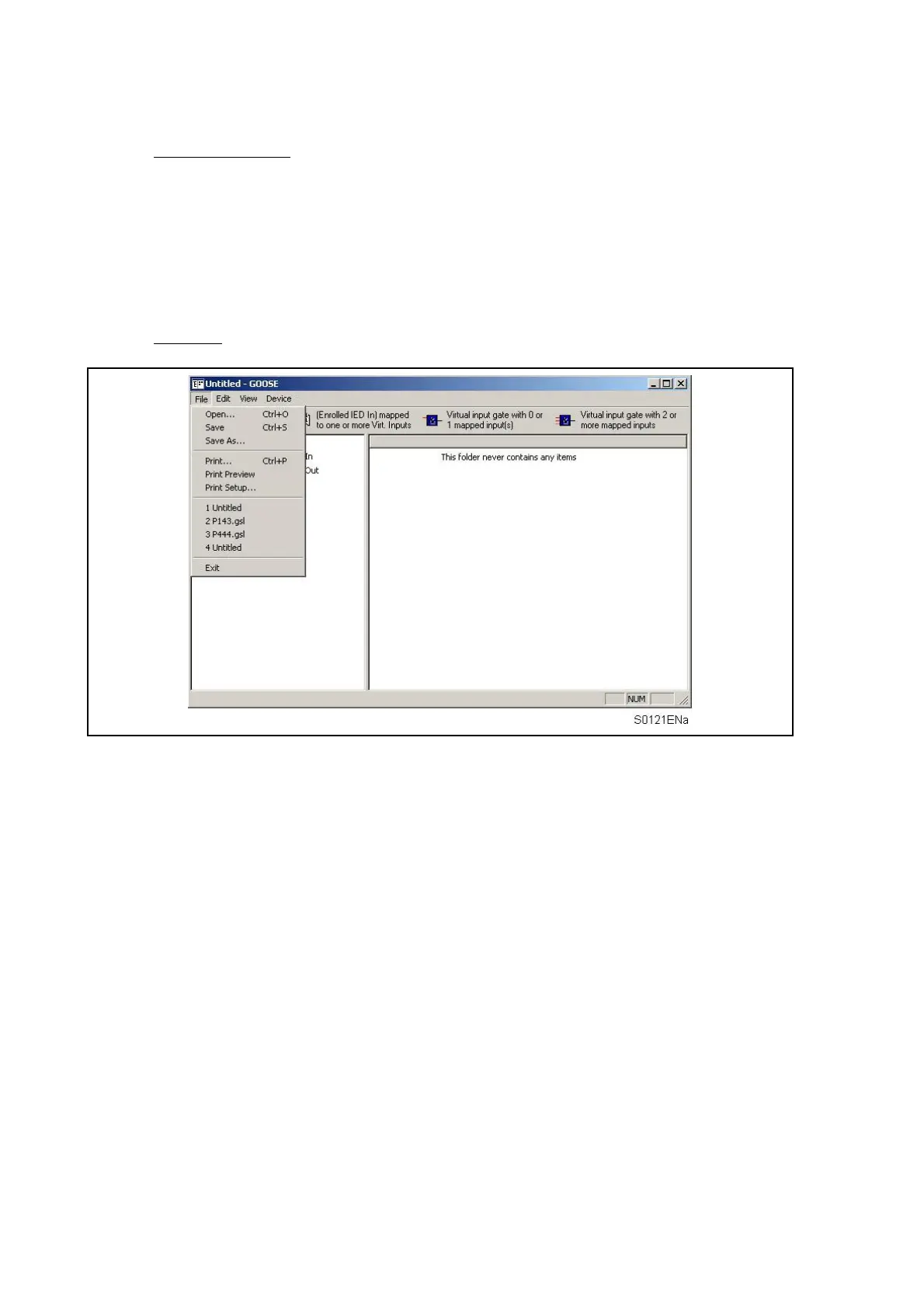
The main functions available within the Px40 GOOSE Editor menu are:
• File
• Edit
• View
• Device
File menu
Open…
Displays the Open file dialogue box, enabling you to locate and open an existing GOOSE
configuration file.
Save
Save the current file.
Save As…
Save the current file with a new name or in a new location.
Print…
Print the current GOOSE configuration file.
Print Preview
Preview the hardcopy output with the current print setup.
Print Setup…
Display the Windows Print Setup dialogue box allowing modification of the printer settings.
Exit
Quit the application.


 To Next Page