Update Documentation P44x/EN AD/E44
MiCOM P441, P442 & P444
Page 55/82
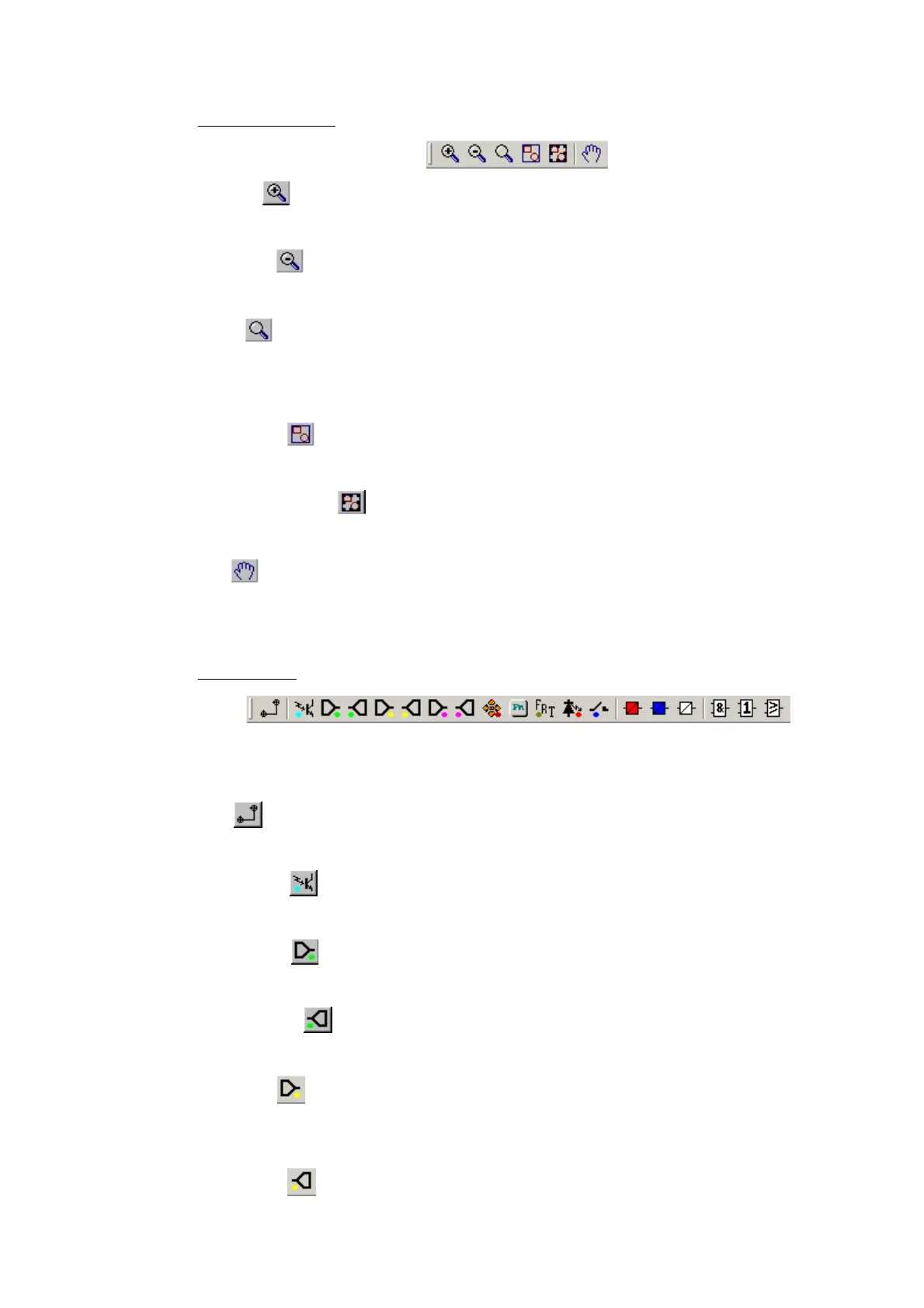
Zoom and pan tools
Zoom In
Increases the Zoom magnification by 25%.
Zoom Out
Decreases the Zoom magnification by 25%.
Zoom
Enable the zoom function. While this button is active, the mouse pointer is displayed as a
magnifying glass. Right-clicking will zoom out and left-clicking will zoom in. Press the ESC
key to return to the selection pointer. Click and drag to zoom in to an area.
Zoom to Fit
Display at the highest magnification that will show all the diagram’s components.
Zoom to Selection
Display at the highest magnification that will show the selected component(s).
Pan
Enable the pan function. While this button is active, the mouse pointer is displayed as a
hand. Hold down the left mouse button and drag the pointer across the diagram to pan.
Press the ESC key to return to the selection pointer.
Logic symbols
This toolbar provides icons to place each type of logic element into the scheme diagram. Not
all elements are available in all devices. Icons will only be displayed for those elements
available in the selected device.
Link
Create a Link between two logic symbols.
Opto Signal
Create an Opto Signal.
Input Signal
Create an Input Signal.
Output Signal
Create an Output Signal.
GOOSE in
Create an input signal to logic to receive a UCA 2.0 GOOSE message transmitted from
another IED.
GOOSE out
Create an output signal from logic to transmit a UCA 2.0 GOOSE message to another IED.


 To Next Page