13
Product Description/Functions
Controls and Features
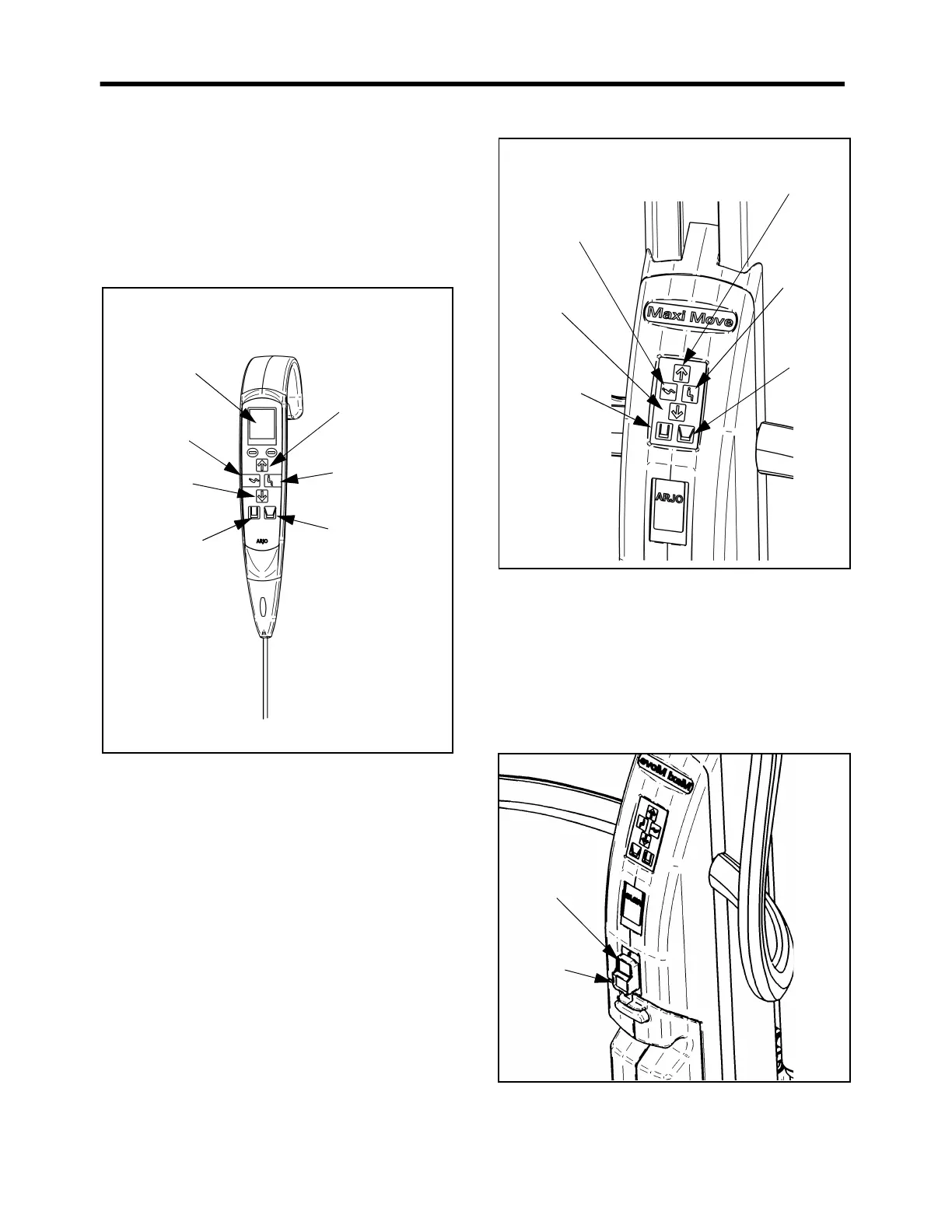
Control Handset
(See Fig. 6) To raise and lower the jib, open and close the
chassis legs, or to operate a powered DPS spreader bar,
press the appropriate button on the control handset.
Icons with direction arrows are printed on each button
for quick reference.
Fig. 6
If button is released during any function, powered
motion will cease immediately. When not in use, the
handset can be conveniently stored for later use by
hooking it over the manoeuvring handle at the rear of the
mast.
Control Panel
(See Fig. 7) An additional feature available on the Maxi
Move, is a mast-mounted control panel, which operates
in parallel with the control handset, enabling powered
operations to be controlled from the lift mast as well as
remotely by using the handset. As with the handset,
icons with direction arrows are printed on each button
for quick reference.
Fig. 7
Stop Button (red)
(See Fig. 8) In an emergency, if you have to immediately
stop any powered movement (other than by releasing a
control handset button or control panel button), press the
stop button located on the control panel.
Once the stop button has been used, the green power
button will have to be pressed before the equipment can
be operated again. To do this, simply push in the button.
Fig. 8
Jib “Up”
button
DPS “Sit up”
button
Chassis
“Legs open”
button
Handset
display
Jib “Down”
button
DPS “Recline”
button
Chassis
“Legs Closed”
button
DPS “Recline”
button
Jib “Down”
button
Chassis
“Legs closed”
button
DPS
“Sit up”
button
Jib “Up”
button
Chassis
“Legs
open”
button



 To Next Page