3. BASIC OPERATIONS
3.1. Screen Navigation
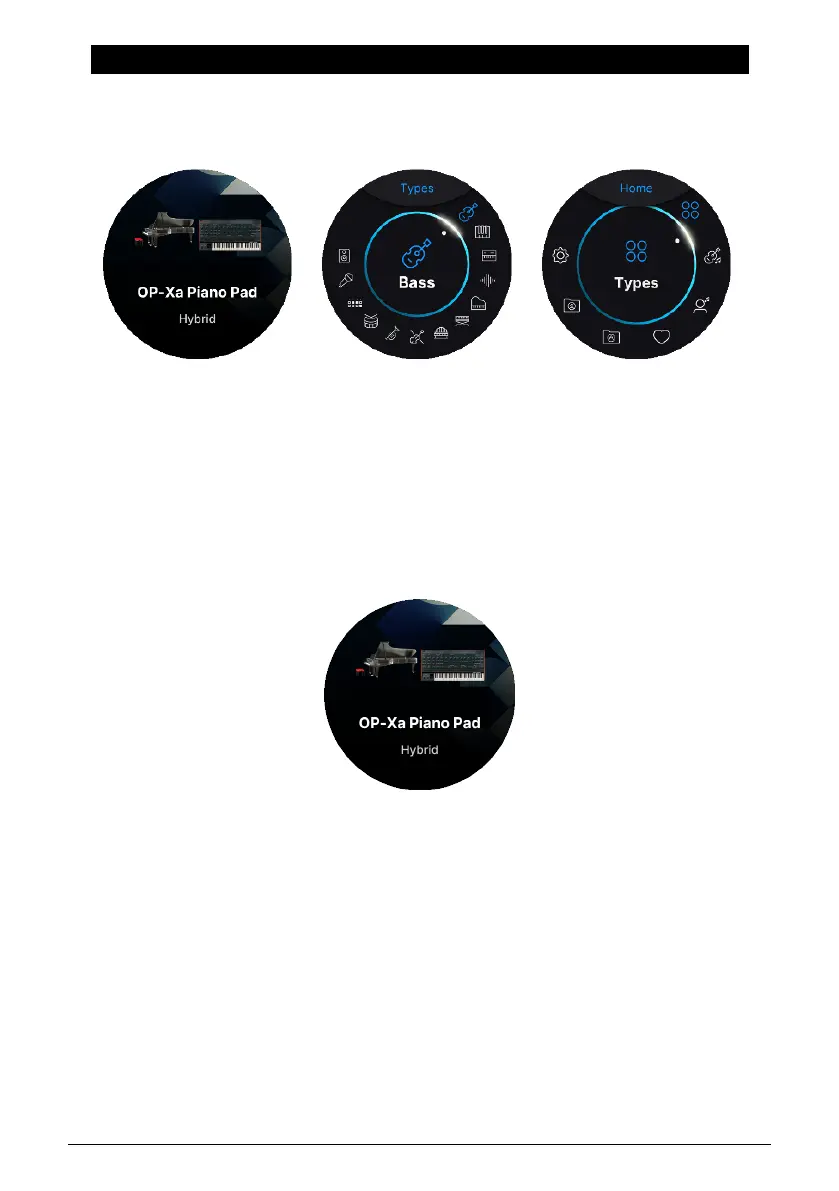
There are 3 main screens in AstroLab. The easiest way to skip through them is by pressing
the Back button repeatedly. This will take you through Preset Screen –> Filter Screen –> Home
Screen –> Preset Screen –> Filter Screen, and so on.
3.1.1. Preset Screen
When you first power AstroLab on, the round screen encoder will display the last Preset
selected before shutdown. Here, the name of the current preset is shown plus a descriptive
illustration.
3.1.2. Filter Screen
On the Filter screen, all Presets are listed by Type. This categorization differs from the way
Presets are sorted by the 12 Preset type buttons on the front panel.
In the Filter screen, the number of types is greater than on the front panel:
• Bass
• Keys
• Lead
• Pad
• Piano
• Electric Piano
• Organ
Arturia - User Manual AstroLab - BASIC OPERATIONS 17











 To Next Page