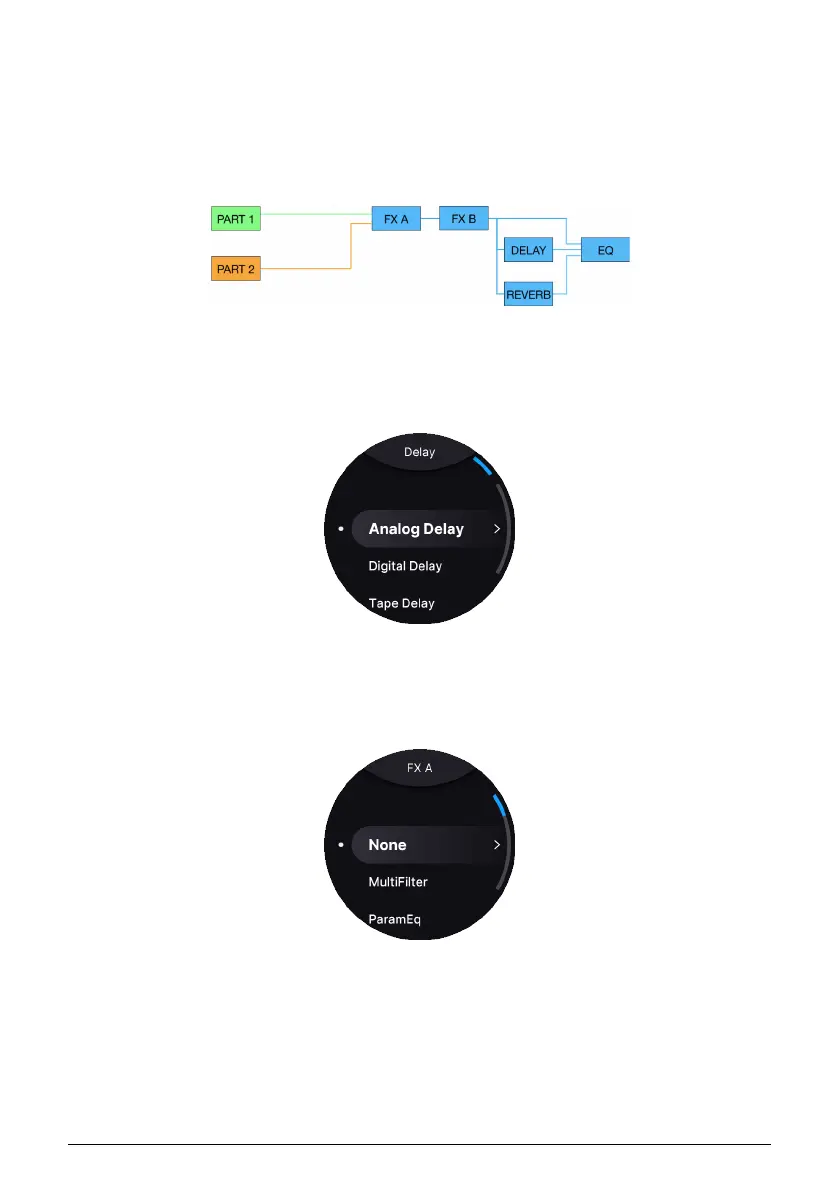
There’s another option — sending both Parts through the same FX. In any case, a master
3-band EQ sits just before the final output.
6.2.1. Grouping FX
If you’re happy to have both Parts in a Multi use the same insert FX, you can group them so
that the routing looks like this:
To do so, press Part 1, Part 2, and either Part’s On/Off button at the same time.
6.3. Selecting Effects
To edit the Insert FX, Delay, and Reverb, long-press the corresponding the On/Off button.
6.4. Insert FX
The insert FX in AstroLab correspond to those in — you guessed it — Analog Lab. Again, the
benefit is that you can easily tweak effects in the software, then transfer everything into
AstroLab with all your edits intact. Of course, you can also edit the FX parameters directly
on AstroLab. The FX combine the interfaces of classic “stompboxes” with the audio quality
of studio-grade rack equipment.
Arturia - User Manual AstroLab - EFFECTS 35















 To Next Page