8.5. Scale Mode
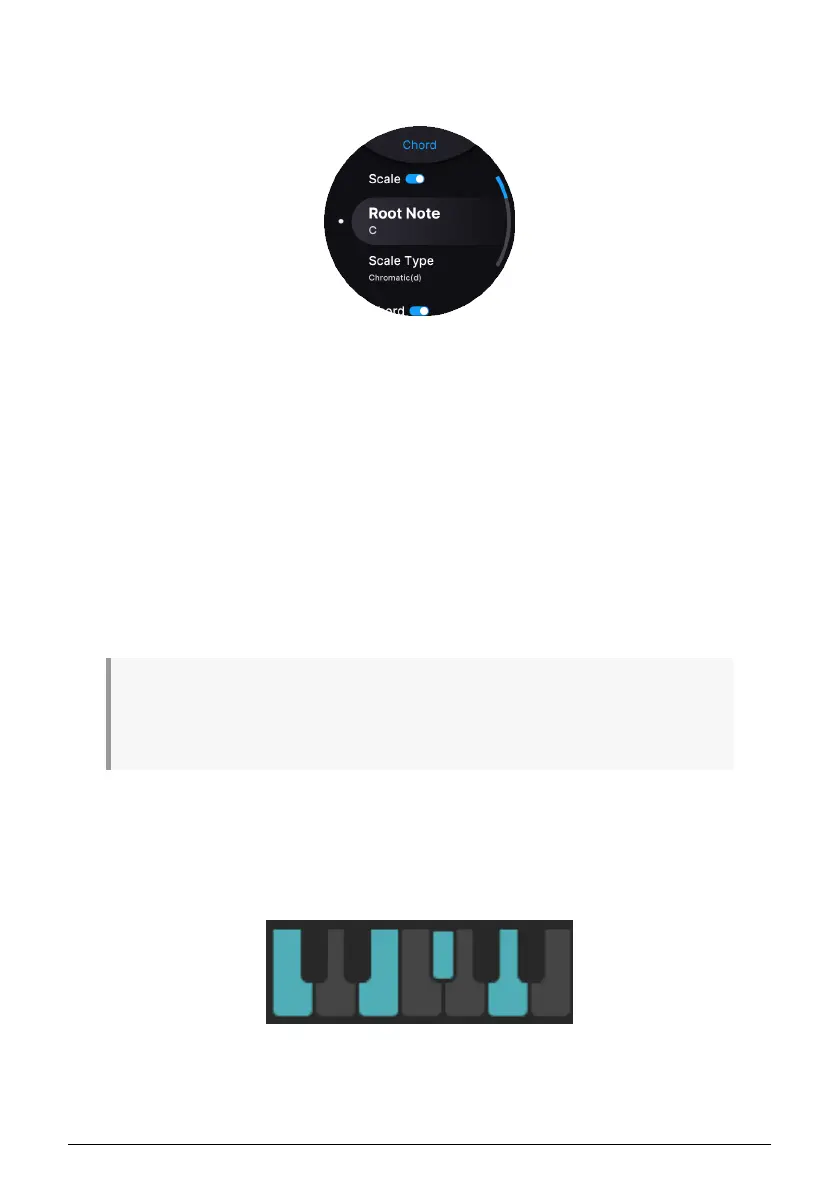
To enter Scale edit mode, long-press the Chord button.
Scale mode constrains the notes played on the keyboard as well as by the MIDI Looper and
Arpeggiator. Specify a musical scale, and it becomes effectively impossible to hit a “wrong”
note.
8.5.1. Setting Up a Scale
There are two components to a scale: the
root note
, and the
type of scale
it is. Both
components are accessed in the Scale settings by long-pressing the Chord button. These are
the options:
•
Scale
: Turn Scale mode on or off.
•
Root Note
: C (default), C#, D, D#, E, F, F#, G, G#, A, A#, B.
•
Scale Type
: Chromatic (default), Major, Minor, Harmonic Minor, Melodic Minor,
Lydian, Mixolydian, Dorian, Phrygian, Locrian, Japanese, Gypsy, Arabic,
Freygish, Pentatonic Major, Pentatonic Minor, Blues, Custom.
♪ It's important to understand, that both Root Note and Scale Type need to be set correctly. For
example, if you're about to play a solo in a blues song in the key of E, Root Note should be E and Scale
Type Blues. Or, if the song has more of a major tonality, you could use Root Note E and Scale Type
Mixolydian. Explore!
8.5.1.1. Scale Indicator
You don’t have to be a music theory expert to make use of these scales, because AstroLab
shows you exactly what notes each one encompasses in the key of C with this handy
diagram:
Select a scale, and the diagram appears with available notes in blue and unavailable notes
greyed out.
52 Arturia - User Manual AstroLab - TEMPO, MIDI LOOPER, AND ARPEGGIATOR











 To Next Page