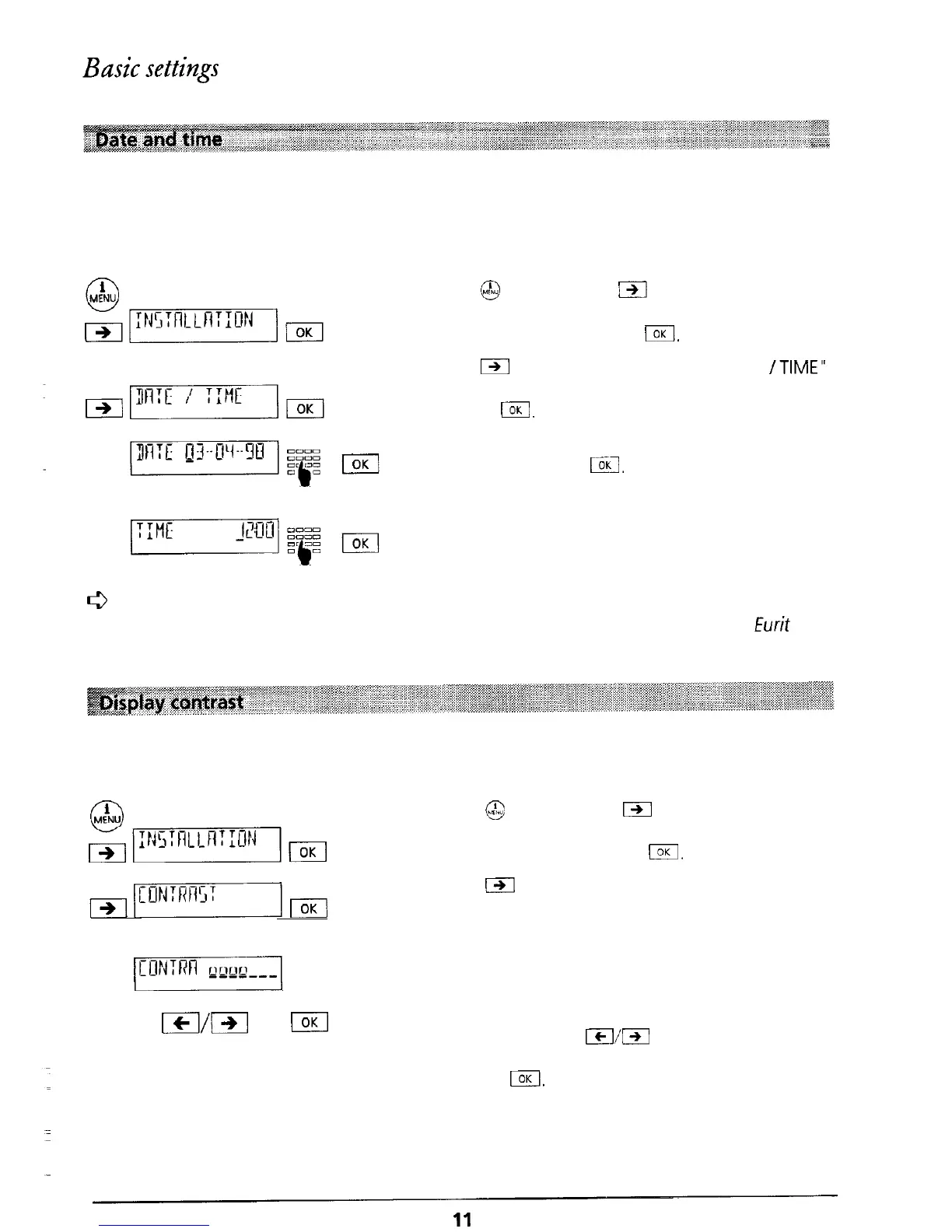
When the telephone is first connected or after a power cut, the time display will flash. As soon
as you make a call, the date and time are set and the display stops flashing. Any difference
between the displayed time and the system time is corrected each time a call is made. You can
also set the time and date manually:
Press
@I
and then press
m
as often as necessary
until “INSTALLATION” is displayed. Confirm the
menu selection by pressing
I.
Press
m
as often as necessary until “DATE
/TIME”
is displayed. Confirm the menu selection by
pressing
(.
The date is displayed. Enter today’s date and
confirm by pressing
IIKI.
Correct entry is confirmed
by a short signal tone.
A time is displayed. Enter the actual time and
confirm by pressing I. Correct entry is confirmed
by a short signal tone.
6
When the telephone is first connected (and as long as no incoming calls have been
received) the date and time are displayed. As soon as
calls
are received by your Eurit 22,
the number of calls
and
the time are
displayed.
You can set the contrast of the display to one of seven levels.
When the telephone leaves the factory the display contrast level is set to 4.
i
0
MENU
mpN5mmqm
Press
@
and then press
B
as often as necessary
until “INSTALLATION” is displayed. Confirm the
menu selection by pressing
(.
&rmrmTm
Press
(-)I
as often as necessary until “CONTRAST”
is displayed. Confirm the menu selection by
pressing I.
/CON:RRl
The current contrast setting, represented by up to
seven bars, is displayed.
m/El
El
Reduce or increase the display contrast one level at
a time by pressing
Icl/l
until the required level
has been reached. Confirm the selection by
pressing
I.
The entry is confirmed by a short
signal tone.



 To Next Page