Extendedfea
tures
A call can only be forwarded if at least one user has been defined! Every user can forward calls
to up to three freely-selectable telephone numbers. Several types of call forwarding are available:
Call forwarding unconditional All incoming calls are always forwarded immediately (A)
Call forwarding no reply
Incoming calls are forwarded if they are not replied to within
15
seconds (N)
Call forwarding if busy
Incoming calls are forwarded if the user is busy (B).
0
MENU
&RLmmqlail
Press
@.
Press
I3
as often as necessary until
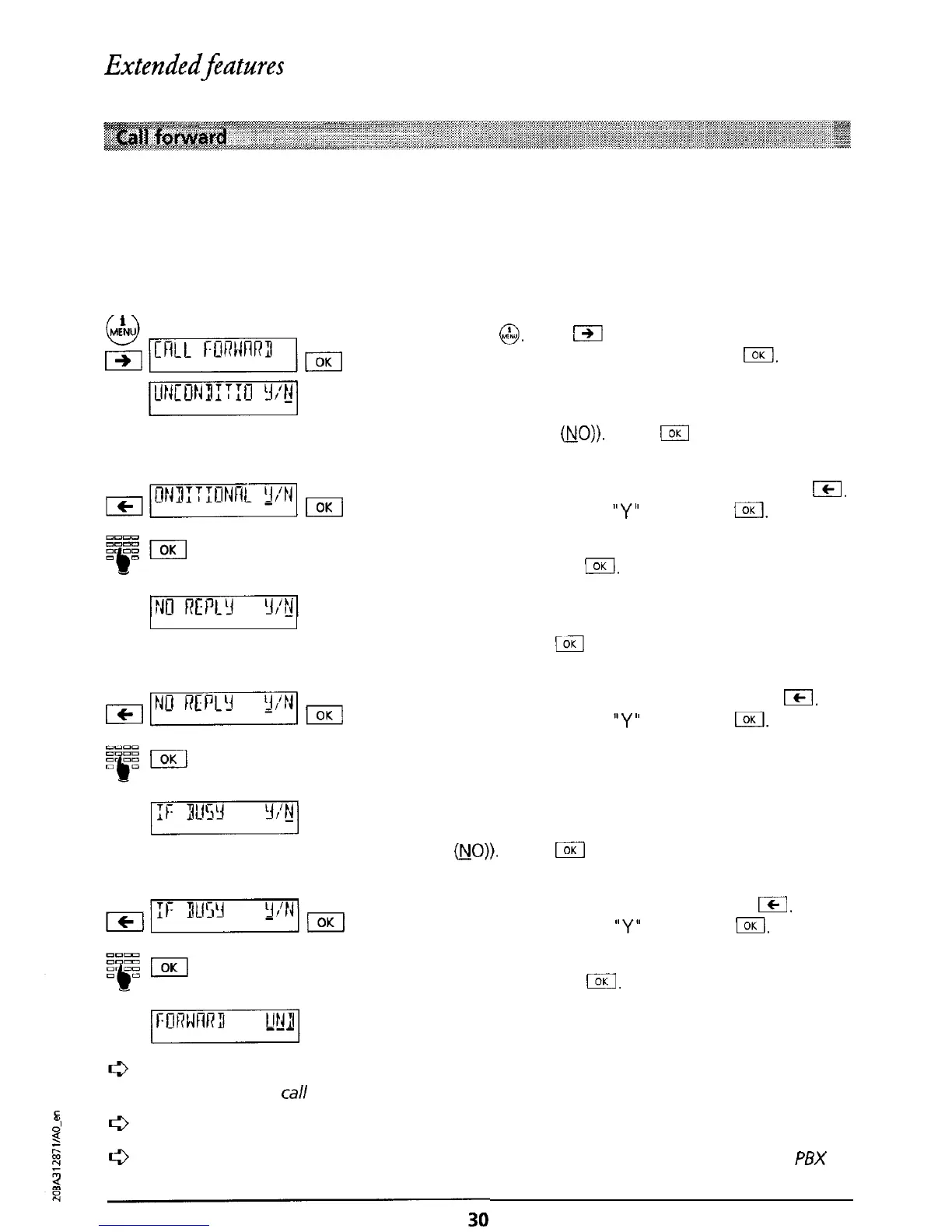
“CALL FORWARD” is displayed. Press
IOK
Menu for setting unconditional call forwarding
(Factory setting: Unconditional call forwarding is
switched OFF
NO)).
(Press
(
if you do not wish
to change the setting).
To activate call forwarding unconditional press
ICI.
The cursor jumps to
“Y”
(ON). Press
/.
Enter the number to which calls are to be
forwarded. Press
/.
Menu for setting call forwarding if no reply (Factory
setting: Call forwarding if no reply is switched OFF
(NO)). (Press
kZl
if you do not wish to change the
setting).
To activate call forwarding if no reply press
m.
The cursor jumps to
“Y”
(ON). Press
IOK
Enter the number to which calls are to be
forwarded. Press I.
Menu for setting call forwarding if busy (Factory
setting: Call forwarding if busy is switched OFF
@JO)).
(Press
I
if you do not wish to change the
setting).
To activate call forwarding if busy press
Icj.
The cursor jumps to
“Y”
(ON). Press
IOK
Enter the number to which calls are to be
forwarded. Press
I.
The selected type(s) of call forwarding are indicated
by an underlined character.
The number to which
calls
are to be forwarded remains in memory even when the
related
type
of
call
forwarding is deactivated.
You can also forward a call using speed dialling (see “Speed dialling’).
If the telephone is
connected
to
a
PBX, please refer to the relevant section in your
PBX
operating manual.



 To Next Page