Operation with a
PBX
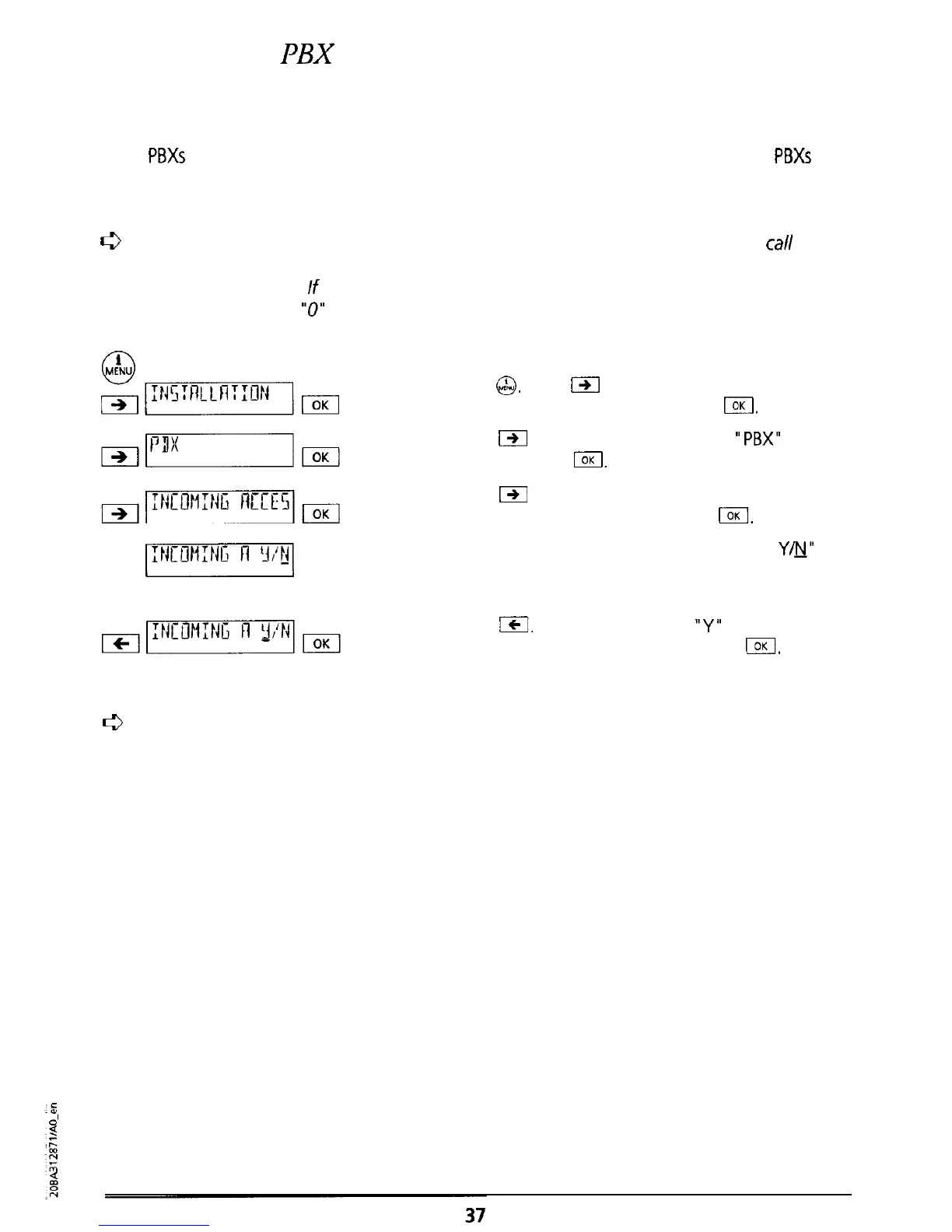
Incoming exchange access code
Some
PBXs
automatically insert the exchange access code for incoming calls. With such
PBXs
the
“Incoming access code” must be activated (ON) so that, for instance, your Eurit 22 correctly
interprets numbers from your directory.
0
You can test whether or
not
you need to make this setting by having someone
Cal/
you
from
an
external telephone (after you have entered the
access
code)
and
then not
answering the call.
If
the access code appears twice before the number of the calling
party (Warning:
“0”
from
the
prefix is
not an
access code), then “Incoming
access code”
must be set to “ON”.
Press
&&I.
Press
@I
as often as necessary until
“INSTALLATION” is displayed. Press
&f.
Press
191
as often as necessary until
“PBX”
is
displayed. Press
/.
&7Nmmmqm
Press
19/
as often as necessary until “INCOMING
ACCESS CODE” is displayed. Press
I.
I:rrcun:rrc,l
The message “INCOMING ACCESS CODE
Y&J”
is
displayed (Factory setting: ‘Incoming access code’
is set to “OFF” (NO).).
Press
jcI.
The cursor jumps to
“Y”
(Incoming
access code ON). Confirm by pressing
IOK
A
confirmation signal tone is sounded.
c3
If a message is
longer
than 14 characters, it is first displayed in an “abbreviated” form. If
you wait a few seconds the rest of the message is displayed.



 To Next Page