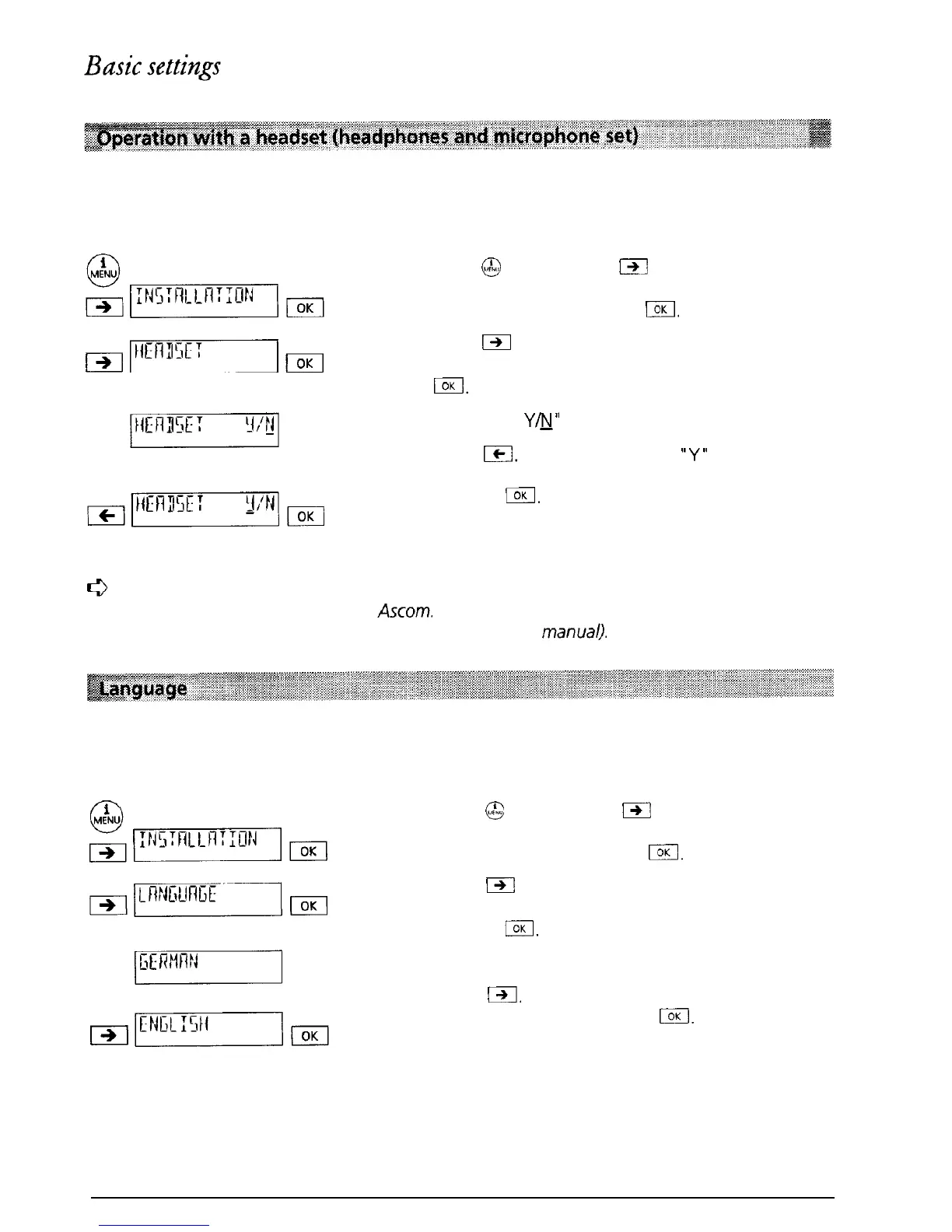
If you telephone a great deal, you can connect a headset (headphones and microphone set) to
the Eurit 22. Once you have selected operation with headset, calls can be accepted or cut off
using the loudspeaker key.
Press
@J
and then press
iXl
as often as necessary
until “INSTALLATION” is displayed. Confirm the
menu selection by pressing
IOK
p$mET-jm
Press
m
as often as necessary until “HEADSET” is
displayed. Confirm the menu selection by pressing
El.
“HEADSET
Y&l”
(Factory setting is NO (OFF))
Press
Ic.
The cursor jumps to
“Y”
(Headset
operation switched ON). Confirm the selection by
pressing
/.
The entry is confirmed by a short
signal tone.
c3
for optimum
use of your Eurit 22 with a headset, we recommend that you use
the
headset specially supplied by
Ascom.
Your local supplier can provide additional informa-
tion (see the address on the back cover of this user
manual).
You can select the language for the displayed messages (German or English). When the
telephone leaves the factory German is set as the display language.
Press
@
and then press
I-)j
as often as necessary
until “INSTALLATION” is displayed. Confirm the
menu selection by pressing
I.
Press
m
as often as necessary until “LANGUAGE”
is displayed. Confirm the menu selection by
pressing
/.
“GERMAN” is displayed.
Press
I,
“ENGLISH” is displayed. Confirm the
menu selection by
pressing
I.
The entry is
confirmed by a short signal tone.
13



 To Next Page