Extendedfeatwes
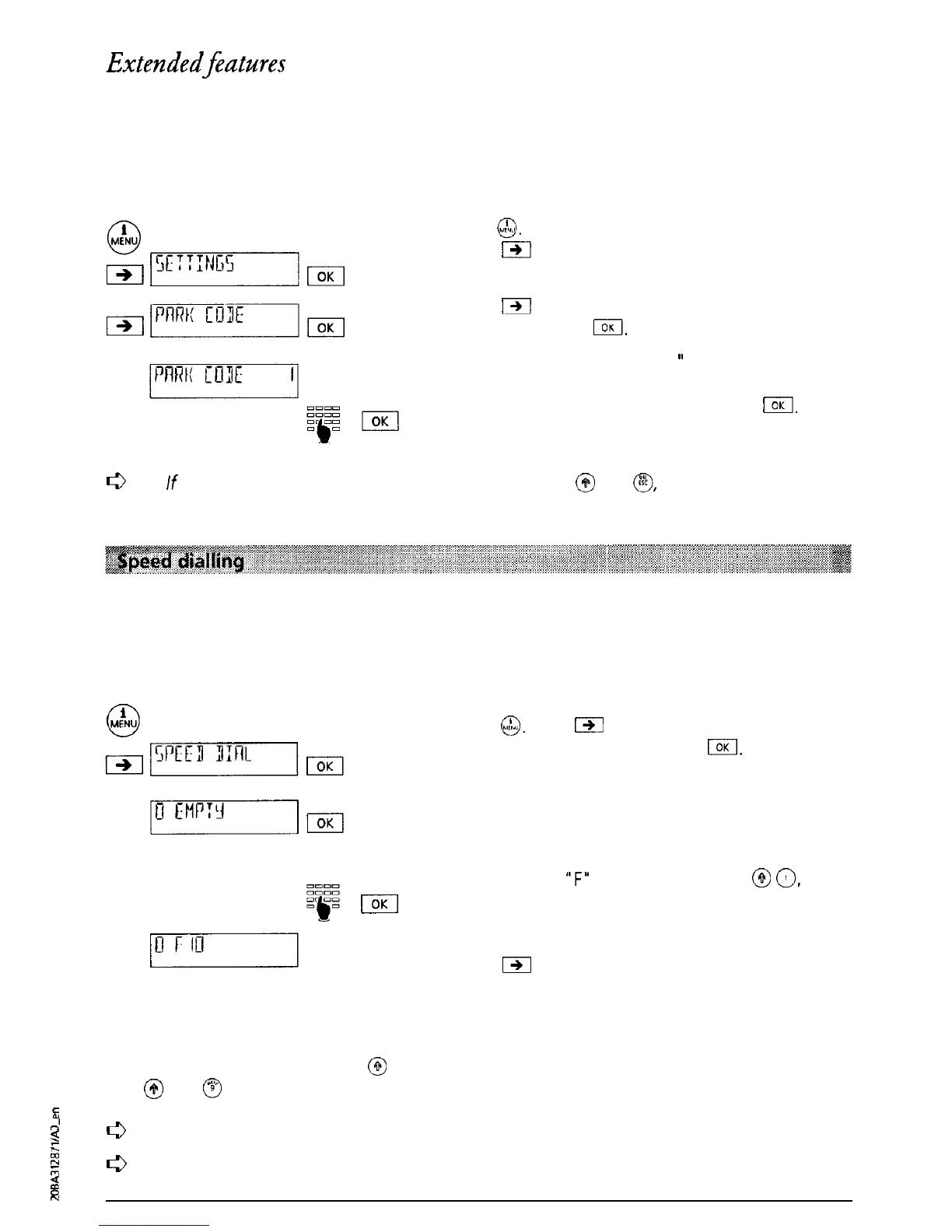
Park code programming
Each user can program their own park code if they do not wish to use the park code 1 defined
in the terminal.
Press
@.
Press
a
as often as necessary until “SETTINGS” is
displayed. Press I.
Press
m
as often as necessary until “PARK CODE”
is displayed. Press
1.
The message “PARK CODE 1
”
is displayed.
Overwrite the park code with your own one or two
digit park code and confirm by pressing
I.
The
park code of the active user is now stored.
c3
If
you delete the programmed park code by pressing @ und
@,
any
further calls will be
manually parked.
Programming a speed-dial memory
There are 12 speed-dial memories available (not user-specific, and hence for all users).
You can use the speed-dial memory to store regularly used telephone numbers or functions.
Please refer to the appropriate section in this operating manual for details.
Press
@.
Press
191
as often as necessary until
‘SPEED DIAL” is displayed. Press
IOK
The contents of the first speed-dial memory is
displayed. Press I.
Enter the number or function you wish to store (in
order to enter
“F”
for a function press
@
0,
for
further special characters see below). Press I.
The programmed speed-dial entry is displayed.
Press
191
to program further speed-dial entries.
Select speed-dial number
To carry out speed-dialling, press
@
and the appropriate memory number
(e.g.
@
and
@
for speed-dialling memory 9). Speed-dialling can be followed on the display.
&
0’
s
c3
;;
Always store a
speed-dial
number
with the prefix.
w
8
c3
For operation with a PBX the number must include the prefix
but
not the exchange
access code.
N
32



 To Next Page