Operation with a
PBX
Exchange access code
For operation with a PBX without automatic external line selection, the exchange access code
may have to be set.
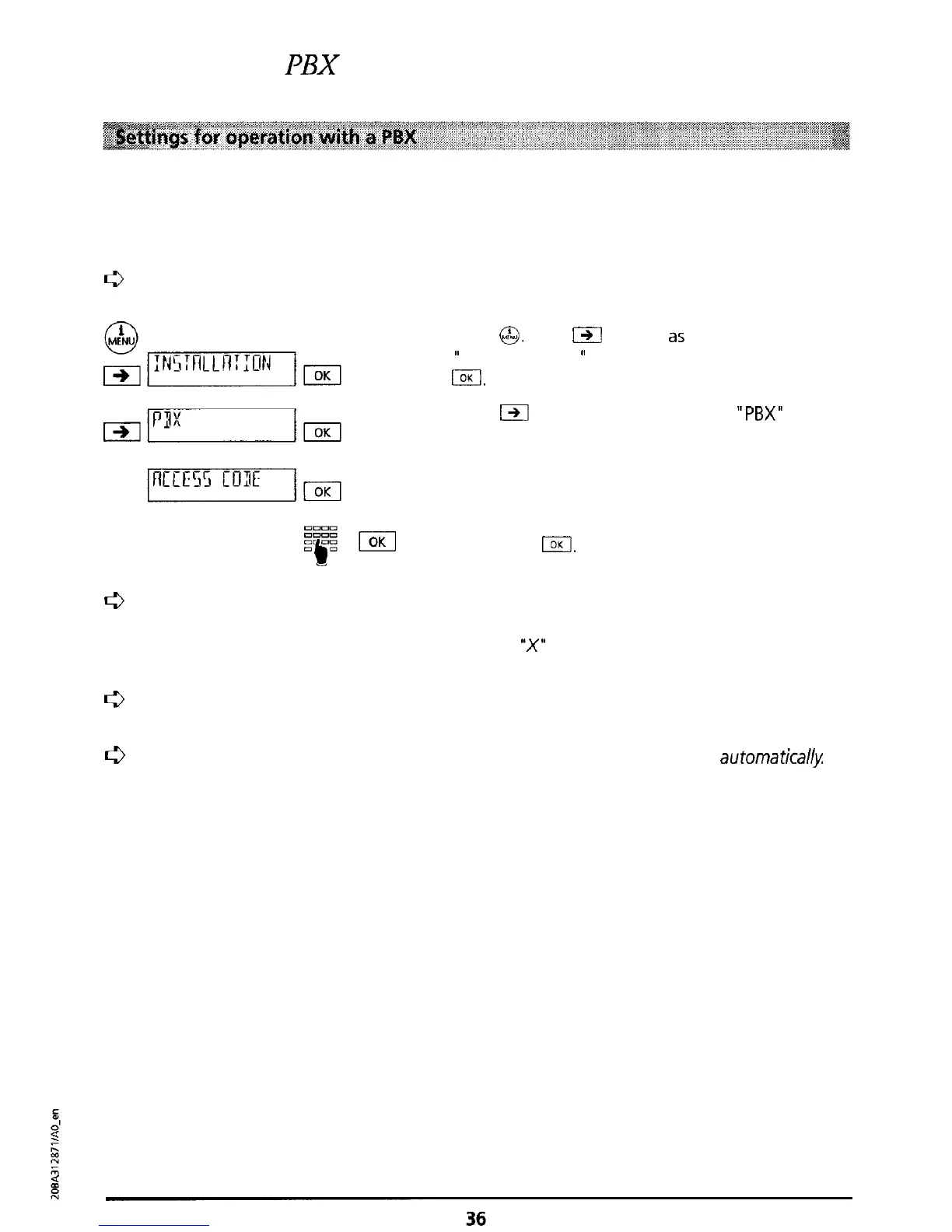
a
Enter the digits to be used as an exchange access code for external calls.
Press
G&J.
Press
C3Il
as often
a5
necessary until
”
INSTALLATION
I’
is displayed. Confirm by pressing
m.
Press
m
as often as necessary until
“PBX”
is
displayed. Press I.
The message “ACCESS CODE” is displayed.
Press I.
Enter the access code (max. 4 digits) and confirm
by pressing
I.
0
If you have defined a public exchange access code,
then in
the directory (as well as with
numbers for speed dialling) the prefix but not the access code must be entered.
For
emergency calls
enter
the
special
character
“X”
(access code must be entered) in front of
the number Also see “Speed dialling”.
Q
Only
if you have defined an access code, internal and external calls are discriminated
automatically
0
When dialling using the keypad, the exchange
access
code is
not
dialled
automatica&



 To Next Page