Basic settings
Settings for use with a PBX are given in the section “Operation with a PBX”.
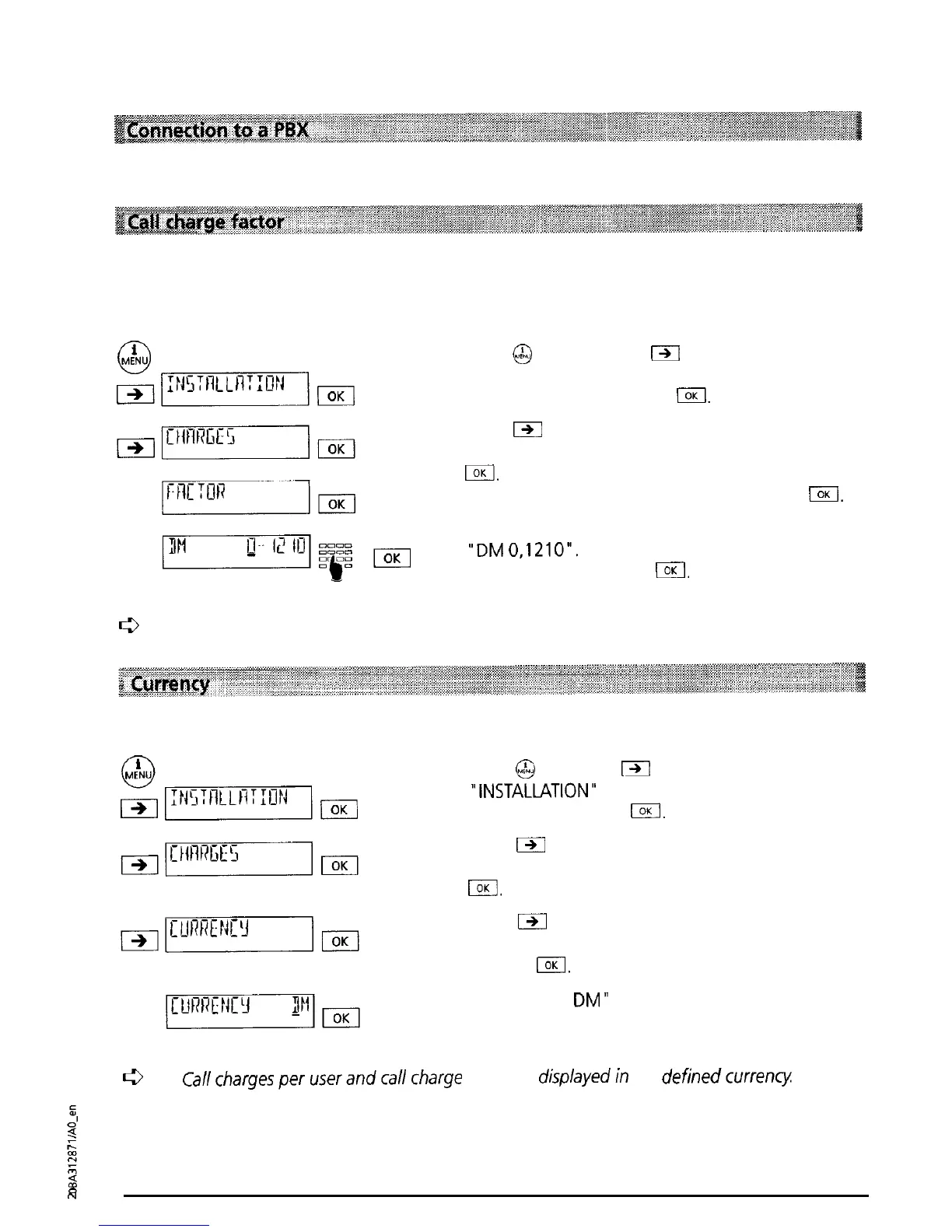
To ensure that the displayed call charge is correct, the call charge factor must be set. When the
telephone leaves the factory the call charge factor is set to 12.1 1 (12.1 1 pfennig). The current
call charge factor can be obtained from your telecoms operator.
Press
@
and then press
Fl
as often as necessary
until “INSTALLATION’ is displayed. Confirm the
menu selection by pressing
I33
Press
m
as often as necessary until “CHARGES” is
displayed. Confirm the menu selection by pressing
El.
“FACTOR” is displayed. Confirm by pressing
IOK
The current call charge factor setting is displayed
“DM
0,121O”.
Enter the correct call charge factor
and confirm by pressing
@IOK
The entry is con-
firmed by a short signal tone.
c3
See also "Call charges per user; call charge total"
You can change the currency unit as necessary:
Press
@
then press
i3l
as often as necessary until
“INSTALLATION”
is displayed. Confirm the menu
selection by pressing
lKi.
Press
141
as often as necessary until “CHARGES” is
displayed. Confirm the menu selection by pressing
IOK
Press
m
as often as necessary until “CURRENCY’
is displayed. Confirm the menu selection by
pressing
I.
“CURRENCY
DM”
is displayed. Enter the currency
abbreviation (max. 4 characters) and confirm by
pressing I.
c3
Callchargesperuserandcallcharge
total are
displayedin
the
definedcurrency
N
12



 To Next Page