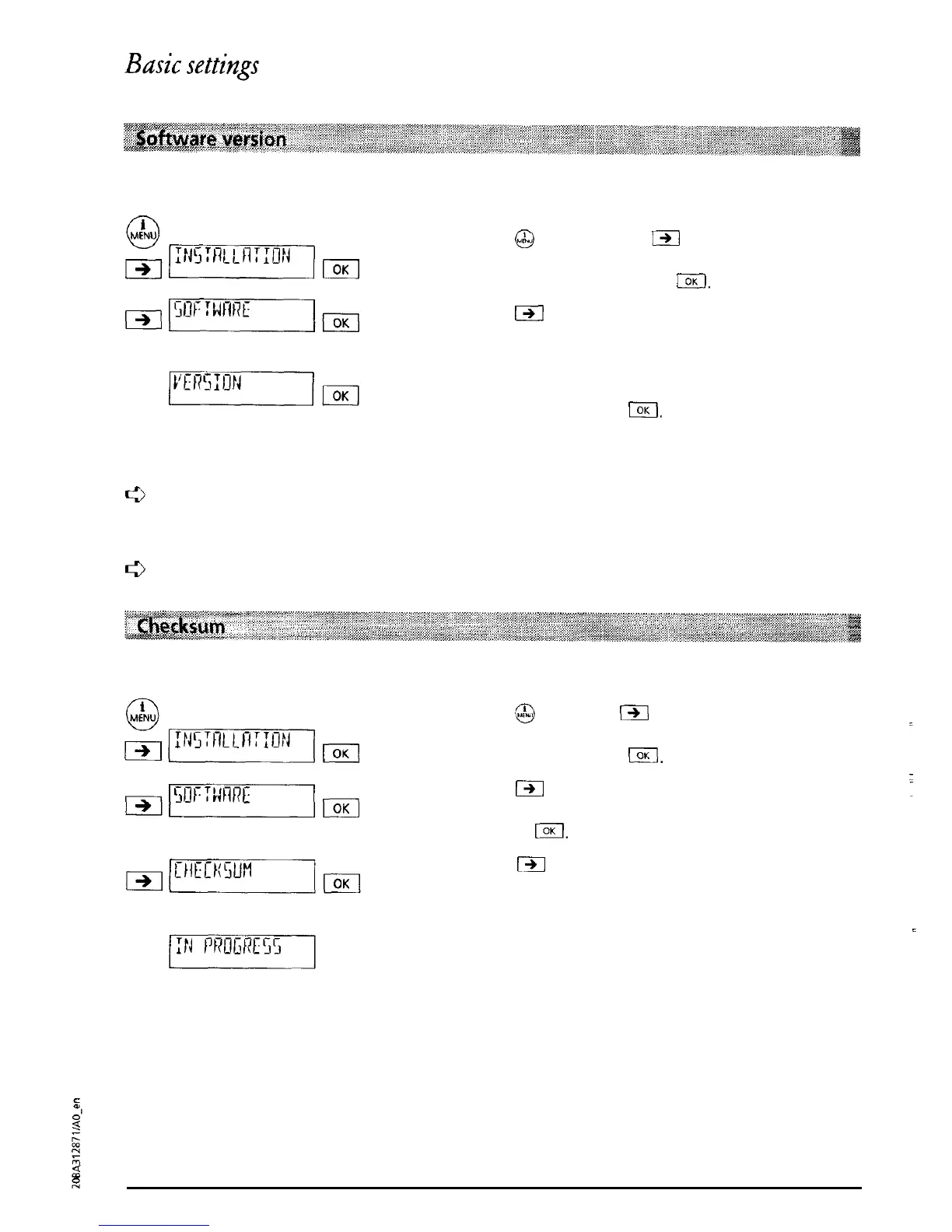
You can display the software version of your telephone
Press
@
and then press
C%l
as often as necessary
until “INSTALLATION” is displayed. Confirm the
menu selection by pressing
I.
Press
a
as often as necessary until “SOFTWARE”
is displayed. Confirm the menu selection by
pressing (OK.
“VERSION’ is displayed. Confirm the menu
selection by pressing
IOK
The version number of the installed software is
displayed.
c3
If you have
a
question you need clarified, then before you
call
our Hotline (see back
cover of this user manual for the address and phone number) please check the version
number
of your software.
e
Software-Update see “Option: dialling from a PC”.
For hotline enquiries you can display the checksum:
Press
53
then press
(-)I
as often as necessary until
“INSTALLATION” is displayed. Confirm the menu
selection by pressing
CKI.
rq-p-%m~m
Press
m
as often as necessary until “SOFTWARE”
!
is displayed. Confirm the menu selection by
pressing
loK.
Press
C3I
as often as necessary until “CHECKSUM”
is displayed. Confirm the menu selection by
pressing (OK.
“IN PROGRESS” is displayed. After a short time the
checksum of your telephone is displayed.
14



 To Next Page