User-speciJic
settings
User-specific settings can be made depending on the requirements of the individual users.
e
Before these
setting can
be made, at least one user must have been defined on your
Eurit 22 (see “Defining a user”).
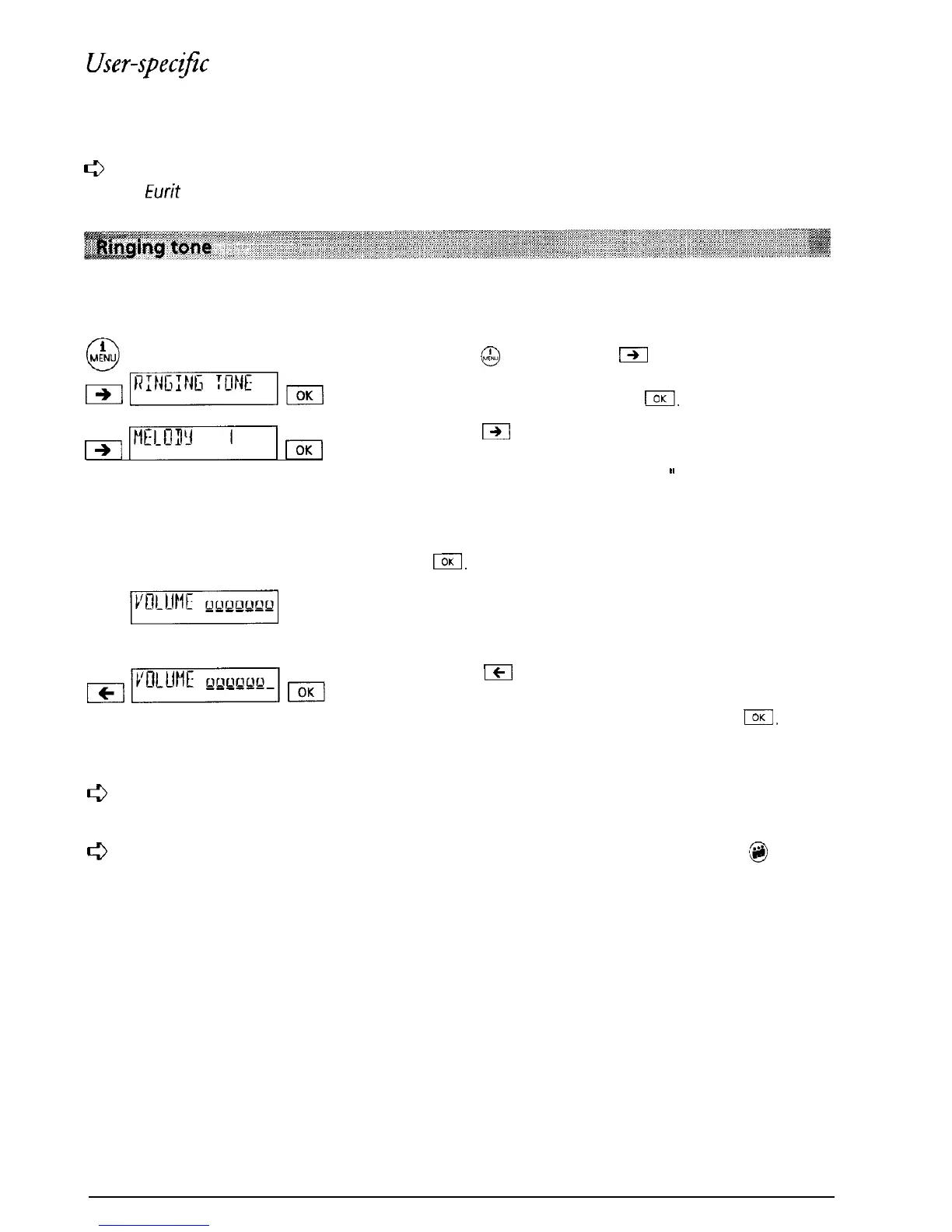
Each user can select a ringing tone from a choice of seven melodies and set the volume in the
range 0 to 7.
Press
@
and then press
m
as often as necessary
until “RINGING TONE” is displayed. Confirm the
menu selection by pressing
I.
&imrqm
Press
IXi
and the number representing the
selected melody is displayed (when the telephone
leaves the factory “MELODY 1
”
is set). The melody
represented by the number displayed is reproduced
via the loudspeaker. When the melody you would
like is played, confirm the selection by pressing
El.
The volume of the ringing tone can be set. The
ringing volume set in the factory is displayed
(maximum 7).
Press
1cI
to change the volume. The number of
bars displayed (max. 7) indicate the current setting.
Confirm the menu selection by pressing
IOK
The
entry is confirmed by a short signal tone.
c3
Ensure
that
a different melody is selected for each user so that it is possible
to
differenti-
ate
between the incoming calls.
c3
Warning: If you select volume 0, your Eurit 22 no longer rings. The LED above
m@
lights.
15



 To Next Page