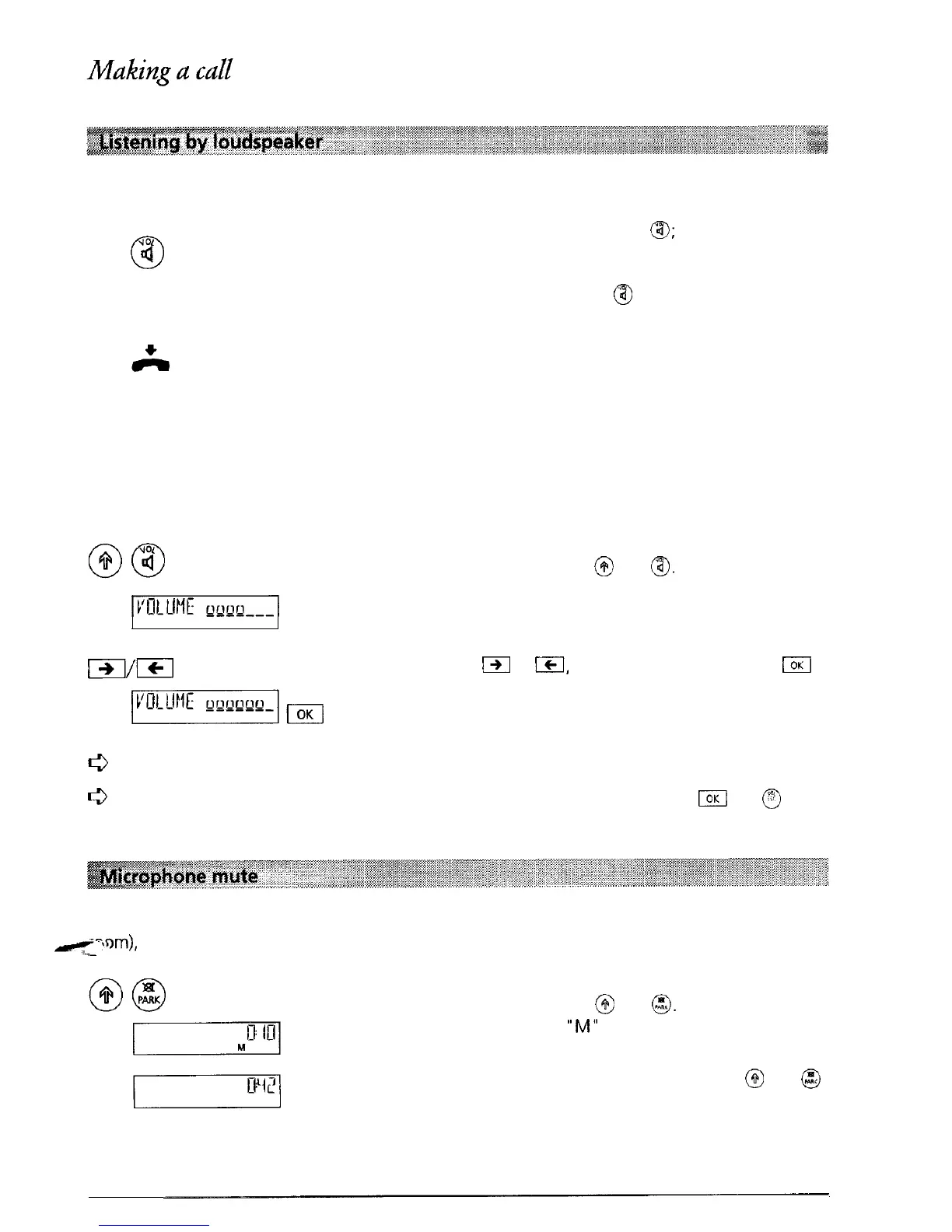
A call can be listened to by other people in the room by switching to loudspeaker.
\1OL
0
IQ
During a conversation press
a;
you can now hear
the conversation via the handset and the loud-
speaker. If the conversation is to be continued via
the handset only, press
a
a second time.
At the end of the conversation replace the handset
and listening by loudspeaker is automatically
switched off.
Adjust the volume during a call (handset and loudspeaker)
On your terminal, the volume of both the handset and the loudspeaker is set to medium. During
the conversation, either via the handset or the loudspeaker, you can change the volume (within
the range 1 to 7).
During the call press
@
and
@.
The volume set in
the factory is displayed (Volume 4).
Press
m
or
ICI,
to adjust the volume. Press
jOK
to store the selected volume.
0
The volume can be set individually for each user.
c3
If you on/y want to change the volume for the current call, do not press
El
but @ after
you have altered the volume setting (temporary change).
If you do not want the other party to hear you (for example while you talk to someone in the
el-!orn),
you can mute the handset microphone.
During the call press
@
and
@.
The microphone is
switched off and
“M”
is displayed.
To switch the microphone back on press
@
and
@
again.
23



 To Next Page