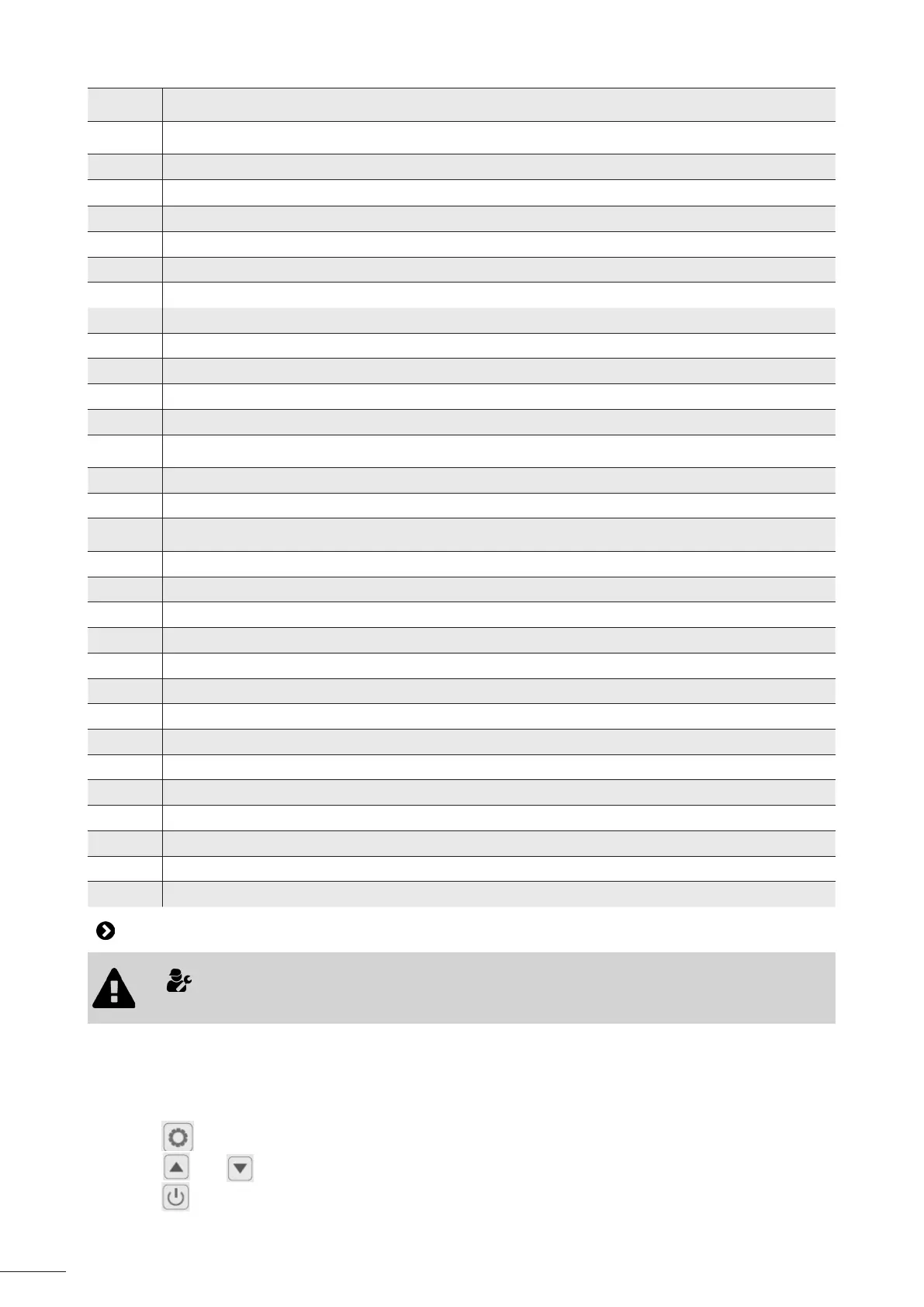
26
r
1
10
(reserve)
r
1
11
(reserve)
Ft
Target frequency
Fr
Current frequency
1F
Main EEV opening
2F
Auxiliary EEV opening
od
Operang mode : 1: Cooling / 4: Heang
Pr
Fan speed ( DC - value*10)
dF
Defrosng condion
OIL
Oil return situaon
r1
(reserve)
r2
Heang cable condion
r3
(reserve)
S
r
1
f
4 way valve status
HF
(reserve)
PF
(reserve)
P
r
1
F
(reserve)
Pu
Heang priority output status
AH
High fan speed
Ad
Medium fan speed
AL
Low fan speed
dcU
DC bus voltage
dcC
Compressor current
AcU
Input voltage
AcC
Input current
HE1
History error code
HE2
History error code
HE3
History error code
HE4
History error code
Pr
Protocol version
Sr
Soware version
4.4 I Accessing system parameters
• Modifying the default sengs must be performed by a qualied technician only to facilitate
maintenance or future repairs.
The status values can be checked via the remote control by following these steps
To access to the system parameters:
- Unlock the keypad: the main menu is displayed.
- Press for 3 seconds unl you enter the sengs.
- Press and to check the status values.
- Press to return tothe main screen.




 To Next Page