SECTION 2
INSTALLING THE PRINTER
8
Assembling the Printer
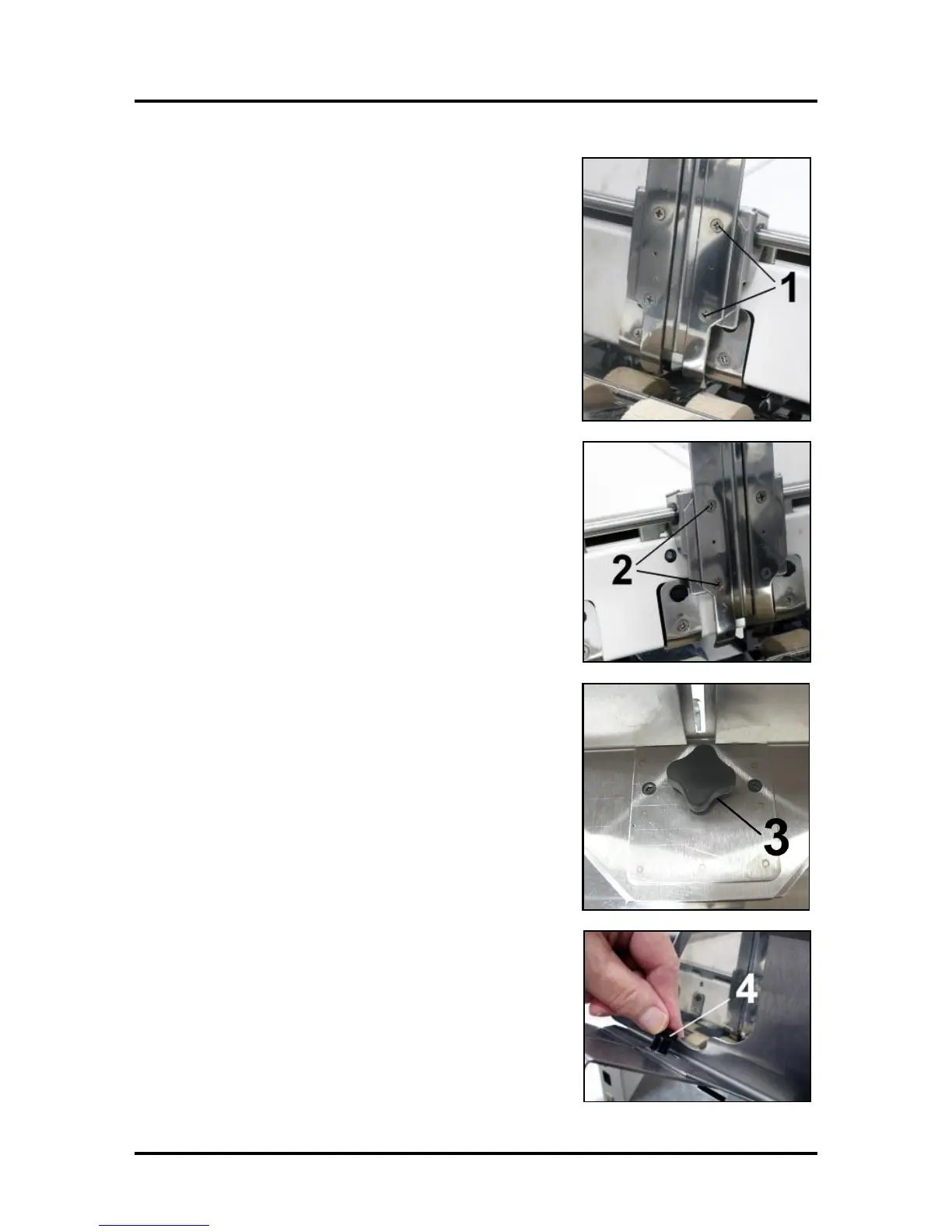
Install the Adjustable Side Guide with two screws [1]:
Install the Envelope/Paper Side Guide with the two screws [2]
provided.
Attach the Rear Paper Support using the knob [3] provided.
NOTE: The two outside holes fit over the socket head screws.
Install the Rear Guide using the thumbscrew and washer [4]
provided. The washer goes between the screw and the Rear Paper
Support.



 To Next Page