SECTION 1
GETTING ACQUAINTED
1
SECTION 1 – Getting Acquainted
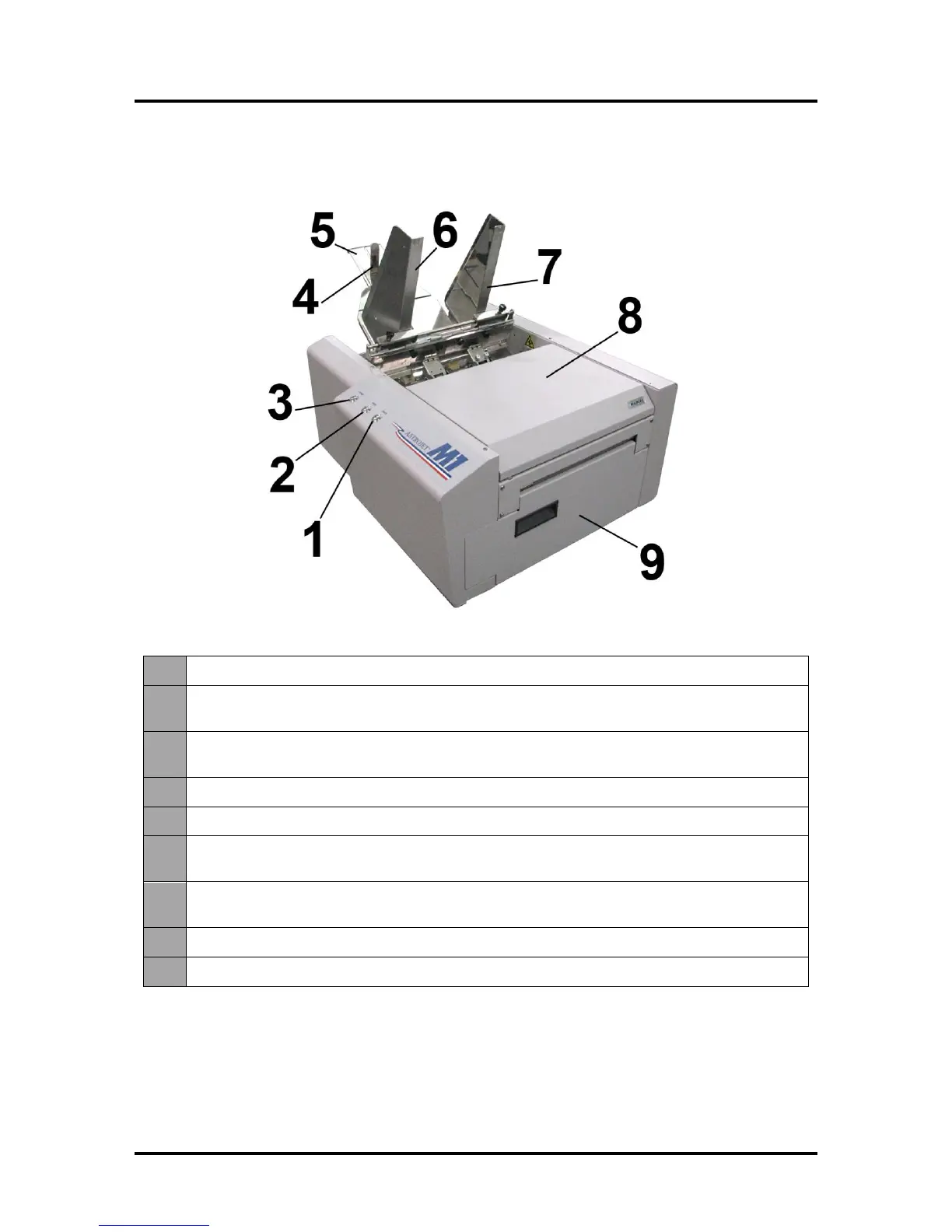
Front View
Cancel LED Button – Cancels the job being printed.
Paper LED Button – Press to stop printing, press to restart printing. Press switch to
continue printing.
ON/OFF LED Button – Use to turn power ON or OFF during idle time and
maintenance.
Rear Guide – Holds the media against the Front Plate.
Rear Guide Support – Supports the paper/media.
Adjustable Media Guide – Adjusts to hold the paper/media against the
Envelope/Paper Register Guide.
Envelope/Paper Media Guide – All printing is registered against this Guide. It has
adjustable positions for envelopes and paper.
Top Cover – Provides access to the Print Engine.
Front Cover – Provides access to the Service Station and Ink Tanks.



 To Next Page