SECTION 3
OPERATING THE ASTROJET M1
26
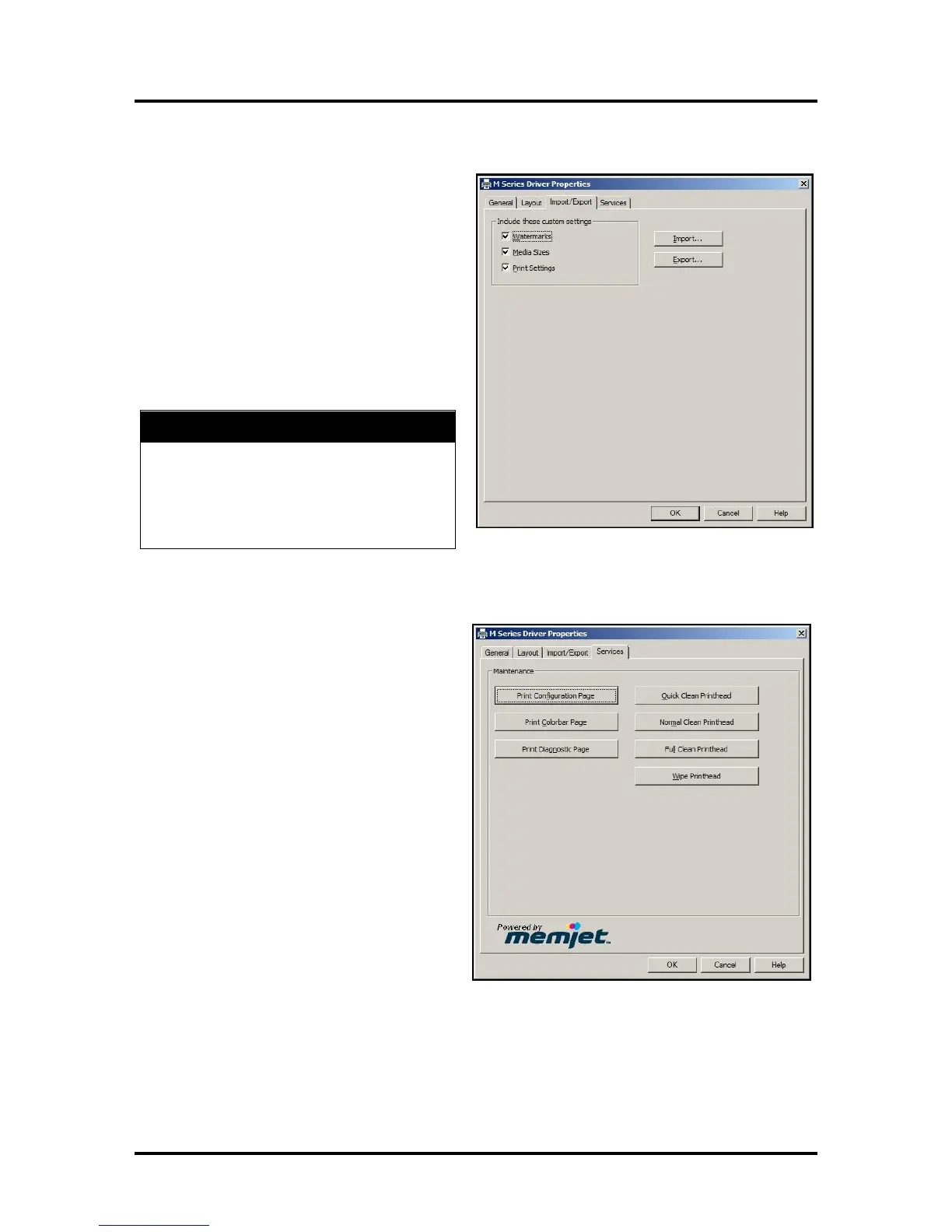
Import/Export Tab
Import/Export is used to preserve any custom
Media Sizes, Watermarks and/or Print Settings you
may have developed and saved for various jobs
when you update the Printer firmware.
Export – Send the custom settings to a
holding file before downloading the new
firmware.
Import – Return the custom settings after
the firmware installation is complete.
This tab is also used to import custom media size
packages or watermarks from your dealer if they
are available.
BEFORE UPDATING ANY PRINTER FIRM-
WARE, REMEMBER TO FIRST EXPORT ANY
CUSTOM MEDIA SIZES, WATERMARKS OR
PRINT SETTINGS YOU HAVE ADDED TO AN
OUTSIDE HOLDING FILE. THIS PREVENTS
THE LOSS OF YOUR CUSTOM SETTINGS.
Services Tab
Services allows you to:
Print Configuration Page – Prints out
the current configuration of the Printer
including current Firmware Version,
Network Connection, printer Serial
Number and more.
Print Colorbar Page – Prints type and
color bands to check print quality.
Print Diagnostic Page – Displays basic
Printer information, memory, Network
Settings, Event Log and RAM partitions.
Clean Printhead Buttons: Provide 3
levels of cleaning for the Printhead
Cartridge.
Quick Clean Printhead – Circulates ink,
wipes and cleans the Printhead Cartridge.
Normal Clean Printhead – Runs
cleaning and wiping routine twice for
better flushing and cleaning.
Full Clean Printhead – Runs the
cleaning routine multiple times for the most thorough flushing and cleaning of the Printhead.
NOTE: If the Printer is connected to a network and the Driver buttons fail to activate the
cleaning process, you can perform the same functions from the Toolbox User Interface.
Wipe Printhead – Wipes and cleans excess ink from the Printhead Cartridge.



 To Next Page