SECTION 3
OPERATING THE ASTROJET M1
31
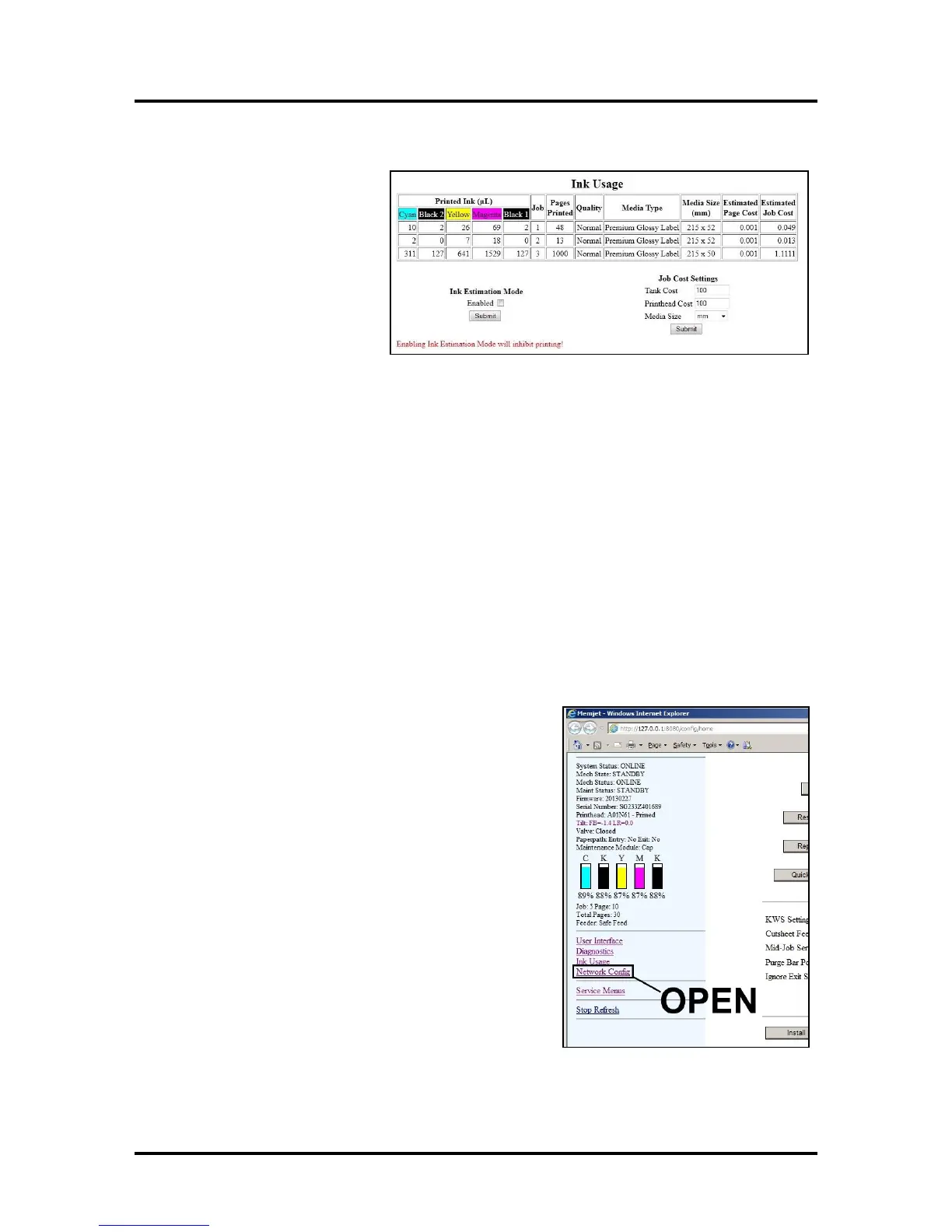
Ink Usage
Allows you to monitor the estimated
amount of ink left in each of the five
Ink Tanks. You can monitor ink use
and consumption and schedule Tank
changes (saving down-time during a
print run.) NOTE: Ink Usage only
works when you install a new Ink
Tank and leave it in the Printer.
Ink Estimation Mode – Checking
this box lets you predetermine how
much ink a given job may use prior to
printing a job. This can be useful for determining per piece costs. The job is sent to the Printer and loads,
but does not print. Once the job is loaded, the chart shows the amount of ink (by color) that the job will use.
Click “Submit” to activate or deactivate this feature.
NOTE: The estimating process takes as long as the job would take to print (i.e., if the job would take 1
hour to print, the estimate will take 1 hour to display.)
Job Cost Settings – Enter your ink cost and printhead cost and media size preference (inches or mm). Set a
minimum of at least 100 pcs. to ensure a large enough sample size. Click “Submit”. In Ink Estimation
Mode, this feature estimates your per page cost and your job cost without printing the job. With Ink
Estimation Mode disabled, the Printer will still track your estimated per page cost and estimated job cost as
the job is being printed. NOTE: Remember that this is only an estimate, and does not include other
factors such as Printer maintenance routines, (printhead wiping and cleaning, power up/down, etc.)
that may affect the overall result.
Network Configuration
Permits you to view, enter or change settings to connect the Printer to your network.
Network Connection Set Up:
1. The Printer is still connected to the computer via the
USB cable.
To connect the Printer to a network, open the
Toolbox. On the User Interface page, click
“Network Config.”



 To Next Page