SECTION 2
INSTALLING THE PRINTER
10
Install the Printer Driver
For the Printer software to operate properly check that the computer system meets these minimum
requirements:
Operating System: Windows XP, Windows Vista, Windows 7, Windows 8/8.1. Supports 32 and 64
bit systems. (You must have administrative privileges on the system.)
NOTE: Win 8 and 8.1 will only work in desktop mode. No Win 8 metro apps will be supported
(applications that work in a Win 8 only environment).
Microprocessor: Pentium II, 2 GHz minimum (Pentium Dual Core, 2.5 GHz or better, is optimal)
System memory: 2 GB minimum; or as recommended for your operating system.
Free hard-disk space: At least 10 GB.
Web Browser: Firefox recommended; Chrome, Safari, and Opera also supported.
CD/DVD drive.
USB 2.0 port (ports will be identified as “USB2” or “Enhanced” in the Device Manager)
Microsoft .Net Framework version 3.5 (for 32 bit systems) or Microsoft .Net Framework version 4
(for 64 bit systems) must be installed. NOTE: Even if you have a higher .NET Framework version
installed; version 3.5 or 4 must also be installed, or the Toolbox will not open.
IMPORTANT: Before installing the Printer software (Toolbox and Driver), you should temporarily
disable all antivirus programs and firewalls. In addition, you must be logged onto the system with full
administrative privileges (admin rights).
NOTE: If installing over USB, do not plug in the USB cable until prompted.
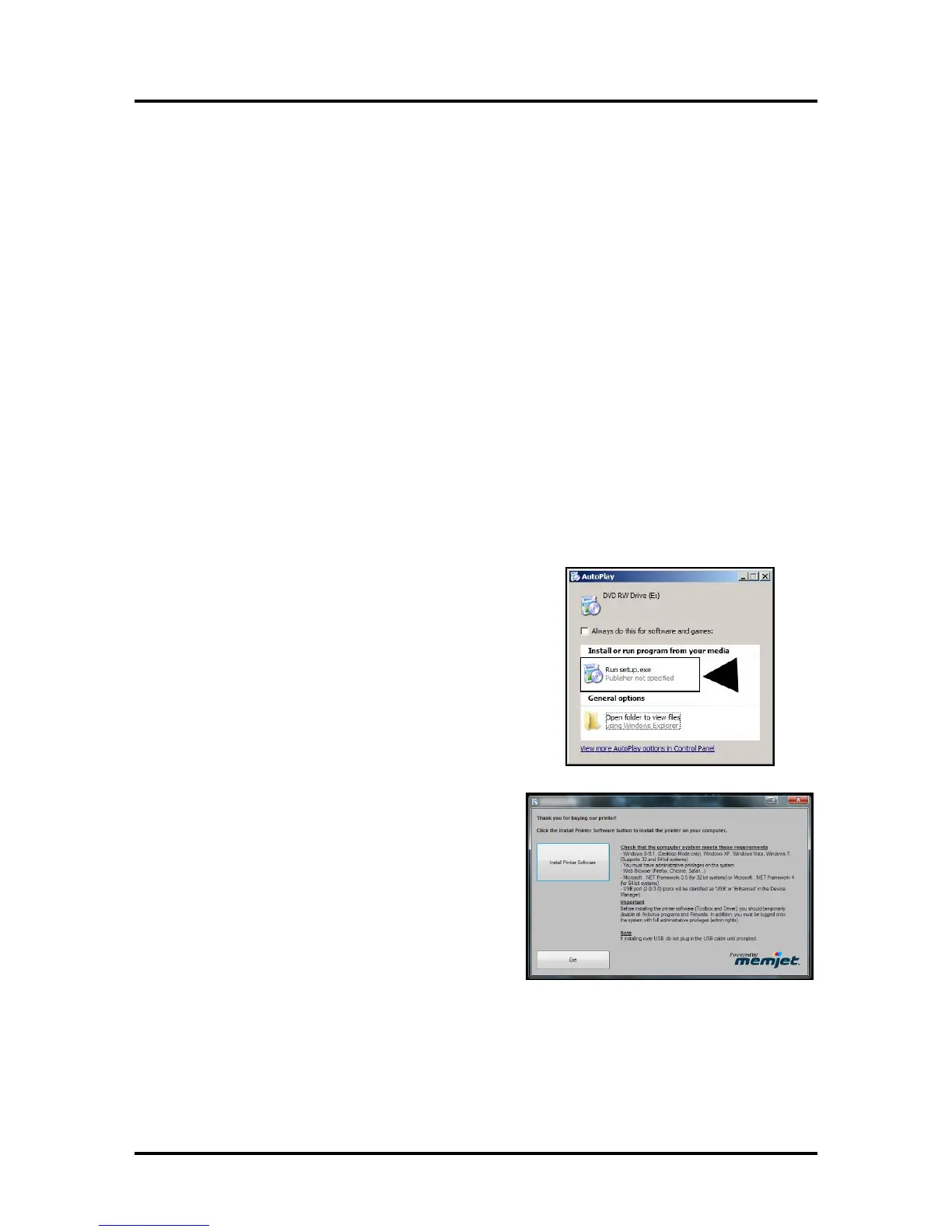
1. Check that Printer is plugged in and turned OFF.
Disconnect the USB connection if you have plugged it
in already. Install the disk supplied with the Printer in
your CD drive. When the AutoPlay Window opens,
click “Run Setup.exe” to start.
2. Install Printer Software. Make sure the computer
system meets the minimum requirements and
you have followed the other instructions listed on
the screen. Click “Install Printer Software”.



 To Next Page