SECTION 2
INSTALLING THE PRINTER
17
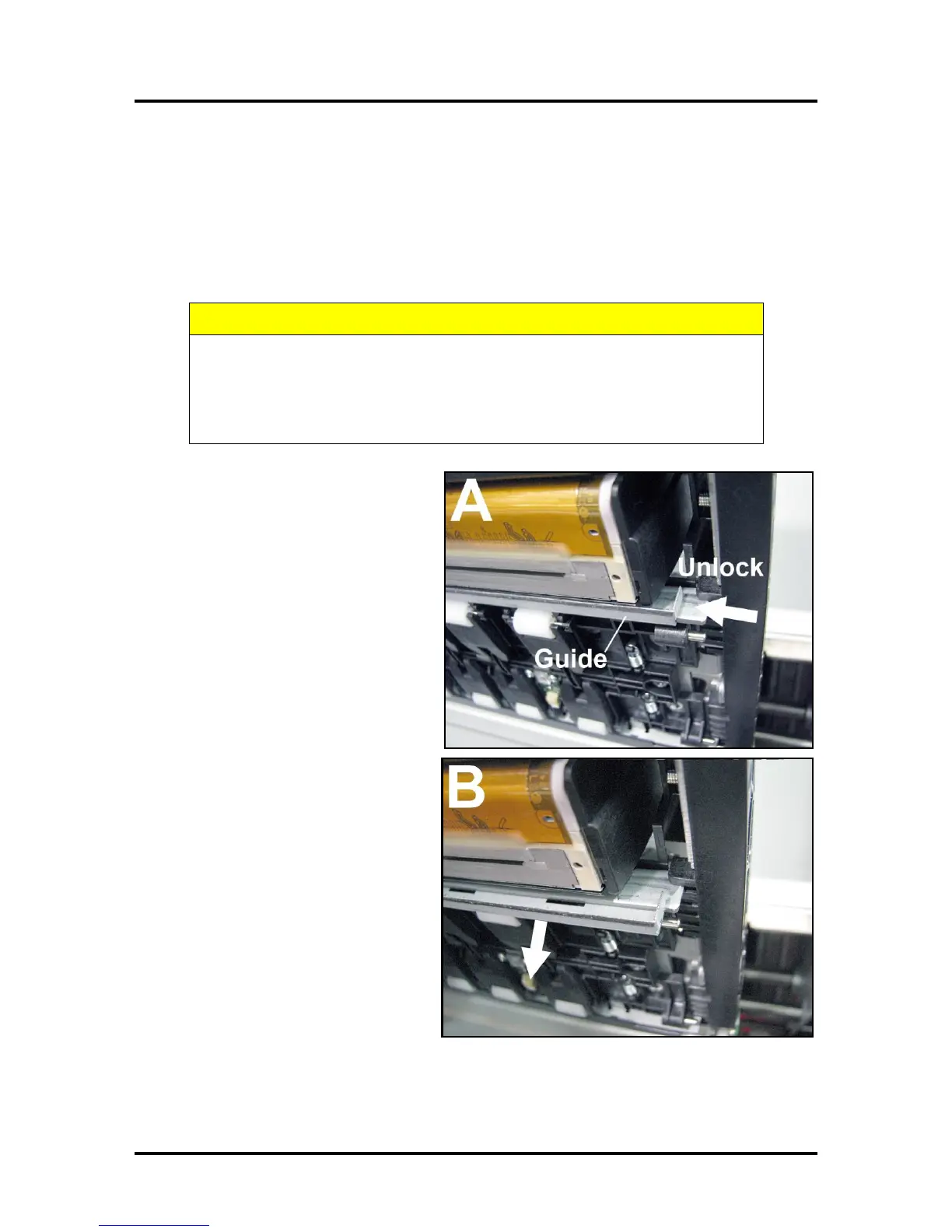
Removing the Head Media Guide
You can remove the Head Media Guide if you are primarily printing on thin, flat stock (that is, you are not
printing large batches of envelopes) and are encountering print quality issues. The attachment is used to
flatten the envelope flap for better print consistency.
1. Open the Top Cover
2. Open the Print Engine Clamshell.
3. [A] & [B] Slide the Envelope
Printing Attachment to the left and
pull down on the Head Media Guide
to release it from the metal support.
[C] Remove the Guide from the
Printer. Save for later use.
HOLD ONTO BOTH LATCHES WHEN OPENING AND CLOSING THE PRINT
ENGINE CLAMSHELL TO PREVENT DAMAGE.
DO NOT ALLOW THE CLAMSHELL TO DROP OR SLAM CLOSED.
TO PREVENT DAMAGE TO THE INK LINES, A STOP LIMITS RAISING THE
CLAMSHELL MORE THAN 60°.



 To Next Page