SECTION 3
OPERATING THE ASTROJET M1
25
Using Layout Tab Printing Adjustments
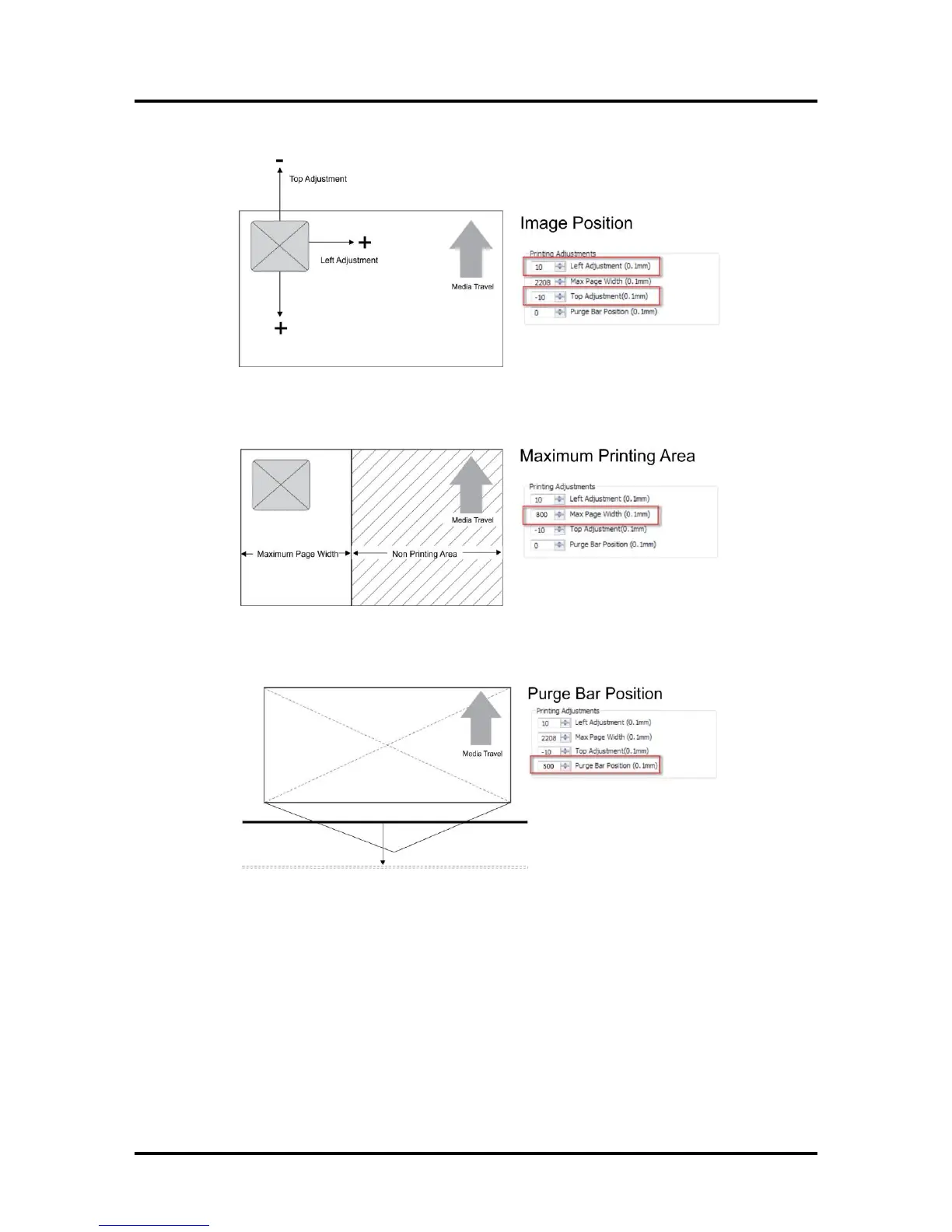
Image Position – Left Adjustment moves the image area away (-3mm left to +200mm right)
from the left edge of the media. Top Adjustment moves the image up or down
(-5mm up to +200mm down) from the top left corner of the media used. (0.1mm increments)
Max Page Width – Sets the width of the actual print area. (0.1mm increments) This shuts off
the nozzles in the non-printing area (not used for printing) and saves ink. NOTE: Can be no
larger than the maximum print width for the printer (8.5"/215.9mm).
Purge Bar Position* – In operation, the Printhead spits a small amount of ink in the gap
between pieces to keep the nozzles refreshed. For irregular-shaped pieces (like an envelope
flap), the sensor may “read” the lower end as the edge and spray on the tip of the flap instead
of the actual gap between pieces. This feature allows you to manually set the gap (in 0.1mm
increments) to account for the extra length needed to reach the actual gap.
* See also “Purge Bar Position” in the Printer Toolbox section.
Watermark – Prints a light background watermark in the paper while printing the original
document. When this option is selected the “First page only” option prints the watermark on the
first page, but not subsequent pages, unchecking prints the watermark on all pages. The Custom
button lets you create a new watermark or edit an existing watermark, including font selection,
color, size and printing angle.
My Print Settings – Access your saved custom print settings for various jobs.



 To Next Page