SECTION 4
MAINTENANCE
38
Replacing the Printhead Cartridge
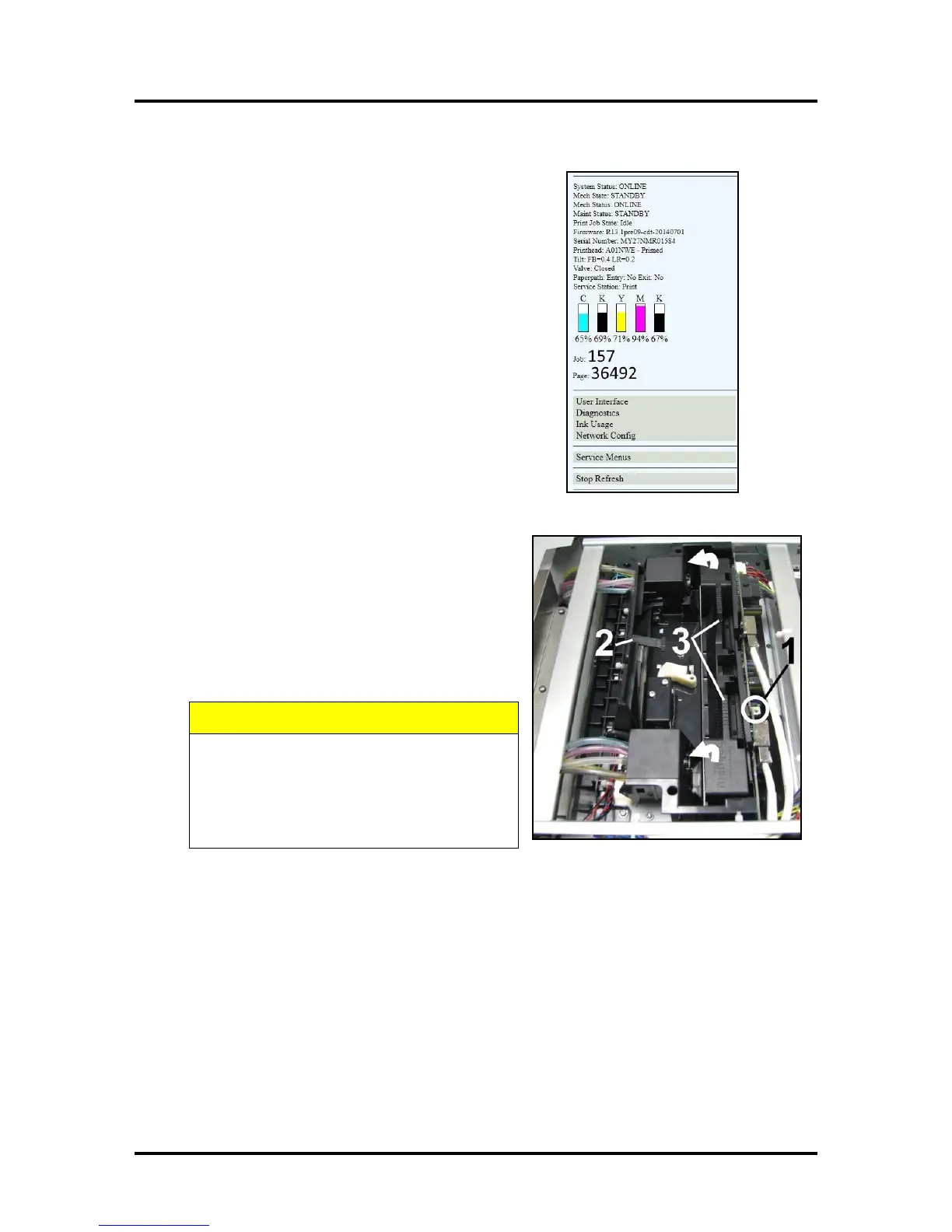
1. Open the Toolbox. On the User Interface screen
System Status information appears in the upper left
corner.
2. Open the Top Cover. Press the Printhead Latch
Release button [1]. The Printer pumps any ink in
the system back into the Tanks. Then the Printhead
Latch pops open [2].
NOTE: You can perform this same function
from your computer by clicking “Printhead
Release” on the User Interface screen in the
Printer Toolbox.
DO NOT PRY OR MANUALLY LIFT THE
PRINTHEAD LATCH OR THE LATCH MAY
BREAK. ONLY OPEN THE LATCH USING
THE RELEASE BUTTON ON THE
PRINTER OR THE PRINTHEAD RELEASE
COMMAND IN THE PRINTER TOOLBOX.
3. Make sure the Printhead Latch is fully opened to retract the ink lines. Remove the used Printhead
Cartridge by tilting it toward the ink lines [3], then carefully lifting it out of the Printhead
Compartment.



 To Next Page