SECTION 4
MAINTENANCE
46
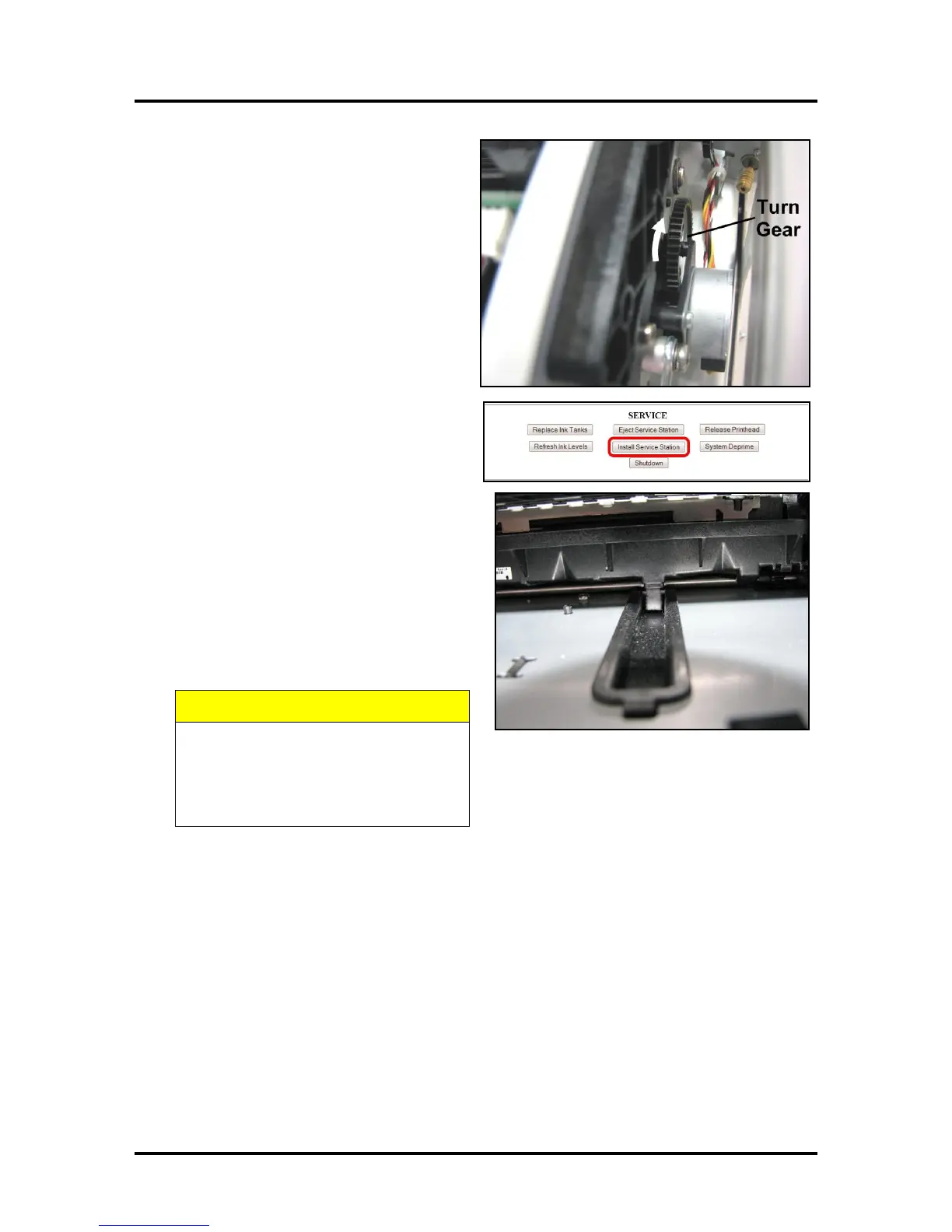
9. GENTLY push the Service Station while
turning the large Gear on right side of Print
Engine clockwise. Gear should engage
gear on Service Station Roller and pull it
in. Once the Service Station starts moving,
stop turning the gear.
10. Power up the unit, then click “Install
Service Station” in the Printer Toolbox to
pull the Service Station in.
NOTE: Make sure the wick hanging below
the Service Station is inside the plastic trough
inside the Ink Tank Station to prevent ink
seepage.
NOTE: Service Station should operate
smoothly. If it binds, chatters or grinds,
reinstall the Service Station. Lubricate Side
Tracks and Guide if necessary.
11. Close the Clamshell Cover. Close the
Front Cover.
HOLD ONTO BOTH LATCHES WHEN
OPENING AND CLOSING THE
CLAMSHELL TO PREVENT DAMAGE.
DO NOT ALLOW THE CLAMSHELL
TO DROP OR SLAM CLOSED.



 To Next Page